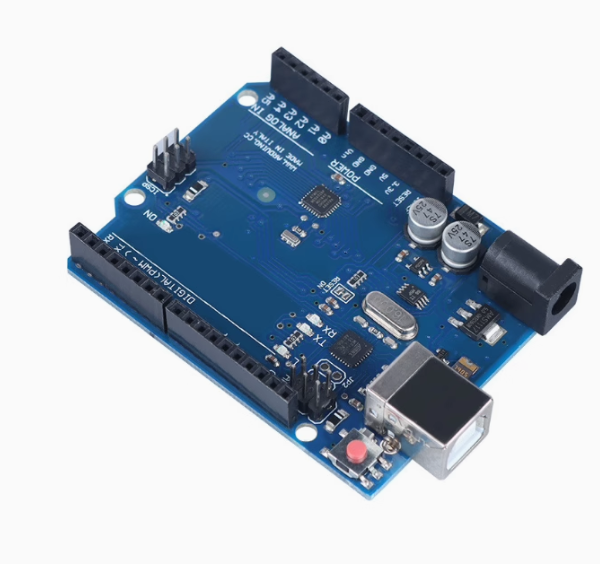
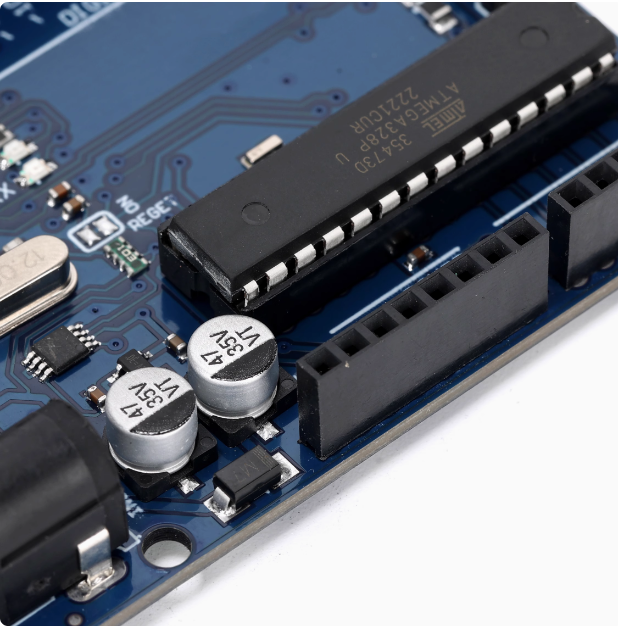
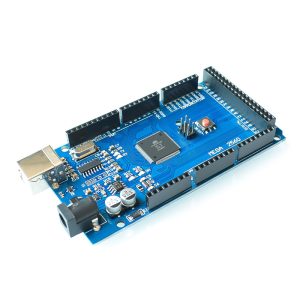
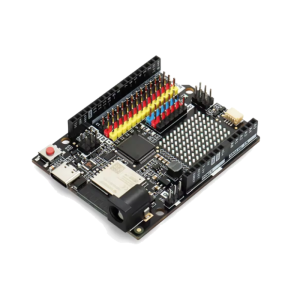
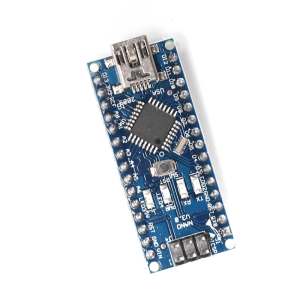
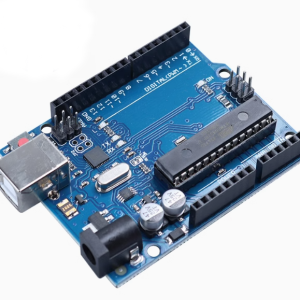
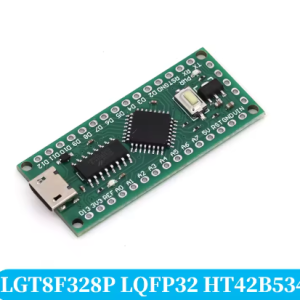
The Arduino UNO R3 SMD Development Board is a compact, surface-mount version of the classic UNO platform, designed for learning, prototyping, and embedded development. In this SMD configuration, both the main microcontroller and the USB interface are built around the ATmega328P, giving the board a consistent, proven architecture across its core functions.
The board follows the standard UNO R3 footprint and pinout, making it compatible with the extensive ecosystem of shields, sensors, motors, displays, and expansion modules designed for the UNO form factor. It can be programmed through the standard Arduino IDE and supports the full range of example sketches, libraries, and community projects.
Unlike the DIP version, this board uses surface-mount (SMD) components. The ATmega328P is soldered directly onto the PCB rather than socketed. This results in a lower-profile board with a more compact and streamlined layout, and it improves mechanical stability since there are no socketed parts to loosen over time. It is a good choice for finished projects, permanent installations, and applications where the board will be mounted or enclosed.
This version ships without a printed logo, giving it a clean, neutral appearance that is ideal for OEM integration, classroom kits, branded product bundles, and corporate training programs.
Each board is supplied with a 30cm USB cable, so you can connect to a computer and start programming right out of the box. Whether you are running a STEM classroom, building a prototype, or deploying a small-batch control solution, this board offers a practical balance of cost, reliability, and dependability.
Features
-
ATmega328P main microcontroller (SMD) – the industry-standard 8-bit AVR chip used in millions of projects worldwide.
-
ATmega328P USB interface – consistent, proven architecture across the board’s core functions.
-
Surface-mount (SMD) construction – lower profile, compact layout, and improved mechanical stability.
-
UNO R3 standard footprint – compatible with the full range of UNO shields and accessories.
-
No-logo neutral design – ideal for OEM, education, and branded kit applications.
-
14 digital I/O pins – 6 support PWM output for motors, LEDs, and analog-style control.
-
6 analog input channels – for sensors, potentiometers, and signal measurement.
-
On-board power regulation – supports USB power and external 7–12V DC input.
-
ICSP header included – allows advanced programming and bootloader recovery.
-
Includes 30cm USB cable – ready to connect and program immediately.
Technical Specifications
Usage
Getting Started
-
Connect the board to your computer using the included 30cm USB cable.
-
Install any required driver if prompted (varies by operating system).
-
Install the Arduino IDE and select “Arduino UNO” as the board type.
-
Select the correct COM/serial port.
-
Open a built-in example sketch (such as Blink) and click Upload.
-
Once uploaded, the board runs the program automatically.
Power Options
-
USB power – 5V from a computer or USB adapter.
-
External DC power – 7–12V via the barrel jack, or 5V via the VIN pin.
-
The board automatically selects the appropriate power source.
Typical Applications
-
Learning electronics and programming fundamentals
-
STEM and robotics classroom projects
-
Prototyping sensor and control systems
-
Driving LEDs, relays, motors, and displays
-
Building automation and data-logging devices
-
Permanent installations and enclosed projects
-
OEM integration into custom enclosures or product kits
-
Corporate training and workshop demonstrations
Expansion
Stack UNO-compatible shields directly onto the board, or connect sensors and modules using jumper wires on the breakout headers. The ICSP header supports advanced programming and bootloader recovery when needed.
Notes for Business Buyers
-
The no-logo design allows for custom labeling, enclosure branding, or kit packaging.
-
The SMD construction provides a lower profile and improved mechanical stability for finished products.
-
Boards are suitable for bulk deployment in classrooms, labs, and training programs.
-
Consistent pinout and footprint make it easy to standardize across multiple projects.
Q: Is this board compatible with the standard Arduino IDE?
Yes. It works with the standard Arduino IDE. Select “Arduino UNO” as the board type and choose the correct serial port.
Q: What is the difference between the SMD and DIP versions?
The SMD version has the ATmega328P soldered directly onto the board, giving it a lower profile and improved mechanical stability. The DIP version uses a socketed chip that can be removed and replaced.
Q: Can I replace the main microcontroller if it gets damaged?
No. Because the ATmega328P is surface-mounted, it is not designed for user replacement. If the chip is damaged, the board would generally need to be replaced.
Q: What is the ATmega328P USB interface used for?
The USB interface handles USB-to-serial communication, allowing the board to be programmed and to communicate with a computer over USB.
Q: What power supply should I use?
You can power the board via USB (5V) or an external DC adapter rated 7–12V through the barrel jack. Avoid exceeding the recommended voltage range.
Q: Does it come with a USB cable?
Yes. Each board includes a 30cm USB cable.
Q: Can I use UNO shields and accessories with this board?
Yes. It follows the standard UNO R3 footprint and pinout, so most UNO-compatible shields and modules work directly.
Q: Is this board suitable for beginners?
Yes. It is well suited for beginners learning electronics and programming, and equally suitable for experienced users prototyping projects.
Q: Can I order in bulk for a school, company, or training program?
Yes. This board is suitable for both individual users and business purchasing, including classroom sets, corporate training, and OEM integration.
Q: Why does the board have no logo?
The no-logo design provides a neutral appearance, which is useful for OEM products, custom-branded kits, educational bundles, and resale packaging.