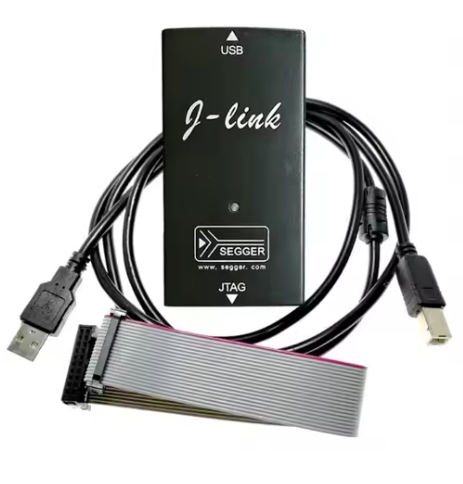
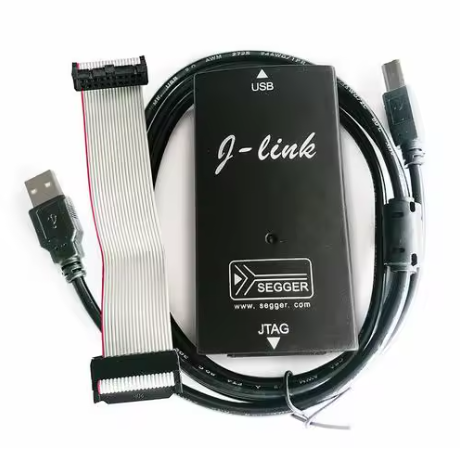
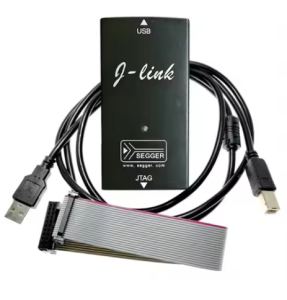
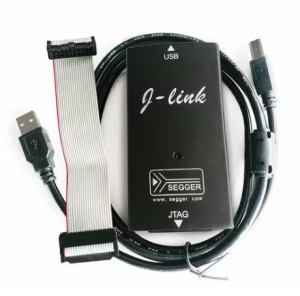
JLINK V9.4 Stable Edition – High-Speed Debugger/Programmer for STM32 MCUs | Includes English Shell, Board, 7 Cables & 40-Pin Ribbon Wire

SKU: FA1057-3
Connectivity

PC Interface USB 2.0 (Full Speed)

Supported Cores

ARM 7/9/11, Cortex-M/A/R Incl. STM32, NXP, TI, Renesas RX

Voltage Range

1.2 V to 3.3 V 5 V tolerant inputs

JTAG Speed

Up to 12 MHz (JTAG interface)

SWD Speed

Up to 15 MHz (SWD interface)

Power Output

3.3V / 5V Selectable (max 300mA)

ESD Protection

Integrated electrostatic protection circuit

Product Description
The J-Link V9 is a globally utilized, high-performance in-circuit debugger and programmer for the entire ecosystem of ARM microcontrollers, including the popular STM32 series (Cortex-M, A, and R cores), Renesas RX, and more. It is a key tool for accelerating development cycles and flashing large binaries rapidly.
The comprehensive accessory kit (including the main board, diverse cables, and a 40-pin ribbon) provides connectivity options across various target boards, making it a complete solution for embedded systems development.

Key Features
  • Universal Compatibility: Supports nearly all ARM7/9/11, Cortex-A5/A8/A9, Cortex-M0/M0+/M1/M3/M4/M7, and Cortex-R4/R5 MCUs.
  • High-Speed USB 2.0: Delivers rapid flash programming and debugging experiences.
  • Robust JTAG & SWD Support: Auto-detection of target core speed and intelligent buffering for reliable communication.
  • Advanced Debugging Features: Supports Serial Wire Viewer (SWV) tracing for Cortex-M devices.
  • Voltage Flexibility: Wide target voltage range from 1.2V to 3.3V, compatible with 5V tolerant inputs.
  • Integrated Power Supply: Can supply configurable 3.3V or 5V power (up to 300mA) to small target boards via a jumper selection.
Usage Instructions
  1. Software Installation: Download and install the official J-Link Software and Documentation Pack from the Segger website. This package includes necessary drivers and utilities.
  2. Driver Installation: Connect the J-Link V9 to your PC via USB.
  3. Target Connection: Connect the appropriate ribbon cable (20-pin JTAG or 10-pin SWD) to your development board.
  4. Power Configuration (Optional): If you need the J-Link to power your target board, adjust the onboard jumper to select 3.3V or 5V before connecting the ribbon cable to the target board.
  5. IDE Configuration: In your preferred IDE (e.g., Keil MDK, IAR EWARM, STM32CubeIDE), navigate to the debugger settings and select “J-Link” as your hardware probe.
Q: What is included in the package?

The package typically includes the J-Link V9 main board, various connection cables, and a 40-pin ribbon wire for connecting to target devices.

Q: Can this unit supply power to my development board?

Yes, the V9 model allows you to use a jumper to supply 3.3V or 5V to the target board, up to 300mA. This is suitable for small prototype boards.

Q: What operating systems are supported?

It is compatible with Windows, Linux, and macOS environments where the official Segger software pack can be installed.

Q: Where can I find support and software?

Official software, documentation, and support for J-Link products are available on the Segger website.