Product Description
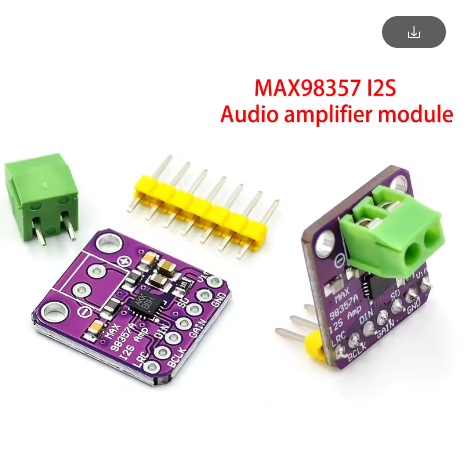
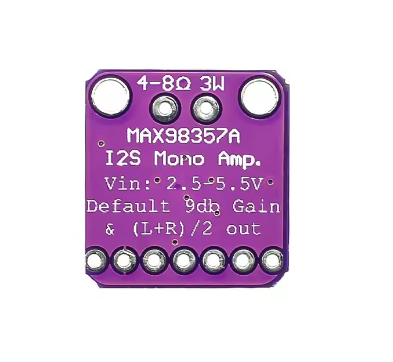
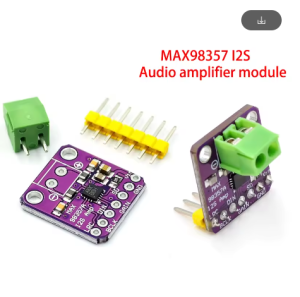
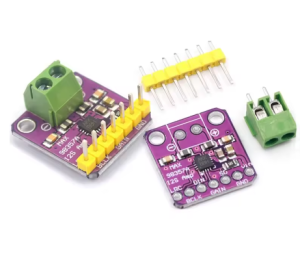
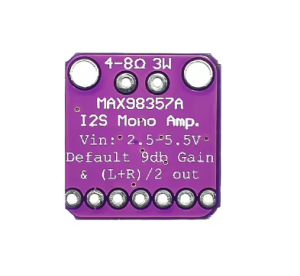
The MAX98357 I2S Digital Audio Amplifier Module offers a simple, high-quality solution for adding audio output to microcontroller projects. This compact board utilizes the Maxim Integrated MAX98357A or MAX98357B IC, a digital I2S input Class D amplifier designed to convert digital audio streams directly into speaker-driving signals with minimal external components.
Unlike traditional analog amplifiers that require complex filtering circuitry, this module uses a unique, patented filterless Class D architecture. This design dramatically reduces the board size and complexity while maintaining excellent sound quality, efficiency, and low noise. It provides up to 3 watts of crisp mono audio output, making it perfect for small speakers. The digital I2S interface means fewer wires and less susceptibility to noise compared to analog lines, making it ideal for integration with popular single-board computers and microcontrollers like the ESP32, Raspberry Pi (3, 4, Zero), and Arduino Due or similar I2S-capable boards. The module operates from a single 2.7V to 5.5V DC supply and features integrated protections for reliable use.
Features
- Digital I2S Input: Accepts standard I2S digital audio data, eliminating the need for bulky analog audio lines and reducing noise.
- Filterless Class D Architecture: Patented design allows direct speaker connection without large output filters, saving space and complexity.
- High Power Output: Delivers up to 3 Watts of clear, mono audio power into a 4Ω load.
- Wide Operating Voltage: Operates efficiently from a single 2.7V to 5.5V DC supply.
- Flexible Data Formats: Supports 16-bit, 20-bit, or 24-bit I2S data in standard left-justified, right-justified, and TDM formats.
- Adjustable Gain: Configurable gain settings (3dB, 6dB, 9dB, 12dB, 15dB) via the GAIN pin for output level matching.
- Integrated Protections: Includes thermal shutdown and short-circuit protection for robust and safe operation.
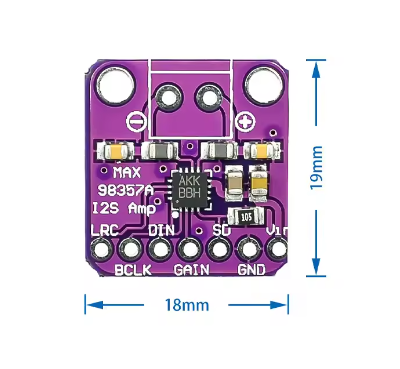
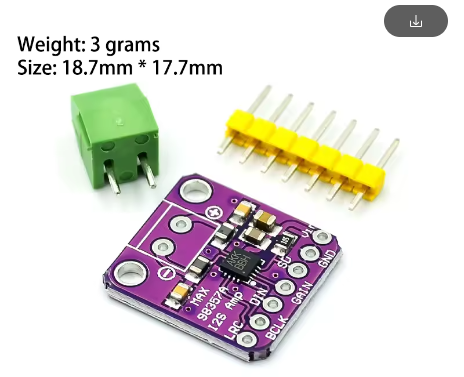
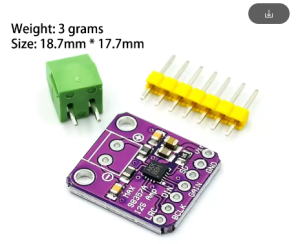
- Compact Design: Extremely small form factor (approx. 20 mm x 20 mm) ideal for portable and space-constrained applications
Usage
This module is designed to interface with microcontrollers or single-board computers that provide an I2S digital audio output. It requires minimal external components and is highly efficient.
Wiring Instructions
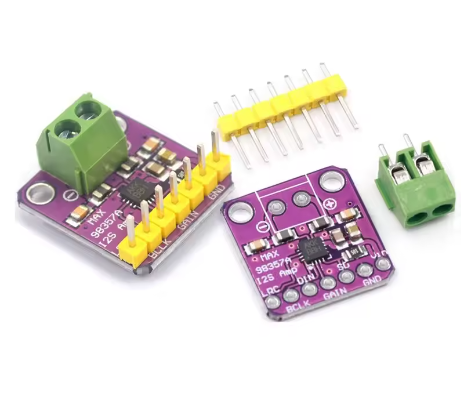
Connections are typically made using standard header pins or direct soldering.
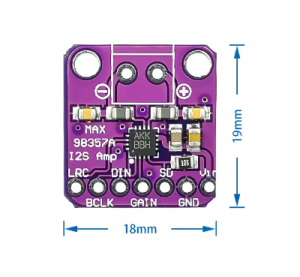
- VCC: Connect to a 2.7V to 5.5V DC power supply (5V is common for Raspberry Pi/ESP32).
- GND: Connect to the common ground of your system and power supply.
- BCLK (Bit Clock): Connect to the BCLK pin of your host device (e.g., GPIO18 on Raspberry Pi 3/4).
- LRCK (Left/Right Clock or Frame Clock): Connect to the LRCK pin of your host device (e.g., GPIO19 on Raspberry Pi 3/4).
- DIN (Digital Input Data): Connect to the DIN/DOUT pin of your host device (e.g., GPIO21 on Raspberry Pi 3/4).
- GAIN: This pin controls the gain. Connect to VCC, GND, or float it (depending on the specific IC version A/B) to select one of the five gain settings. Refer to the MAX98357 datasheet for specific GAIN pin configurations.
- SD (Shutdown): Connect to GND to shut down the amplifier (low power mode). Connect to VCC or float it for normal operation.
- Speaker Connections: Connect a 4Ω to 8Ω speaker directly to the designated speaker terminal block. Polarity is important for optimal sound.
Application Scenarios
- IoT Voice Projects: Adding voice assistants or notification sounds to smart home devices (ESP32 is commonly used).
- Raspberry Pi Audio Out: A high-quality alternative to the 3.5mm jack or HDMI audio on the Raspberry Pi Zero, 3, and 4.
- Custom Audio Players: Building compact digital audio players with microcontrollers.
- Educational Platforms: Ideal for robotics and electronics education requiring simple digital audio output.
Q: Is this a stereo amplifier?
No, this module provides mono (single channel) audio output. For stereo sound, you would need two separate modules (one configured for the left channel and one for the right channel)
Q: Is this module compatible with an Arduino Uno?
No, the standard Arduino Uno does not natively support an I2S interface. You need a microcontroller with dedicated I2S pins, such as the ESP32, ESP8266 (requires library workarounds), Arduino Due, or Teensy boards
Q: What is the difference between the MAX98357A and MAX98357B ICs?
The primary difference lies in how the GAIN pin selects the gain settings and potentially the default channel (A typically defaults to right channel data, B to left channel data on the DIN line). Both offer the same power output and core features. You should check which specific IC version you are using if you are struggling with channel selection in software
Q: Do I need to add any external filters or capacitors?
This module is filterless. No external output filter is required between the amplifier and the speaker. Standard decoupling capacitors are already integrated on the board itself.
Q: How do I configure the software on my Raspberry Pi to use this?
On the Raspberry Pi OS, you typically need to enable the I2S overlay (dtoverlay=hifiberry-dac or similar in /boot/config.txt) and select the appropriate sound output device in the system settings or via raspi-config