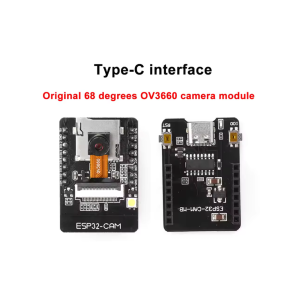
ESP32-CAM [2M] with OV2640 Camera and Type-C’s CAM Download board CH340 chip

SKU: FA1053-2-1-0A
Microcontroller

ESP32-S, dual-core 32-bit LX6, up to 240 MHz

Camera Sensor

Original OV2640, 2MP (1600 × 1200 UXGA)

Memory

520 KB SRAM + 4 MB PSRAM

Storage

MicroSD card slot, up to 32 GB (FAT32)

Wireless

Wi-Fi 802.11 b/g/n, Bluetooth v4.2 BR/EDR + BLE

USB Interface

Type-C via CH340 download board

Power Supply

5V via Type-C or pins; 3.3V logic

Dimensions

ESP32-CAM: 27 × 40.5 × 4.5 mm

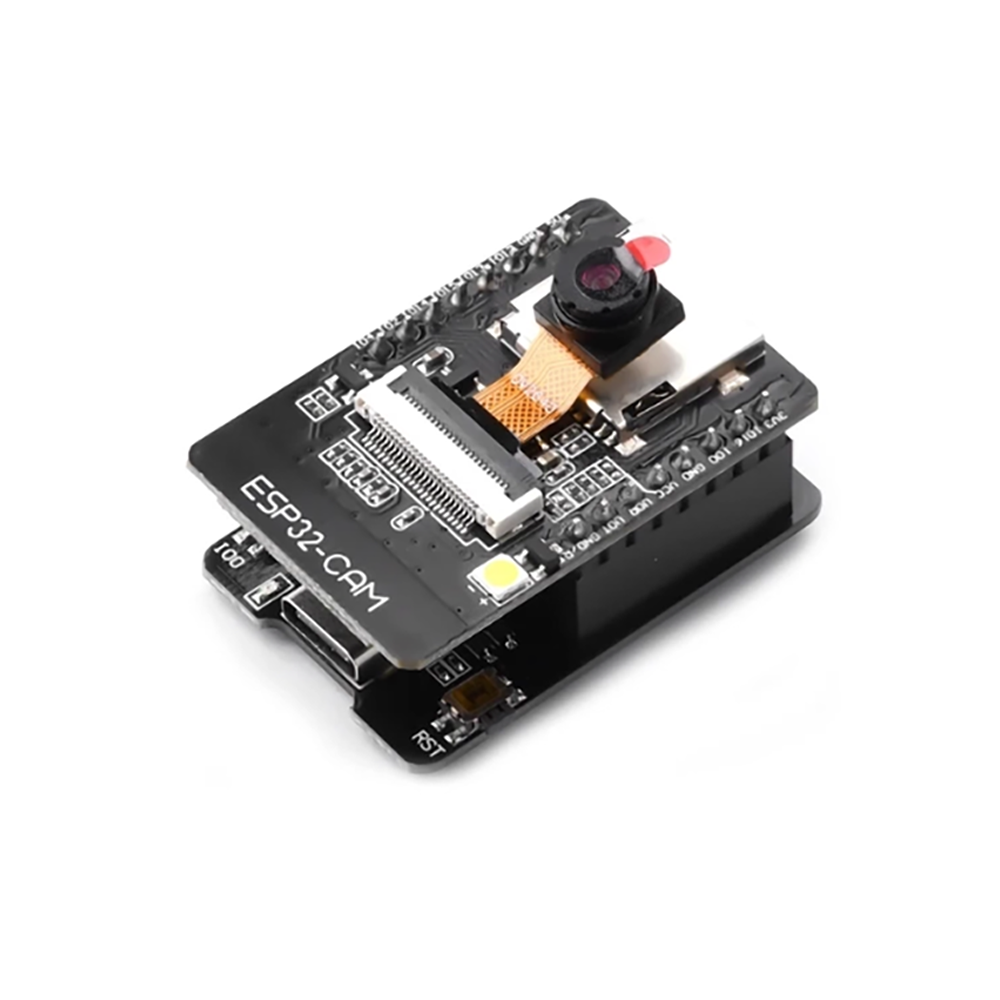
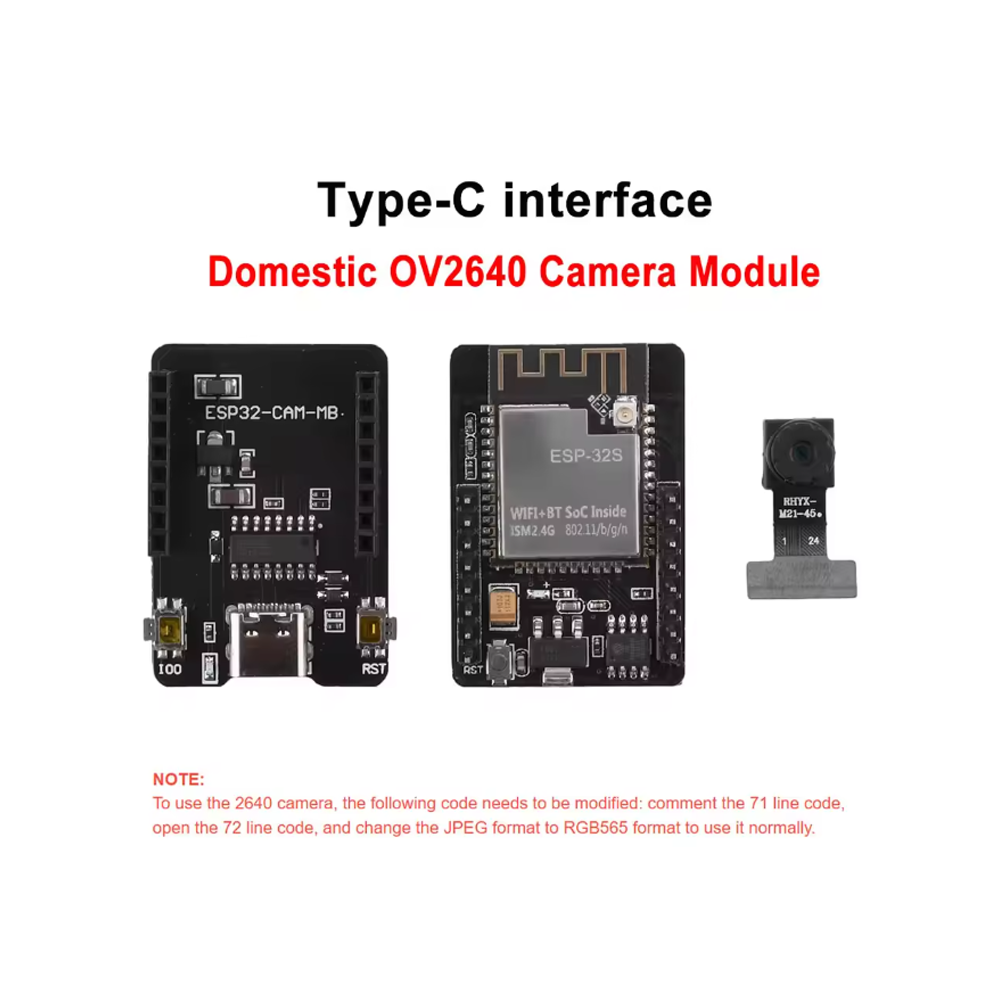
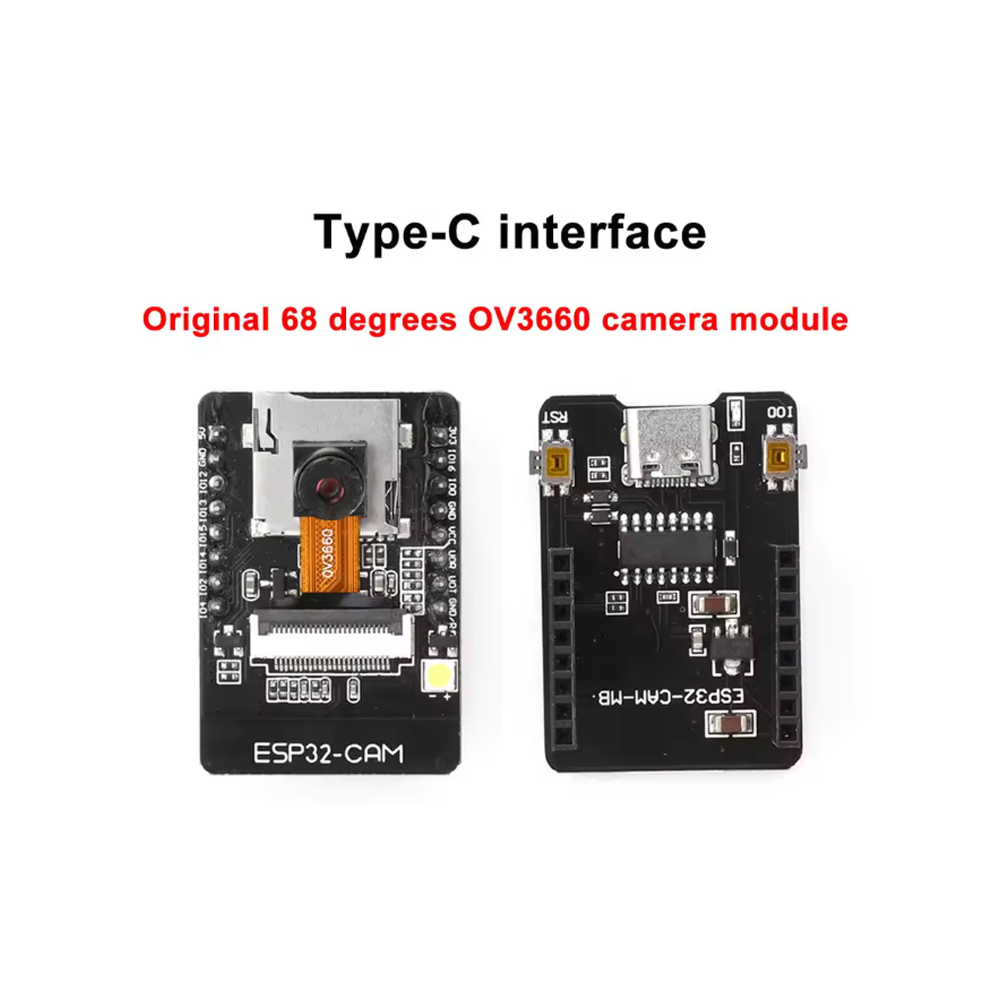
The ESP32-CAM [2M] with OV2640 Camera and Type-C CAM Download Board is a complete, ready-to-use development kit that combines the powerful ESP32-S dual-core microcontroller with an original OV2640 2-megapixel camera, a MicroSD card slot, and a dedicated Type-C download board with CH340 USB-to-serial chip. This all-in-one package eliminates the need for external programmers and complex wiring, making it the easiest way to get started with ESP32 camera projects.

At its core, the ESP32-CAM board is built around the ESP32-S chip, featuring a dual-core 32-bit LX6 microprocessor running at up to 240 MHz, with 520 KB SRAM and 4 MB PSRAM for image buffering and processing. It supports Wi-Fi 802.11 b/g/n and Bluetooth v4.2 BR/EDR + BLE, enabling wireless image transmission, remote monitoring, and integration with IoT platforms.

The included OV2640 camera sensor captures images at up to 1600 × 1200 (UXGA) resolution and records 1080p video at 30fps. The OV2640 features hardware JPEG compression, which significantly reduces bandwidth requirements for streaming and storage. The camera connects via a 24-pin DVP interface and supports multiple output formats including JPEG, BMP, and Grayscale.

The Type-C CAM Download Board is the key addition that makes this kit stand out. It features the CH340 USB-to-serial chip, a mature and widely supported interface solution that requires only a one-time driver installation. The download board plugs directly onto the ESP32-CAM’s GPIO pins, providing a Type-C USB connection for programming and power. This eliminates the need for an external FTDI programmer, manual jumper wires, or pressing buttons in a specific sequence — simply connect a Type-C cable and upload your sketch.

The download board also includes a built-in reset circuit and auto-download functionality, making the programming process as simple as using a standard Arduino board. The Type-C connector offers reversible plug orientation and is increasingly standard across modern devices.

A MicroSD card slot on the ESP32-CAM supports up to 32 GB cards (FAT32 format), allowing you to store captured images, video recordings, and logged data locally. The board also includes an onboard flash LED for low-light illumination, an onboard red LED for status indication, and a reset button.

The board exposes 16 GPIO pins for external connections, including UART, SPI, I2C, and PWM interfaces. Supported development environments include Arduino IDE and ESP-IDF, with extensive community libraries including the esp32-camera library for rapid camera project development.

Whether you are a beginner exploring IoT camera projects, a hobbyist building a home monitoring system, or a business purchasing in bulk for product development, this complete kit offers a practical, affordable foundation for embedded vision applications. It is suitable for individual makers, students, and businesses alike.


Features

  • ESP32-S dual-core processor — 32-bit LX6 at up to 240 MHz, with 520 KB SRAM and 4 MB PSRAM

  • Original OV2640 2MP camera — Captures images up to 1600 × 1200 (UXGA) with hardware JPEG compression

  • Type-C CAM Download Board included — CH340 USB-to-serial chip for direct programming via Type-C cable

  • No external programmer required — Download board plugs directly onto ESP32-CAM GPIO pins

  • Auto-download functionality — Built-in reset circuit simplifies programming

  • MicroSD card slot — Supports up to 32 GB FAT32 cards for local image and video storage

  • Wi-Fi & Bluetooth connectivity — 802.11 b/g/n and Bluetooth v4.2 BR/EDR + BLE for wireless transmission

  • Onboard flash LED — Provides illumination for low-light image capture

  • 16 GPIO pins — Exposed for UART, SPI, I2C, PWM, and external peripherals

  • Wide development support — Arduino IDE and ESP-IDF compatible, with esp32-camera library


Technical Specifications 

# Parameter Specification
1 Microcontroller ESP32-S, dual-core 32-bit LX6, up to 240 MHz
2 Camera Sensor Original OV2640, 2MP (1600 × 1200 UXGA)
3 Memory 520 KB SRAM + 4 MB PSRAM
4 Storage MicroSD card slot, up to 32 GB (FAT32)
5 Wireless Wi-Fi 802.11 b/g/n, Bluetooth v4.2 BR/EDR + BLE
6 USB Interface Type-C via CH340 download board
7 Power Supply 5V via Type-C or pins; 3.3V logic
8 Dimensions ESP32-CAM: 27 × 40.5 × 4.5 mm

Usage

Getting Started

  1. Assemble the kit — Align the Type-C download board with the ESP32-CAM’s GPIO pins and press firmly to seat. The download board plugs directly onto the camera board.

  2. Install the CH340 driver — On most systems, a one-time CH340 driver installation is required. After installation, the board is recognized as a serial port.

  3. Connect via Type-C — Use a Type-C USB cable to connect the download board to your computer. The board is powered and ready for programming.

  4. Install board support — In Arduino IDE, install the ESP32 board package via Boards Manager. Select “AI Thinker ESP32-CAM” as the board type.

  5. Install the camera library — Install the esp32-camera library through the Library Manager.

  6. Upload the CameraWebServer example — Configure your Wi-Fi credentials and upload the sketch. The auto-download circuit handles the programming sequence automatically.

  7. Access the stream — Open the Serial Monitor to find the IP address, then access the stream through a web browser.

Important Configuration Notes

  • PSRAM — For higher resolutions and JPEG streaming, PSRAM is required. Set PSRAM to “Enabled” in the Arduino IDE Tools menu.

  • Power supply — The board requires a stable 5V supply capable of at least 500 mA. Insufficient power is a common cause of boot loops and camera failures.

  • Partition scheme — Select “Huge APP (3MB No OTA/1MB SPIFFS)” to accommodate the camera web server sketch.

Typical Applications

  • Smart doorbells — Video capture and motion detection with Wi-Fi streaming

  • Wireless surveillance — Remote monitoring with MicroSD local storage

  • Time-lapse photography — Scheduled image capture for environmental monitoring

  • AI vision prototyping — Image capture for TensorFlow Lite and Edge Impulse projects

  • IoT camera nodes — Battery or USB-powered camera devices for remote deployment

  • Educational projects — Learning embedded vision and IoT camera concepts

Notes for Business Buyers

  • Complete kit — Includes both the ESP32-CAM and the Type-C download board, reducing the need for additional accessories.

  • Simplified programming — CH340 chip and auto-download circuit eliminate the need for external FTDI programmers and manual jumper wires.

  • Cost-effective — Integrated solution reduces BOM cost and assembly complexity for volume deployment.

  • Suitable for bulk purchasing — Ideal for product development, IoT integration, and educational programs.

Q: What is included in this kit?

The kit includes the ESP32-CAM board with OV2640 camera and a Type-C CAM Download Board with CH340 chip. This provides everything needed for programming and camera operation.

Q: Do I need an external programmer for this kit?

No. The included Type-C download board with CH340 chip connects directly to your computer via a Type-C cable. No external FTDI programmer is required.

Q: Do I need to install a driver for the CH340 chip?

Yes. On most operating systems, a one-time CH340 driver installation is required before the board is recognized. After installation, it works normally with the Arduino IDE.

Q: What camera sensor does this board use?

It uses the original OV2640 camera sensor, a 2MP CMOS sensor capable of capturing images up to 1600 × 1200 (UXGA) resolution with hardware JPEG compression.

Q: Can I record video with this board?

Yes. The OV2640 supports 1080p video at 30fps. Video can be streamed over Wi-Fi or stored on the MicroSD card.

Q: What is the maximum MicroSD card size supported?

The MicroSD card slot supports cards up to 32 GB in FAT32 format.

Q: How do I enter programming mode?

With the Type-C download board attached, the auto-download circuit handles the programming sequence automatically. Simply connect the Type-C cable and upload your sketch — no manual button pressing required.

Q: Why does my ESP32-CAM fail to boot or upload?

The most common cause is insufficient power supply. The board requires a stable 5V supply capable of at least 500 mA. Use a dedicated power supply rather than powering from a weak USB port.

Q: Is PSRAM required for camera operation?

Yes. For higher resolutions and JPEG streaming, PSRAM is required. Ensure PSRAM is enabled in your Arduino IDE board settings.

Q: Can I purchase in bulk for a product development project?

Yes. This complete kit is suitable for both individual users and business purchasing. The integrated download board and camera reduce setup time and component sourcing complexity for volume deployment.