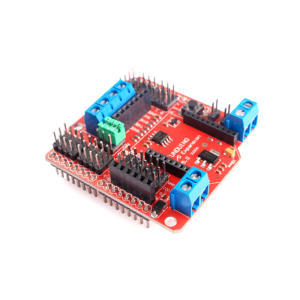
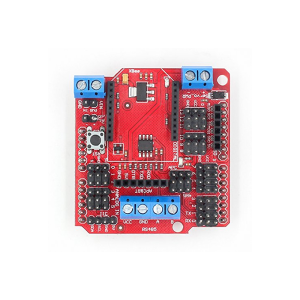
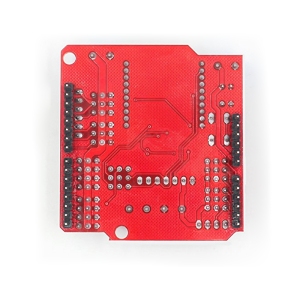
Standard I/O Expansion Shield V5 Xbee Sensor Shield RS485 V5 Funduino Board Module

SKU: FA1027-1
Compatibility

Arduino UNO R3, Mega 2560, Leonardo

Digital I/O Pins

14 pins extended as 3-pin interfaces

Analog Input Pins

6 pins extended as 3-pin interface

RS485 Chip

SP485CN transceiver

Wireless Interface

Xbee / Bluetooth Bee socket (20-pin)

External Power Input

2-pin screw terminal (5-6V for servos)

Communication Modes

RS485 or Xbee/Bluetooth (jumper-selectable)

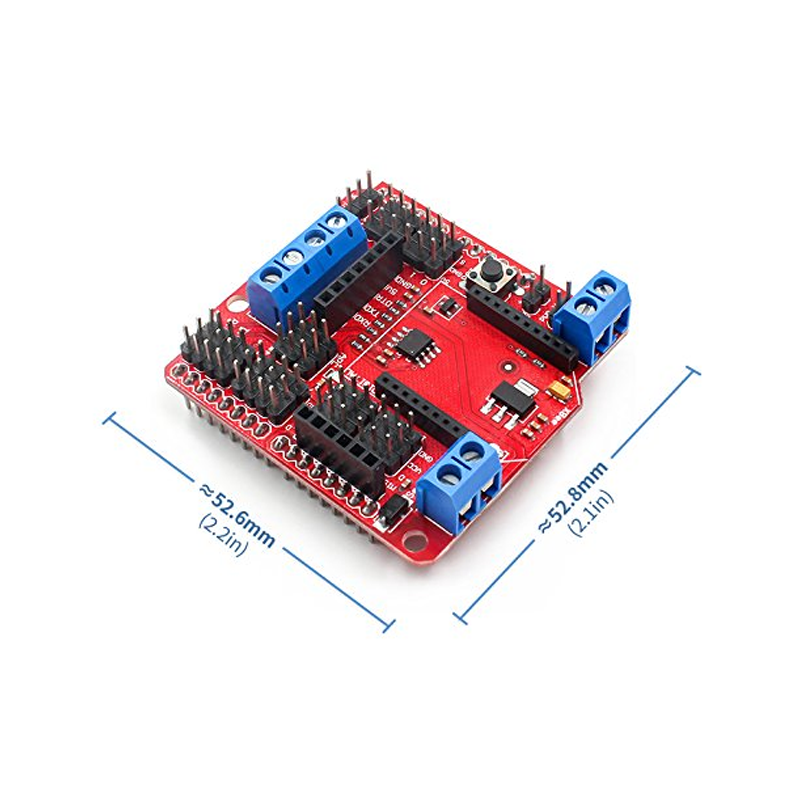
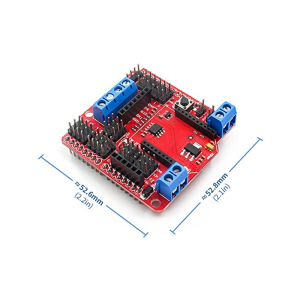
Dimensions

Approx. 58.5mm × 57.5mm × 20mm

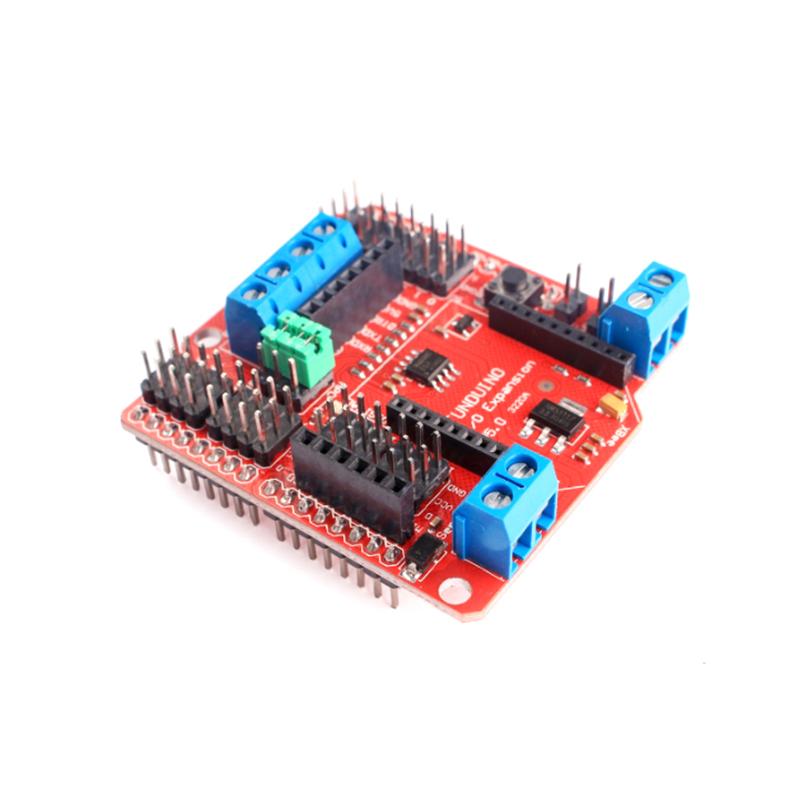
The Standard I/O Expansion Shield V5 is a comprehensive sensor expansion board designed to simplify wiring and expand connectivity for Arduino UNO R3 and compatible boards. It combines the functionality of a classic sensor shield with the added capability of RS485 industrial communication and Xbee/Bluetooth wireless module support, making it a versatile foundation for robotics, automation, and IoT projects.

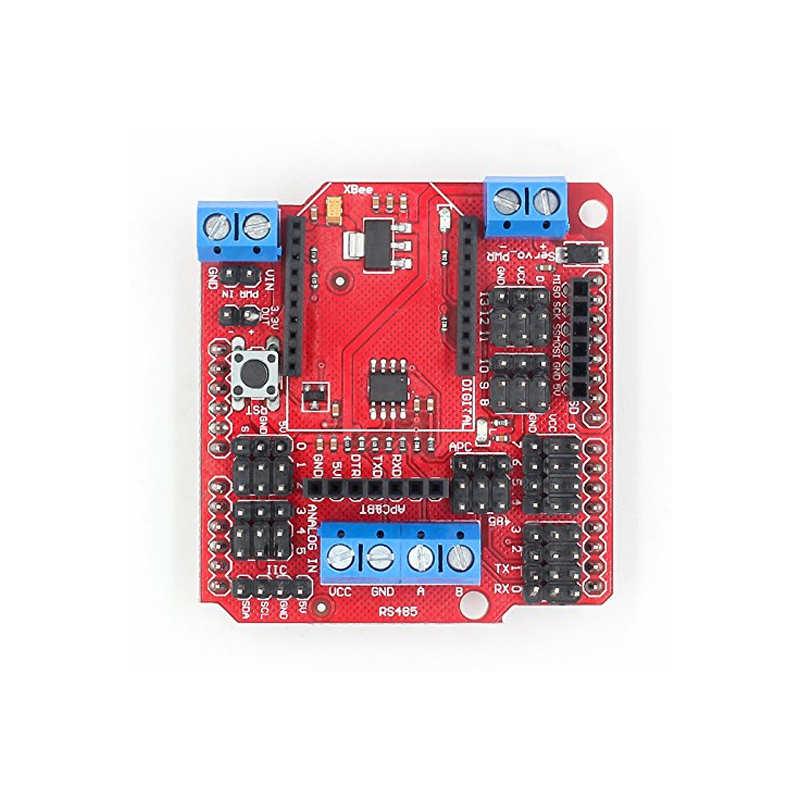
The shield’s primary purpose is to eliminate the frustration of connecting multiple sensors and modules to a single Arduino board. It extends all 14 digital I/O pins and 6 analog input pins into convenient 3-pin interfaces (Signal, Power, Ground), allowing you to plug sensors, servos, and modules directly without the need for a breadboard or messy jumper wire configurations . Each pin is clearly labeled, reducing wiring errors and speeding up both prototyping and assembly.

This V5 version stands out for its integrated communication options. It features an onboard RS485 interface using the SP485CN transceiver chip, enabling reliable long-distance wired communication over differential signal lines — ideal for industrial control and multi-device networks . The board also includes a standard Xbee/Bluetooth Bee socket, allowing you to add wireless Zigbee or Bluetooth connectivity to your projects . Three jumper caps allow you to switch between RS485 and wireless communication modes .

Power management is thoughtfully designed. The shield includes a 2-pin screw terminal for external power input, which is essential when driving servos or other high-current devices that exceed the Arduino’s onboard 5V regulator capacity . The SEL jumper controls whether the digital I/O power pins draw from the Arduino’s 5V or from the external power supply connected to the terminal . When driving multiple servos, removing the SEL jumper and connecting an external 5-6V supply prevents voltage sag and protects the Arduino from electrical noise .

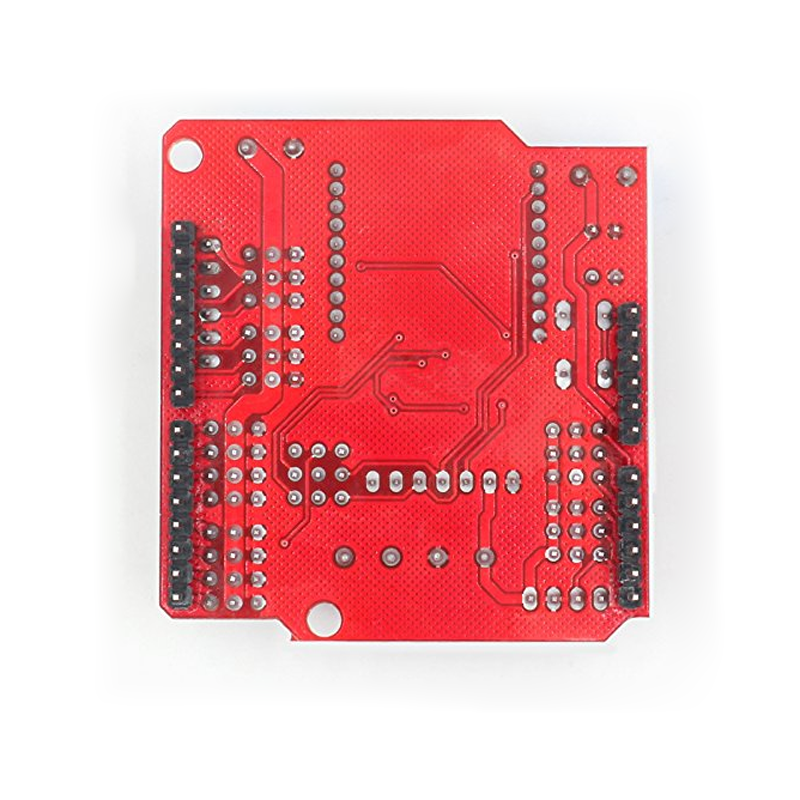
The shield is fully assembled and ready to stack directly onto your Arduino UNO R3. Whether you are a beginner learning to connect your first sensors, a hobbyist building a complex robot, or a business purchasing in bulk for education or product development, this expansion shield provides a reliable, organized platform for your projects.


Features

  • 3-pin sensor interfaces — All digital (D0-D13) and analog (A0-A5) pins extended as convenient Signal-Power-Ground connectors .

  • RS485 communication interface — Onboard SP485CN transceiver for reliable long-distance wired communication .

  • Xbee/Bluetooth Bee socket — Standard 20-pin footprint for wireless Zigbee or Bluetooth modules .

  • Jumper-selectable communication modes — Three jumpers allow switching between RS485 and Xbee/Bluetooth operation .

  • External power terminal — 2-pin screw terminal for connecting a separate 5-6V supply to power servos and high-current devices .

  • SEL jumper power control — Selects between Arduino 5V and external supply for digital I/O power pins .

  • Reset button and D13 indicator — Onboard reset access and LED indicator for convenient operation .

  • I2C, SPI, and serial breakout — Dedicated headers for common communication protocols .


Technical Specifications 

# Parameter Specification
1 Compatibility Arduino UNO R3, Mega 2560, Leonardo
2 Digital I/O Pins 14 pins extended as 3-pin interfaces
3 Analog Input Pins 6 pins extended as 3-pin interfaces
4 RS485 Chip SP485CN transceiver
5 Wireless Interface Xbee / Bluetooth Bee socket (20-pin)
6 External Power Input 2-pin screw terminal (5-6V for servos)
7 Communication Modes RS485 or Xbee/Bluetooth (jumper-selectable)
8 Dimensions Approx. 58.5mm × 57.5mm × 20mm

Usage

Getting Started

  1. Stack the shield — Align the shield’s headers with your Arduino UNO R3’s pin sockets and press firmly to seat .

  2. Configure power — For low-power sensors, leave the SEL jumper installed to draw 5V from the Arduino. For servos or high-current devices, remove the SEL jumper and connect an external 5-6V supply to the blue screw terminal .

  3. Connect sensors — Plug 3-pin sensor modules directly into the labeled Signal-Power-Ground rows for digital and analog pins .

  4. Select communication mode — For RS485, set all three jumpers to the “485” position. For Xbee/Bluetooth, set them to “APC” .

  5. Upload your sketch — Program the Arduino as usual through the Arduino IDE.

Power Configuration Notes

SEL Jumper External Power Result
Installed Not connected Digital I/O V pins draw 5V from Arduino
Installed Connected Do not do this — risk of damage from power conflict
Removed Connected Digital I/O V pins draw from external supply
Removed Not connected Digital I/O V pins receive no power

Typical Applications

  • Robotics projects — Multiple servo connections with external power for reliable operation .

  • Multi-sensor systems — Connect numerous analog and digital sensors without wiring congestion .

  • Industrial control — RS485 interface for long-distance communication with PLCs and industrial devices .

  • Wireless IoT projects — Xbee or Bluetooth module socket for remote monitoring and control .

  • Classroom and STEM education — Organized layout reduces wiring errors and speeds up learning .

  • Smart home and automation — Central connection point for sensors, relays, and communication modules.

Notes for Business Buyers

  • Dual communication modes — RS485 for industrial wired networks plus wireless options in a single shield .

  • External power capability — Supports servos and high-current devices without overloading the Arduino’s regulator .

  • Standard UNO form factor — Compatible with the most widely used Arduino board in education and prototyping .

  • Suitable for bulk purchasing — Ideal for schools, robotics teams, and product development.

Q: Is this shield compatible with Arduino UNO R3?

Yes. It is designed specifically for the Arduino UNO R3 footprint and is also compatible with Mega 2560 and Leonardo .

Q: What is the SEL jumper for?

The SEL jumper controls the power source for the digital I/O (D0-D13) VCC pins. With the jumper installed, they draw 5V from the Arduino. With it removed, power must come from an external supply connected to the screw terminal .

Q: Can I power servos directly from this shield?

Yes. For servos, remove the SEL jumper and connect an external 5-6V power supply (capable of supplying sufficient current, typically 500mA per servo) to the screw terminal .

Q: What happens if I connect external power while the SEL jumper is installed?

This can damage your Arduino. The external power and the Arduino’s 5V rail would be shorted together. Always remove the SEL jumper before connecting external power .

Q: How do I switch between RS485 and Xbee/Bluetooth communication?

Three jumper caps on the shield control the mode. Set all three to the “485” position for RS485, or all three to “APC” for Xbee/Bluetooth operation .

Q: Does this shield include an RS485 chip?

Yes. It uses the SP485CN transceiver for RS485 communication. The A and B differential signal terminals are available on the screw terminal block .

Q: Can I use this shield with a 3.3V Arduino board?

The shield is designed for 5V boards. Using it with 3.3V boards may require modifications to avoid damaging the 3.3V MCU. Level shifting or rework may be necessary .

Q: What is the maximum current I can draw from the shield?

When using the Arduino’s 5V (SEL jumper installed), total current is limited to what the Arduino can supply (approximately 500mA). With external power (SEL removed), the limit depends on your power supply and the screw terminal rating (approximately 2A) .

Q: Does the shield come assembled?

Yes. The shield comes fully assembled with all headers, terminal blocks, and the RS485 chip pre-installed, ready to stack onto your Arduino.

Q: Can I purchase in bulk for a school or company?

Yes. This shield is suitable for both individual users and business purchasing, including classroom sets, robotics programs, and industrial prototyping.