Product Overview
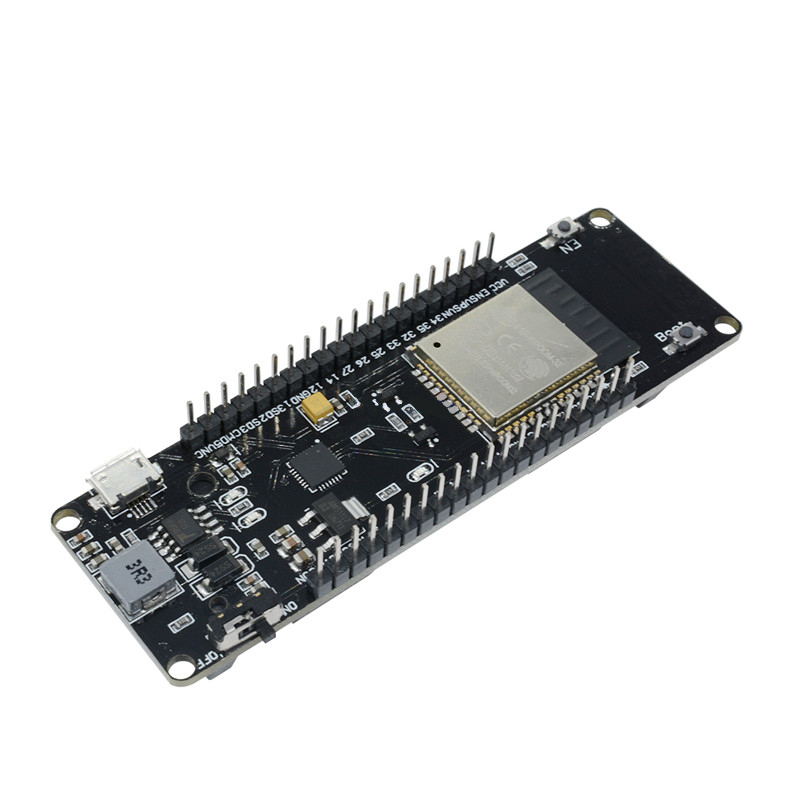
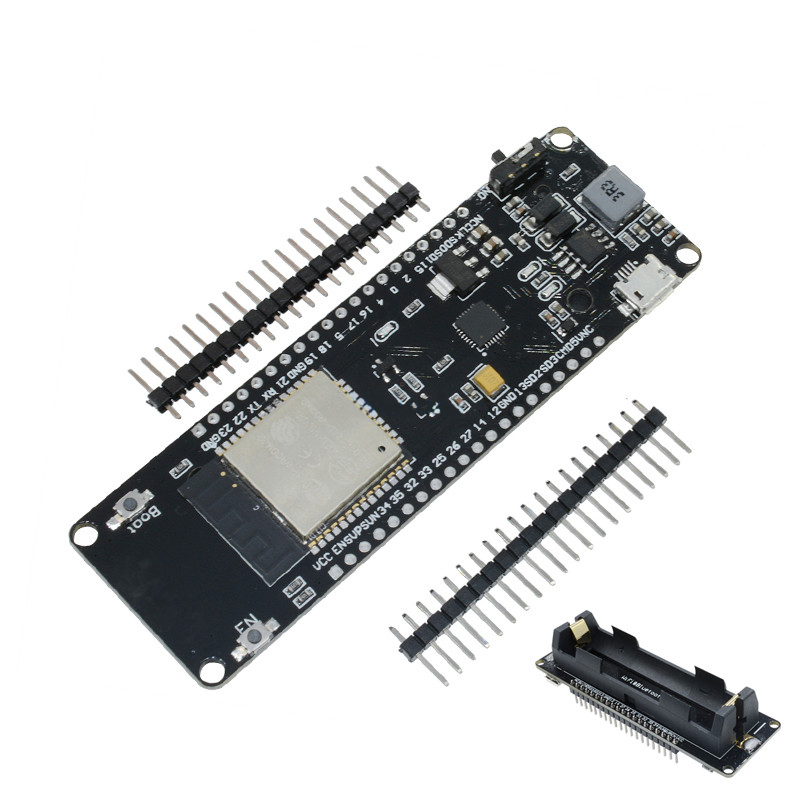
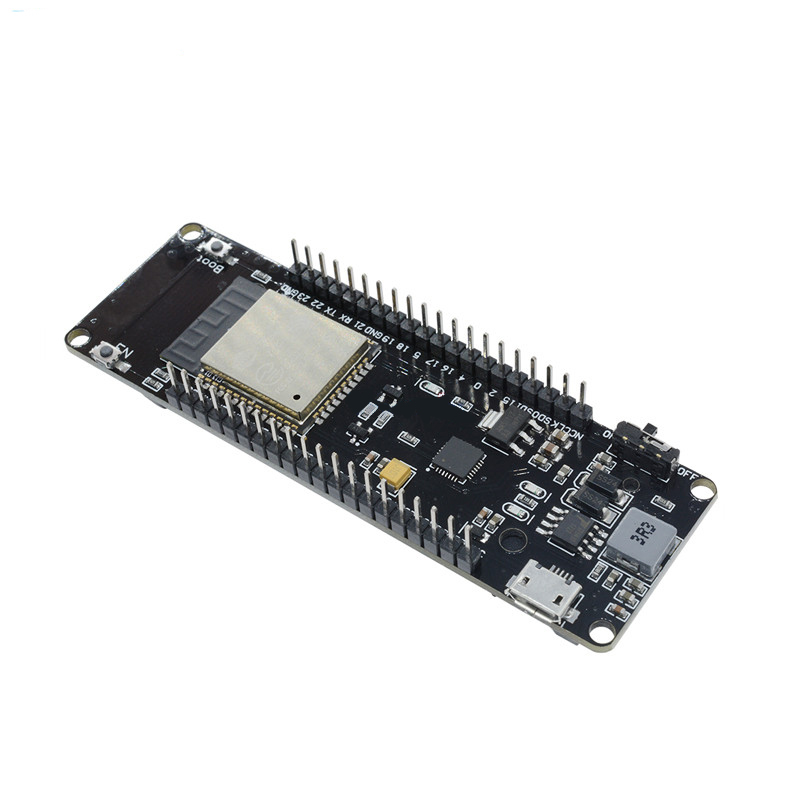
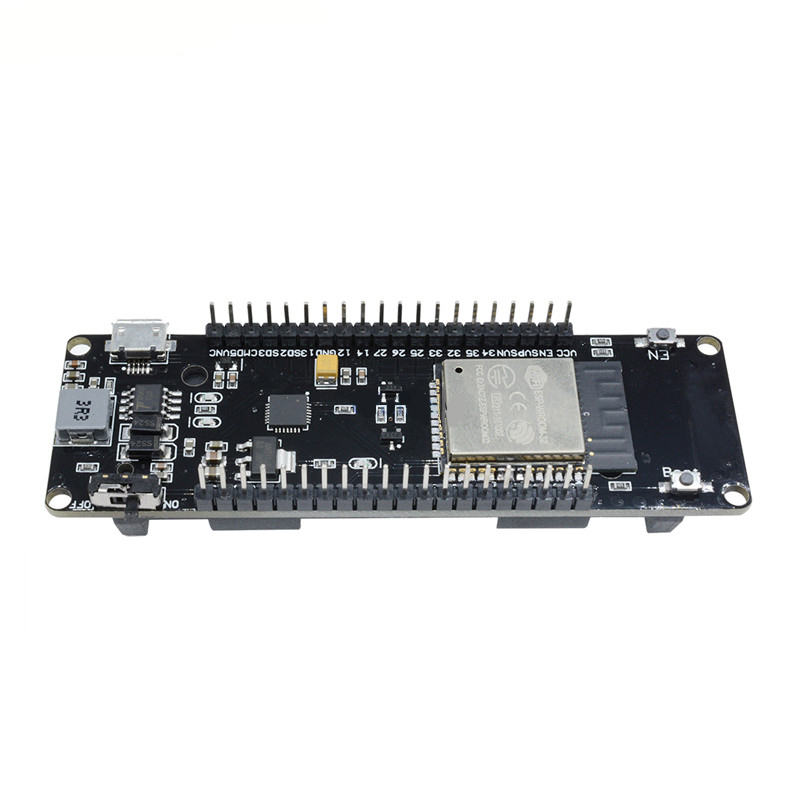
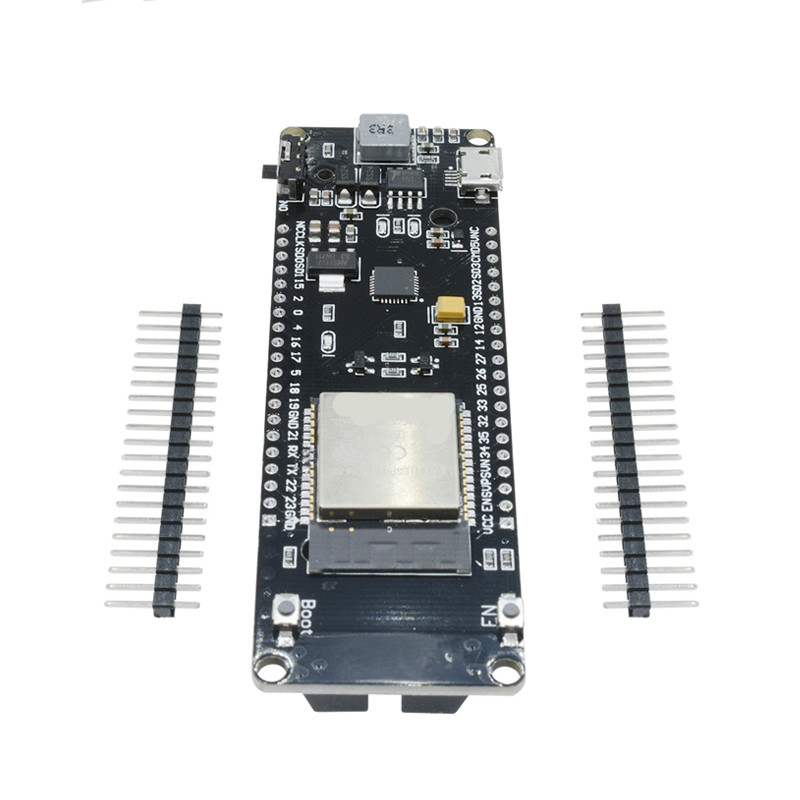
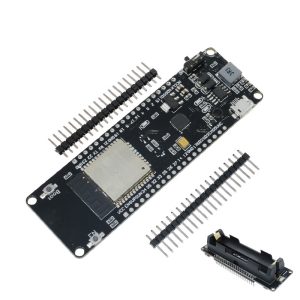
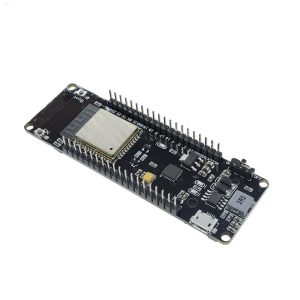
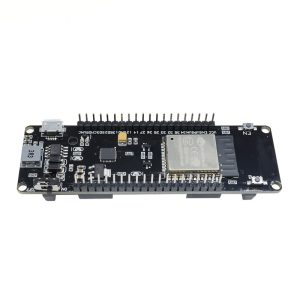
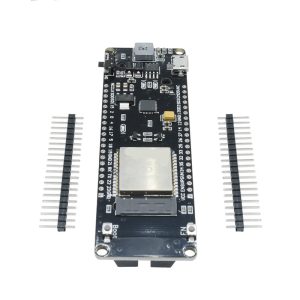
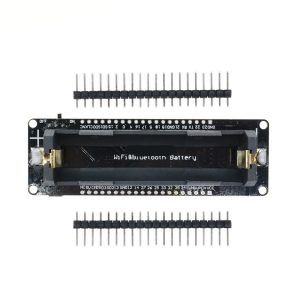
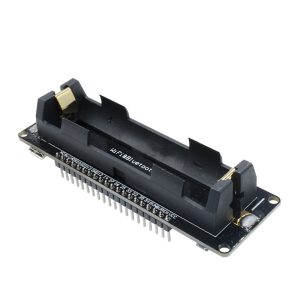
The Wemos ESP32 Development Board with 18650 Battery Shield is a complete, portable IoT development platform that combines the powerful ESP32 microcontroller with an integrated battery management system. This all-in-one solution provides everything you need to build wireless, battery-powered projects without the hassle of external power supplies or complex wiring .
At the heart of this system is the ESP32-WROOM-32 module, featuring a dual-core Tensilica LX6 processor running at up to 240 MHz, 520 KB of SRAM, and 4 MB of flash memory. This powerful SoC (System on Chip) integrates both 2.4 GHz Wi-Fi (802.11 b/g/n) and Bluetooth 4.2 (BR/EDR & BLE) , making it one of the most versatile and capable microcontrollers available for IoT applications .
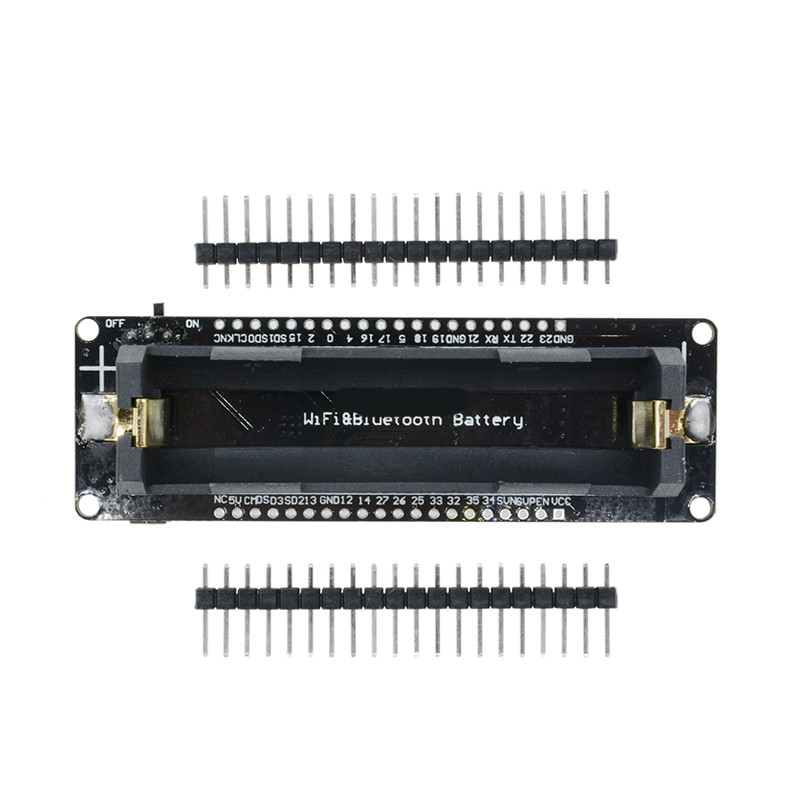
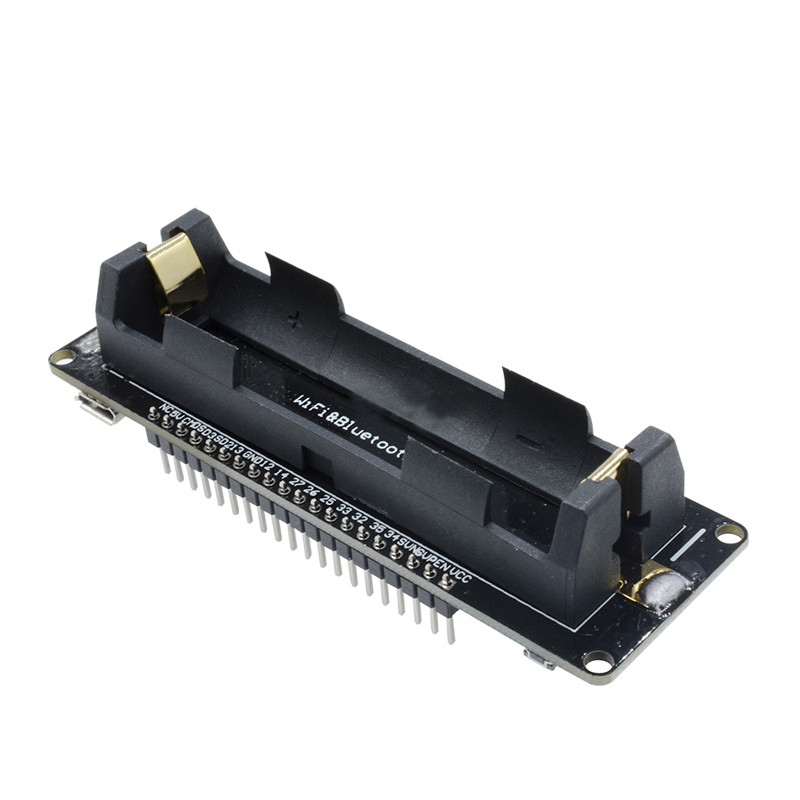
The companion 18650 Battery Shield transforms this development board into a truly portable platform. Designed specifically for Wemos form factor boards, the shield accepts one or two 18650 lithium-ion batteries and provides onboard charging circuitry, voltage regulation, and power management . It delivers stable 3.3V and 5V outputs, allowing you to power not only the ESP32 itself but also external sensors, displays, and actuators—all from a rechargeable battery .
This combination is the ideal choice for a wide range of applications, including:
-
Smart Home: Wireless sensors, smart plugs, environmental monitors, voice assistants
-
Industrial IoT: Remote equipment monitoring, predictive maintenance, data logging
-
Wearable Electronics: Health trackers, portable devices, location tags
-
Educational Projects: Learning IoT, embedded systems, wireless programming
-
Field Research: Remote data collection, weather stations, agricultural sensors
-
Battery-Powered Prototypes: Mobile robots, drones, portable instruments
Key Features
ESP32 Development Board
-
Powerful Dual-Core Processor: Features the ESP32-WROOM-32 module with a dual-core Tensilica LX6 processor running at up to 240 MHz, providing ample processing power for complex IoT applications and real-time tasks.
-
Integrated Wi-Fi & Bluetooth: Supports 2.4 GHz 802.11 b/g/n Wi-Fi and Bluetooth 4.2 (BR/EDR & BLE) , enabling seamless wireless connectivity for smart home, industrial, and wearable applications.
-
Rich Peripheral Interfaces: Provides UART, SPI, I2C, I2S, PWM, 12-bit ADC, 8-bit DAC, and capacitive touch sensors, allowing connection to a wide variety of sensors, actuators, and display devices.
-
Abundant Memory: Equipped with 520 KB SRAM and 4 MB flash memory , providing ample storage for firmware, web interfaces, and OTA (Over-The-Air) updates.
-
Arduino Uno Form Factor (Select Models): Some Wemos ESP32 variants feature an Arduino Uno R3 compatible form factor, allowing you to use existing Arduino shields with the ESP32’s wireless capabilities.
-
USB-to-Serial Interface: Integrated CH340C or CP2102 USB-to-serial converter for easy programming and debugging via a single USB cable.
-
Low Power Consumption: Supports deep sleep modes with current consumption as low as 10-20 µA , making it ideal for battery-powered applications.
-
Wide Operating Temperature: Rated for operation from -40°C to +85°C , suitable for demanding industrial environments and outdoor installations.
18650 Battery Shield
-
18650 Lithium-Ion Battery Support: Accepts one or two 18650 batteries (depending on shield model), providing a high-capacity, rechargeable power source for portable projects.
-
Integrated Battery Charging: Features onboard charging circuitry (microUSB and/or USB Type-C) with typical charging current of 1A, allowing you to recharge batteries without removing them from the shield.
-
Multiple Output Voltages: Provides both 3.3V and 5V regulated outputs for powering the ESP32 board and external peripherals:
-
USB-A Power Output: Features a standard USB Type-A port for powering external devices—effectively turning your project into a power bank.
-
Battery Status Indicators: LED indicators show charging status and battery charge level (typically 25%, 50%, 75%, 100%) for easy monitoring.
-
Power Switch: Includes a physical switch (K1) to toggle output power, preventing parasitic battery drain when the system is idle.
-
Multiple 5V and 3.3V Headers: Provides five pairs of 5V/GND headers and five pairs of 3V/GND headers for easy connection of multiple sensors and peripherals.
-
Over-Charge & Over-Discharge Protection: Built-in protection circuitry prevents battery damage from overcharging or deep discharge.
-
Compatibility: Designed to work with Wemos form factor boards (D1, D32, etc.) as well as Arduino, ESP8266, STM32, and other 3.3V/5V microcontrollers.
Technical Specifications
ESP32 Development Board
18650 Battery Shield (V8 / V3 Models)
Pinout & Interface Guide
ESP32 Development Board (Typical Wemos D32/LOLIN32 Layout)
The Wemos ESP32 boards typically feature a compact, breadboard-friendly layout with the following pin assignments:
18650 Battery Shield (V8 / V3 Models)
The battery shield provides multiple power output options:
Important Wiring Notes:
-
Battery Polarity: The shield has no reverse polarity protection. Insert batteries with correct polarity (+ and – as marked on the PCB) to avoid permanent damage.
-
Power Switch: Use the K1 switch to enable/disable output power. When switched off, the shield still charges batteries via USB.
-
Current Sharing: The total current drawn from the USB-A port and the 5V headers should not exceed 2.2A.
Usage Guide
Power Supply & Battery Installation
-
Battery Selection: Use high-quality 18650 lithium-ion batteries. The shield accepts one or two 18650 cells depending on the model.
-
Battery Installation:
-
Charging the Batteries:
-
Powering Your Project:
ESP32 Programming Setup (Arduino IDE)
-
Install ESP32 Board Package:
-
Open Arduino IDE → File → Preferences
-
Add to “Additional Boards Manager URLs”: https://raw.githubusercontent.com/espressif/arduino-esp32/gh-pages/package_esp32_index.json
-
Tools → Board → Boards Manager → Search “esp32” → Install
-
Select Your Board:
-
Configure Upload Settings:
-
Enter Programming Mode (if needed):
-
Some Wemos boards may require pressing the RESET button during upload
-
For ESP32-S2 variants: Hold the “0” button, press and release RESET, then release “0”
Basic Arduino Example Code
#include <WiFi.h>
const char* ssid = "your_SSID";
const char* password = "your_PASSWORD";
const int batteryPin = 34;
void setup() {
Serial.begin(115200);
delay(1000);
Serial.println("\nWemos ESP32 with Battery Shield Test");
WiFi.begin(ssid, password);
Serial.print("Connecting to Wi-Fi");
while (WiFi.status() != WL_CONNECTED) {
delay(500);
Serial.print(".");
}
Serial.println("\nConnected successfully!");
Serial.print("IP Address: ");
Serial.println(WiFi.localIP());
analogReadResolution(12);
}
void loop() {
int adcValue = analogRead(batteryPin);
float voltage = (adcValue / 4095.0) * 3.3;
Serial.print("Battery Voltage: ");
Serial.print(voltage);
Serial.println(" V");
float percentage = ((voltage - 3.0) / (4.2 - 3.0)) * 100;
percentage = constrain(percentage, 0, 100);
Serial.print("Battery Level: ");
Serial.print(percentage);
Serial.println("%");
delay(5000);
}
Power Management Best Practices
-
Deep Sleep for Battery Conservation: Use ESP32 deep sleep to achieve ultra-low power consumption (10-20 µA) when the device is idle.
-
Current Budgeting: The 5V outputs are limited to 2.2A total. Ensure your combined peripheral current does not exceed this limit.
-
Battery Quality Matters: Use high-quality 18650 batteries with sufficient discharge current capability. Cheap batteries may not provide the peak current required for Wi-Fi transmission.
-
Disconnect When Not in Use: Use the onboard power switch to prevent parasitic battery drain when the system is idle.
-
Voltage Monitoring: Implement battery voltage monitoring in your code to avoid deep discharge and extend battery life.
Q: What is the difference between Wemos D32 and DOIT ESP32 DevKit?
The Wemos D32 is designed for battery-powered applications with an onboard LiPo connector and charging circuit. It has a compact, breadboard-friendly form factor with approximately 22 usable GPIO pins. The DOIT DevKit exposes more GPIO (up to 30 pins) but has no battery support and is slightly larger
Q: Can the ESP32 run on a single 18650 battery?
Yes. The ESP32 requires 3.3V operation, and a single 18650 Li-ion cell provides 3.7V nominal. The battery shield regulates this down to stable 3.3V. However, ensure the battery can supply the peak current required during Wi-Fi transmission (up to 300mA)
Q: How long will my project run on battery power?
Battery life depends on usage:
-
Continuous active mode: 80-170mA → 5-10 hours on a 2000mAh battery
-
Deep sleep mode: 10-20µA → months to years with intermittent wake-ups
-
Wi-Fi transmission: 170-300mA peak → reduces battery life significantly
Q: Can I use the battery shield with other microcontrollers?
Yes. The shield provides standard 5V and 3.3V outputs, making it compatible with Arduino, ESP8266, STM32, and other 3.3V/5V microcontrollers
Q: Does the ESP32 support Bluetooth as well as Wi-Fi?
Yes. The ESP32 supports Bluetooth 4.2 BR/EDR (classic Bluetooth) and Bluetooth Low Energy (BLE) , allowing simultaneous Wi-Fi and Bluetooth operation
Q: What type of 18650 batteries should I use?
Use high-quality 18650 lithium-ion batteries from reputable brands. Look for:
-
Capacity: 2000-3500mAh
-
Discharge current: At least 1A continuous, preferably 2-3A peak
-
Protection: Batteries with built-in protection circuits are recommended
Q: What happens if I insert the batteries backwards?
The shield has no reverse polarity protection. Inserting batteries with incorrect polarity will permanently damage the charging IC. Always double-check polarity before inserting batteries
Q: Can I use the shield while charging the batteries?
Yes. The shield supports pass-through charging, allowing you to power your project and charge batteries simultaneously via USB
Q: How do I know when the batteries are fully charged?
LED indicators show charging status:
-
Red LED: Charging in progress
-
Green LED: Fully charged
-
Four LEDs (D5-D8): Show battery level percentage (25%, 50%, 75%, 100%)
Q: Why does my ESP32 reset when Wi-Fi turns on?
This indicates insufficient battery current. Wi-Fi transmission causes current spikes (up to 300mA). Possible solutions:
-
Use higher-quality batteries with better discharge characteristics
-
Add a large electrolytic capacitor (470-1000µF) across the power rails
-
Use two batteries in parallel for higher current capacity
Q: Can I program the ESP32 using Arduino IDE?
Yes. The ESP32 is fully supported in Arduino IDE after installing the ESP32 board package. Select the appropriate board from the Tools menu (e.g., “LOLIN D32” or “WEMOS D1 R32”)
Q: What development platforms support the ESP32?
The ESP32 is supported by multiple platforms:
-
Arduino IDE: User-friendly, great for beginners
-
PlatformIO: Professional environment with advanced features
-
MicroPython: Python-based rapid development
-
ESP-IDF: Official Espressif development framework
-
Zephyr: Real-time operating system support
Q: How do I put the ESP32 into programming mode?
Most Wemos boards have auto-reset circuitry and enter programming mode automatically. For manual entry:
-
Hold the “BOOT” (or “0”) button
-
Press and release the “EN” (RESET) button
-
Release the “BOOT” button
-
Upload your code
Q: Can I use 5V Arduino shields with the Wemos ESP32?
Use with caution. The ESP32 operates at 3.3V logic. Some 5V shields may work with level shifters, but using 5V shields directly can damage the ESP32. Only use shields specifically designed for 3.3V logic
Q: What can I build with the Wemos ESP32 and battery shield?
Popular projects include:
-
Portable Weather Stations: Battery-powered environmental monitoring
-
Wireless Sensors: Remote temperature, humidity, air quality sensors
-
Smart Home Devices: Battery-powered door/window sensors, smart locks
-
Wearables: Fitness trackers, location tags, health monitors
-
Field Data Loggers: Agricultural sensors, wildlife monitoring
Q: Is the ESP32 suitable for industrial IoT applications?
Yes. The ESP32’s wide operating temperature range (-40°C to +85°C) and robust wireless capabilities make it suitable for many industrial IoT applications, including equipment monitoring, predictive maintenance, and remote data collection
Q: Can I perform OTA (Over-The-Air) updates?
Yes. The ESP32’s 4MB flash memory supports OTA firmware updates, allowing you to upload new code wirelessly without physically connecting to the module