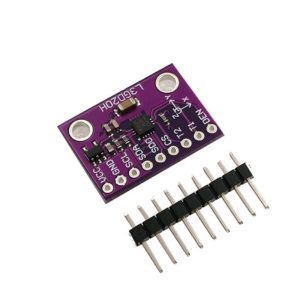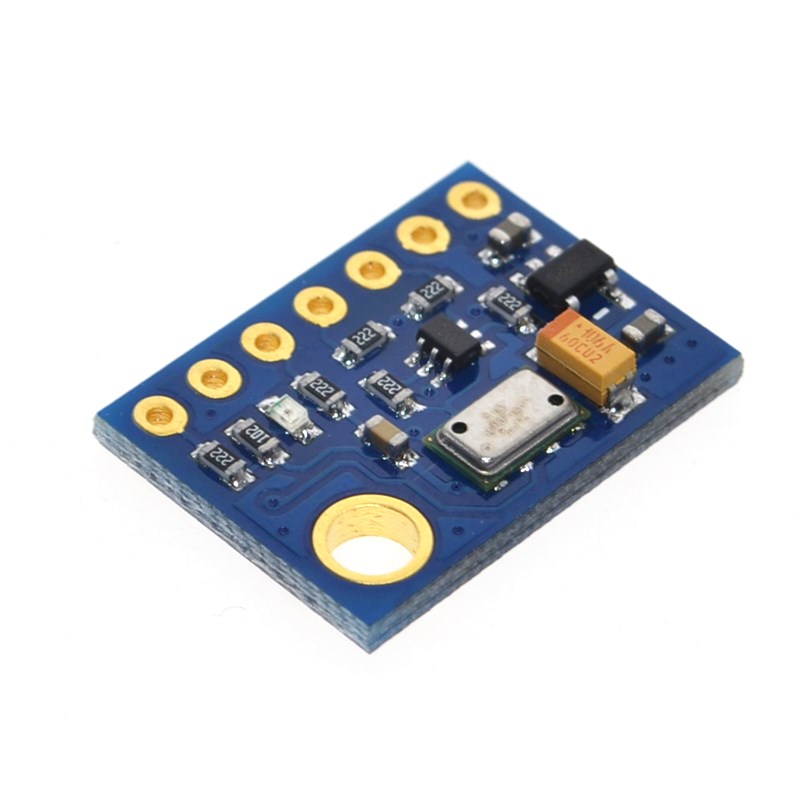
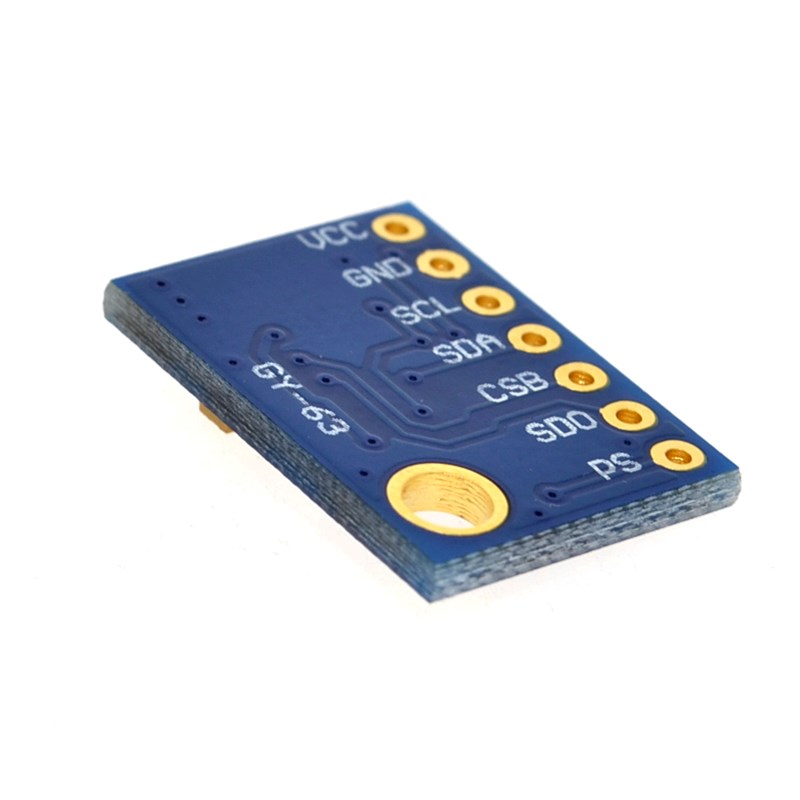
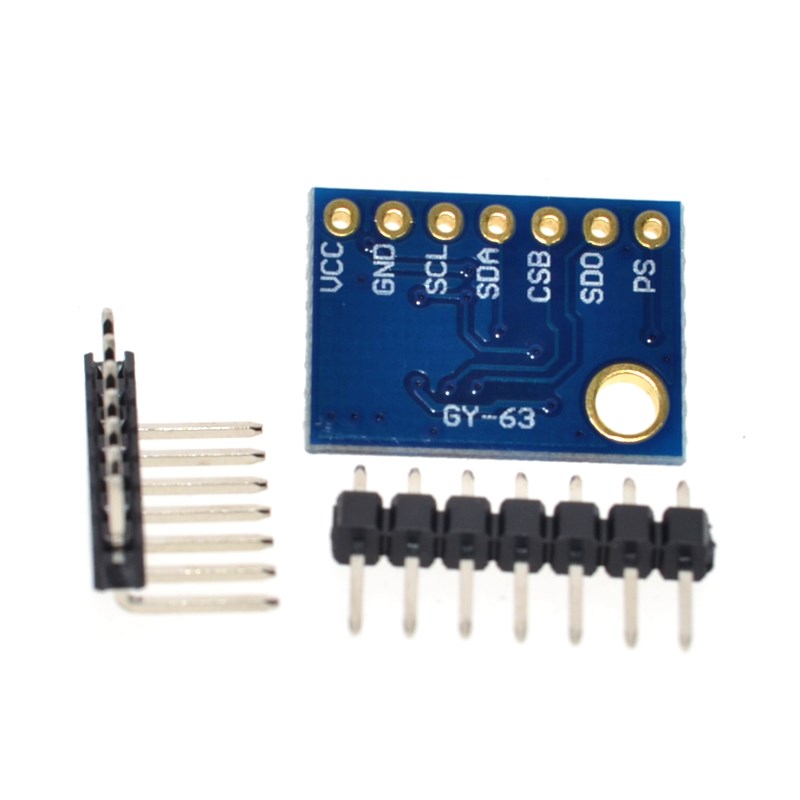
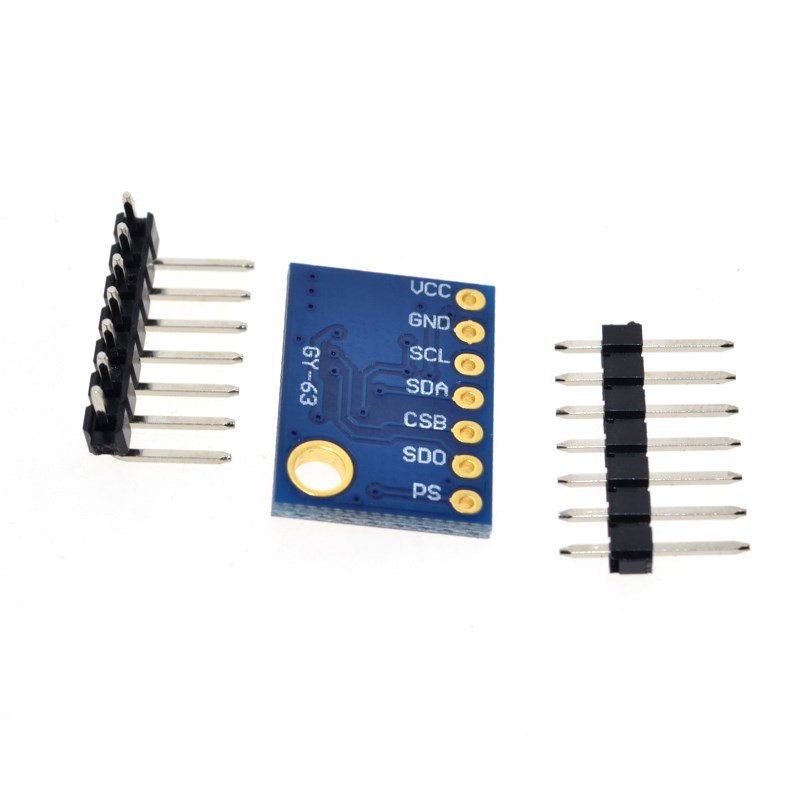
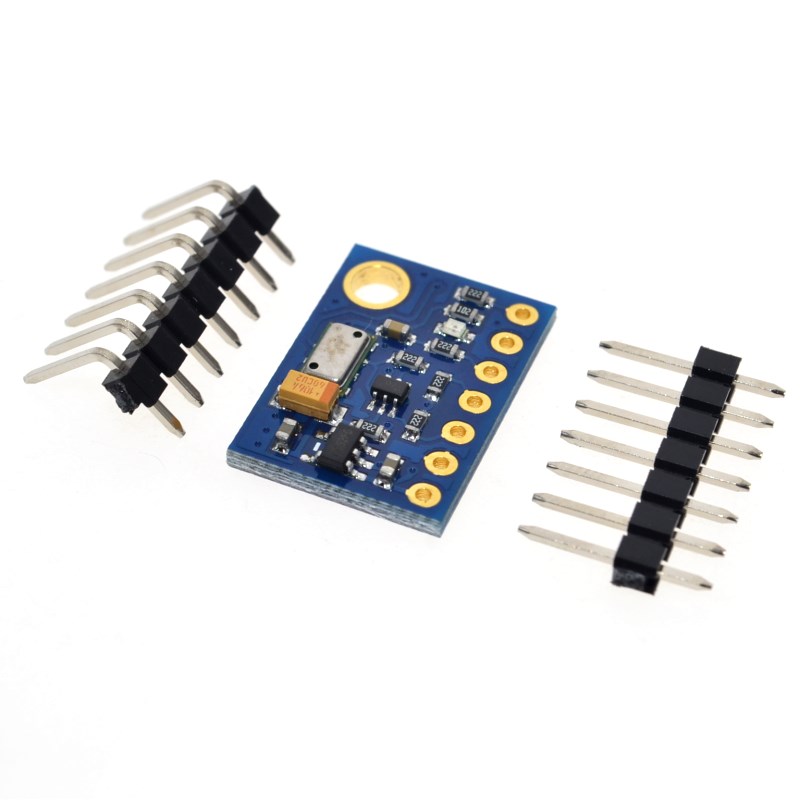
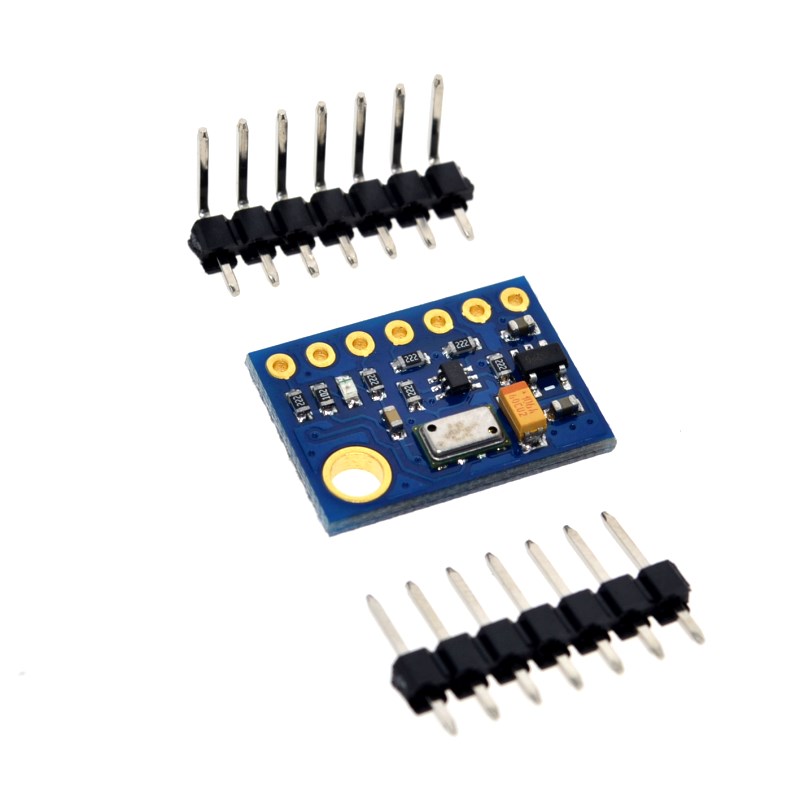
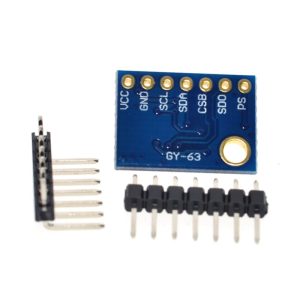
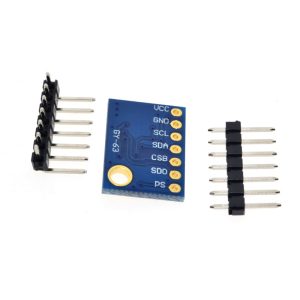
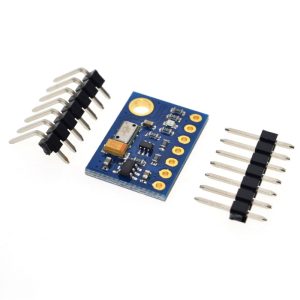
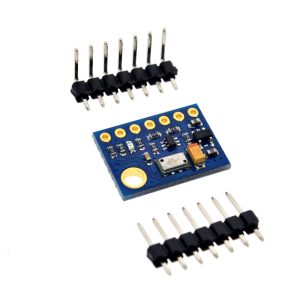
GY-63 MS5611-01BA03 high-precision pressure sensor module

SKU: FA2159
Sensor Chip

MS5611-01BA03 (TE Connectivity)

Operating Voltage (VCC)

3.3V – 5.5V DC (onboard regulator)

Pressure Range

10 mbar – 1200 mbar

Pressure Accuracy

±1.5 mbar (typical)

Pressure Resolution

Up to 0.012 mbar

Altitude Resolution

Up to 10 cm

Temperature Range

-40°C to +85°C

Temperature Accuracy

±0.8°C

Temperature Resolution

0.01°C

ADC Resolution

24-bit ΔΣ

Communication Protocols

I²C (default) and SPI (up to 20 MHz)

I²C Address

0x76 or 0x77 (configurable via CSB pin)

Active Current

1.4 mA (typical)

Standby Current

0.15 µA – 1.25 µA

Operating Temperature

-40°C to +85°C

Module Dimensions

19mm × 13mm × 4mm (approx.)

Module Weight

2g (approx.)

Pin Count

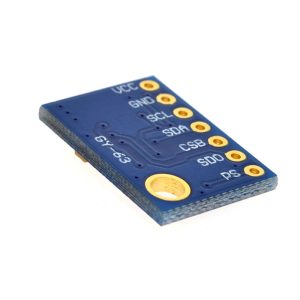
6 pins (VCC, GND, SCL, SDA, CSB, PS)

Product Overview

The GY-63 MS5611-01BA03 High-Precision Pressure Sensor Module is a professional-grade barometric pressure and altitude sensor designed for applications requiring exceptional accuracy and stability. Based on the advanced MS5611-01BA03 MEMS pressure sensor from TE Connectivity (formerly Measurement Specialties), this module delivers industry-leading performance for altimeters, variometers, drones, weather stations, and IoT devices .

The MS5611 sensor integrates a high-linearity pressure sensor with an ultra-low-power 24-bit ΔΣ ADC (Analog-to-Digital Converter) and a factory-calibrated temperature sensor . This combination allows the module to provide highly accurate pressure and temperature readings, from which altitude can be calculated with a resolution of up to 10 centimeters . The sensor is factory-calibrated with 6 coefficients stored in its internal memory, eliminating the need for user calibration and ensuring consistent, reliable readings out of the box.

What sets the GY-63 apart is its combination of high resolution and low power consumption. With an active current as low as 1.4 mA and a standby current of just 0.15 µA, it is perfectly suited for battery-powered portable devices . The module operates over a wide pressure range of 10 mbar to 1200 mbar, covering altitudes from below sea level up to approximately 9,000 meters (30,000 feet) .

The GY-63 breakout board includes all necessary support components, including a voltage regulator and level shifters, allowing it to accept a wide 3.3V to 5V power supply and interface directly with both 3.3V and 5V logic systems . This makes it compatible with a vast range of microcontrollers, including Arduino, ESP32, ESP8266, STM32, and Raspberry Pi. The module supports both I²C and SPI communication protocols, providing flexibility for system integration .

Key Features

  • High-Resolution Altitude Measurement: Capable of measuring altitude with a resolution of 10 cm, making it ideal for precise altimeters and variometers .

  • 24-Bit ΔΣ ADC: Built-in high-resolution analog-to-digital converter for accurate, noise-resistant pressure and temperature conversion .

  • Factory-Calibrated: Six programmable coefficients stored in the sensor’s internal memory ensure accurate, drift-free readings without user calibration .

  • Dual Communication Interfaces: Supports both I²C (default) and SPI (up to 20 MHz) communication protocols for flexible microcontroller integration .

  • Wide Operating Voltage: Accepts 3.3V to 5V power supply thanks to an onboard low-dropout regulator and level shifters .

  • Ultra-Low Power Consumption: Active current of 1.4 mA and standby current as low as 0.15 µA, ideal for battery-powered applications .

  • Wide Measurement Ranges: Pressure range of 10 mbar to 1200 mbar and temperature range of -40°C to +85°C, suitable for diverse environmental conditions .

  • Compact Size: Small form factor measuring approximately 19mm × 13mm, easy to integrate into space-constrained projects .

  • Fast Conversion: Selectable oversampling rates allow optimization between speed and resolution, with conversion times as low as 1 ms .

  • Good Long-Term Stability: Excellent long-term stability with minimal drift over time .

Technical Specifications

Parameter Operating Value
Sensor Chip MS5611-01BA03 (TE Connectivity) 
Operating Voltage (VCC) 3.3V – 5.5V DC (onboard regulator) 
Pressure Range 10 mbar – 1200 mbar 
Pressure Accuracy ±1.5 mbar (typical) 
Pressure Resolution Up to 0.012 mbar 
Altitude Resolution Up to 10 cm 
Temperature Range -40°C to +85°C 
Temperature Accuracy ±0.8°C 
Temperature Resolution 0.01°C 
ADC Resolution 24-bit ΔΣ 
Communication Protocols I²C (default) and SPI (up to 20 MHz) 
I²C Address 0x76 or 0x77 (configurable via CSB pin) 
Active Current 1.4 mA (typical) 
Standby Current 0.15 µA – 1.25 µA 
Operating Temperature -40°C to +85°C 
Module Dimensions 19mm × 13mm × 4mm (approx.) 
Module Weight 2g (approx.) 
Pin Count 6 pins (VCC, GND, SCL, SDA, CSB, PS)

Pinout & Interface Guide

The GY-63 module features a 6-pin configuration for flexible communication interface selection. Pin labeling may vary slightly between manufacturers; always verify the silkscreen on your specific board .

Pin Definitions

Pin Label Function Description
VCC VCC / 3-5V Power Supply Connect to 3.3V or 5V DC power source. Onboard regulator handles both voltages 
GND GND Ground Common ground connection
SCL SCL / SCK I²C Clock / SPI Clock I²C clock line or SPI serial clock input 
SDA SDA / SDI / MOSI I²C Data / SPI Data In I²C data line or SPI data input (Master Out Slave In) 
CSB CSB / CS Chip Select / I²C Address SPI chip select (active low) or I²C address select pin 
PS PS Protocol Select Select communication protocol: HIGH (VCC) = I²C, LOW (GND) = SPI 

Communication Mode Selection

Mode PS Pin CSB Pin SDO Pin (if present)
I²C (Default) VCC (or leave floating, pulled high) Determines I²C address: HIGH = 0x76, LOW = 0x77  Leave unconnected
SPI GND Connect to microcontroller GPIO for chip select Connect to microcontroller MISO 

I²C Address Configuration:

  • When CSB is HIGH (connected to VCC), the I²C address is 0x76 (or 0x77 depending on module variant) 

  • When CSB is LOW (connected to GND), the I²C address is 0x76 (or 0x77) 

Wiring Diagram (I²C Mode – Recommended for Simplicity)

For Arduino Uno / Nano:

GY-63 Pin Arduino Pin
VCC 5V
GND GND
SCL A5 (SCL)
SDA A4 (SDA)
PS 5V (or leave floating – default I²C) 
CSB 5V (address 0x76) or GND (address 0x77) 

For ESP32 / ESP8266:

GY-63 Pin ESP32 Pin ESP8266 Pin
VCC 3.3V 3.3V
GND GND GND
SCL GPIO22 GPIO5 (D1)
SDA GPIO21 GPIO4 (D2)
PS 3.3V (or leave floating) 3.3V (or leave floating)

Important Note: For I²C mode, ensure pull-up resistors (typically 4.7kΩ) are present on the SCL and SDA lines. Most GY-63 modules include these onboard, but verify your specific board .

Theory of Operation

Pressure-to-Altitude Relationship

Atmospheric pressure decreases with increasing altitude. The MS5611 measures absolute barometric pressure, from which altitude can be calculated using the barometric formula. The high resolution of the sensor (up to 0.012 mbar) enables altitude detection with approximately 10 cm resolution .

Oversampling (OSR)

The MS5611 supports multiple Oversampling Ratio (OSR) settings that trade off between conversion speed and noise level :

OSR Setting Oversampling Ratio Pressure Resolution Conversion Time Best For
OSR_ULTRA_LOW 256 0.065 mbar ~0.6 ms High-speed applications
OSR_LOW 512 0.042 mbar ~1.2 ms Speed-accuracy balance
OSR_STANDARD 1024 0.027 mbar ~2.3 ms General purpose
OSR_HIGH 2048 0.018 mbar ~4.6 ms Higher accuracy
OSR_ULTRA_HIGH 4096 0.012 mbar ~9.1 ms Maximum precision 

Higher OSR settings provide better noise reduction and resolution but require longer conversion times. For altitude measurement applications requiring centimeter-level accuracy, OSR_HIGH or OSR_ULTRA_HIGH are recommended.

Temperature Compensation

The MS5611 includes an integrated temperature sensor that is used to compensate the pressure readings. The 24-bit ADC simultaneously measures both pressure and temperature, and the factory-stored calibration coefficients are applied to obtain accurate, temperature-compensated results .

Usage Guide

Software Setup (Arduino IDE)

Step 1: Install Required Libraries

Several libraries support the MS5611 sensor. The most commonly used are:

Option A: “MS5611” Library (by Rob Tillaart) – Most versatile, supports both I²C and SPI 

Option B: “Adafruit MS5611” Library – Simple, well-documented

Option C: “MS561101BA” Library – Older but stable library

Install via Arduino Library Manager:

  1. Open Arduino IDE → Sketch → Include Library → Manage Libraries

  2. Search for “MS5611”

  3. Install the library by Rob Tillaart (recommended) or Adafruit 

Step 2: Basic Test Sketch (I²C Mode)

cpp
/*
  GY-63 MS5611 High-Precision Pressure Sensor Example
  Reads pressure, temperature, and calculates altitude
*/

#include <Wire.h>
#include <MS5611.h>

// Create MS5611 object (I2C address 0x76 default)
// If using address 0x77, change to MS5611(0x77)
MS5611 sensor(0x76);

// Constants for altitude calculation
const float SEA_LEVEL_PRESSURE = 1013.25;  // hPa at sea level

void setup() {
  Serial.begin(115200);
  Wire.begin();
  
  // Initialize the sensor
  if (!sensor.begin()) {
    Serial.println("MS5611 sensor not found! Check wiring.");
    while (1);
  }
  
  Serial.println("GY-63 MS5611 Sensor Ready");
  Serial.println("-----------------------------");
  
  // Optional: Set oversampling rate for higher precision
  // sensor.setOversampling(OSR_ULTRA_HIGH);  // Maximum precision
}

void loop() {
  // Read pressure and temperature
  // This command triggers a conversion and reads the result
  // The sensor reads both pressure and temperature simultaneously
  sensor.read();
  
  // Get pressure in millibars (hPa)
  float pressure = sensor.getPressure();
  
  // Get temperature in degrees Celsius
  float temperature = sensor.getTemperature();
  
  // Calculate altitude in meters using the barometric formula
  float altitude = 44330.0 * (1.0 - pow(pressure / SEA_LEVEL_PRESSURE, 0.1903));
  
  // Display results
  Serial.print("Pressure: ");
  Serial.print(pressure);
  Serial.println(" hPa");
  
  Serial.print("Temperature: ");
  Serial.print(temperature);
  Serial.println(" °C");
  
  Serial.print("Altitude: ");
  Serial.print(altitude);
  Serial.println(" m");
  
  Serial.println("-----------------------------");
  
  delay(1000);  // Read once per second
}

Step 3: Manual Read of Calibration Coefficients (For Advanced Users)

The MS5611 stores 6 factory calibration coefficients (C1 to C6) in its PROM. These are used to convert raw ADC readings to actual pressure and temperature values .

cpp
#include <Wire.h>

#define MS5611_ADDR 0x76

void readCalibrationCoefficients() {
  Wire.beginTransmission(MS5611_ADDR);
  Wire.write(0x1E);  // Reset command
  Wire.endTransmission();
  delay(10);
  
  // Read 6 calibration coefficients (each is 16-bit)
  for (int i = 1; i <= 6; i++) {
    Wire.beginTransmission(MS5611_ADDR);
    Wire.write(0xA0 + (i * 2));  // PROM read address for coefficient i
    Wire.endTransmission();
    
    Wire.requestFrom(MS5611_ADDR, 2);
    uint16_t coeff = Wire.read() << 8 | Wire.read();
    
    Serial.print("C");
    Serial.print(i);
    Serial.print(": ");
    Serial.println(coeff);
  }
}

Using with Different Microcontrollers

Arduino (5V Logic):

  • Connect VCC to 5V (onboard regulator steps down to 3.3V)

  • SCL/SDA connect directly to I²C pins (A5/A4 on Uno) 

ESP32 / ESP8266 (3.3V Logic):

  • Connect VCC to 3.3V

  • Connect SCL/SDA to appropriate I²C pins

  • The sensor works well with both 3.3V and 5V logic 

Raspberry Pi (Python):

  • Enable I²C via raspi-config

  • Install required libraries: pip3 install adafruit-circuitpython-ms5611 

  • Connect VCC to 3.3V (Pin 1), GND to GND, SCL to GPIO3 (Pin 5), SDA to GPIO2 (Pin 3)

Altitude Calculation Tips

For accurate altitude readings, you should provide the local sea-level pressure. This can be obtained from:

  • Local weather station data

  • GPS altitude reference at a known location

  • Initial calibration at a known altitude

cpp
// Correct altitude calculation using local sea-level pressure
float calculateAltitude(float measuredPressure, float seaLevelPressure) {
  // Formula: alt = 44330 * (1 - (P/P0)^(1/5.255))
  return 44330.0 * (1.0 - pow(measuredPressure / seaLevelPressure, 0.1903));
}

Q: How accurate is the altitude measurement?

The MS5611 has a pressure resolution of up to 0.012 mbar, which translates to an altitude resolution of approximately 10 cm. However, absolute accuracy depends on proper calibration with local sea-level pressure. For relative altitude changes (e.g., climbing stairs), the sensor is extremely precise .

Q: What is the difference between the GY-63 and BMP180/BMP280 sensors?

The MS5611 offers higher precision (10 cm altitude resolution vs. 1m for BMP180) and faster conversion speeds. It is the preferred choice for drones and applications requiring precise altitude hold. However, it is slightly more expensive and less common than BMP series sensors .

Q: Can I use both I²C and SPI communication with the same module?

The module supports both protocols, but you must select one using the PS pin. Connect PS to VCC for I²C mode, or to GND for SPI mode. The module cannot operate in both modes simultaneously .

Q: What is the default I²C address of the GY-63 module?

The I²C address is determined by the CSB pin. When CSB is HIGH (connected to VCC or left floating), the address is 0x76. When CSB is LOW (connected to GND), the address is 0x77. Most modules are configured for 0x76 by default .

Q: Why is my module not detected on the I²C bus?

Common issues:

  1. Wiring: Verify VCC, GND, SCL, and SDA connections 

  2. Pull-up resistors: Ensure 4.7kΩ pull-ups are present on SCL and SDA lines

  3. PS pin: Ensure PS is connected to VCC for I²C mode 

  4. Address: The I²C address may be 0x76 or 0x77; try both 

  5. Power: Ensure your power supply can provide adequate current

Q: How do I improve altitude reading stability?

For stable altitude readings:

  1. Use OSR_ULTRA_HIGH oversampling for maximum precision 

  2. Apply a moving average filter to smooth readings

  3. Allow the sensor to warm up for a few minutes before critical measurements

  4. Protect the sensor from direct airflow (wind) and rapid temperature changes

  5. Re-calibrate the sea-level pressure reference when moving to different locations

Q: What oversampling setting should I use?

The choice depends on your application:

  • OSR_ULTRA_HIGH (4096): Use for stationary barometers, weather stations (max accuracy, 9.1 ms conversion) 

  • OSR_HIGH (2048): General-purpose altitude measurement (4.6 ms conversion)

  • OSR_STANDARD (1024): Drones and dynamic applications (2.3 ms conversion)

  • OSR_LOW (512): High-speed applications (1.2 ms conversion) 

Q: Can the GY-63 be used for indoor navigation?

Yes, the high resolution (10 cm) makes it suitable for indoor altitude tracking (e.g., determining which floor of a building you are on). However, for 2D positioning, you would need additional sensors like accelerometers and magnetometers. The MS5611 excels at vertical positioning .

Q: What is the maximum altitude the sensor can measure?

The pressure range of 10 mbar to 1200 mbar corresponds approximately to altitudes from -1,500 feet (below sea level) up to 30,000 feet (9,000 meters). This covers most civilian drone and general aviation applications .

Q: Do I need to calibrate the sensor?

No. The MS5611 sensor is factory-calibrated, and the six calibration coefficients (C1-C6) are stored in the sensor’s internal PROM. Your library will automatically read these coefficients and use them to convert raw ADC readings to accurate pressure and temperature values. No user calibration is required .