Product Overview
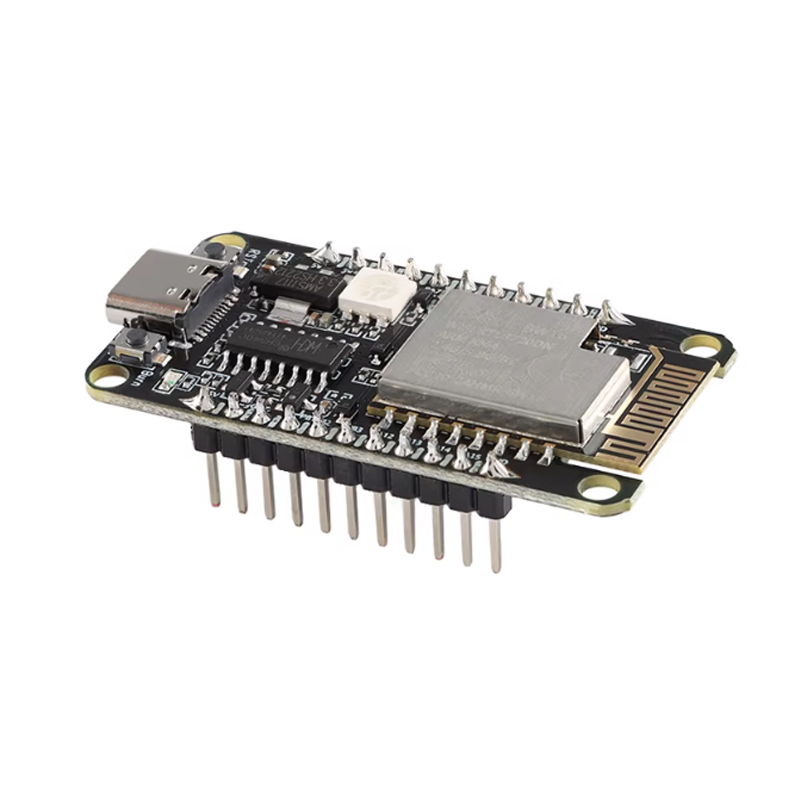
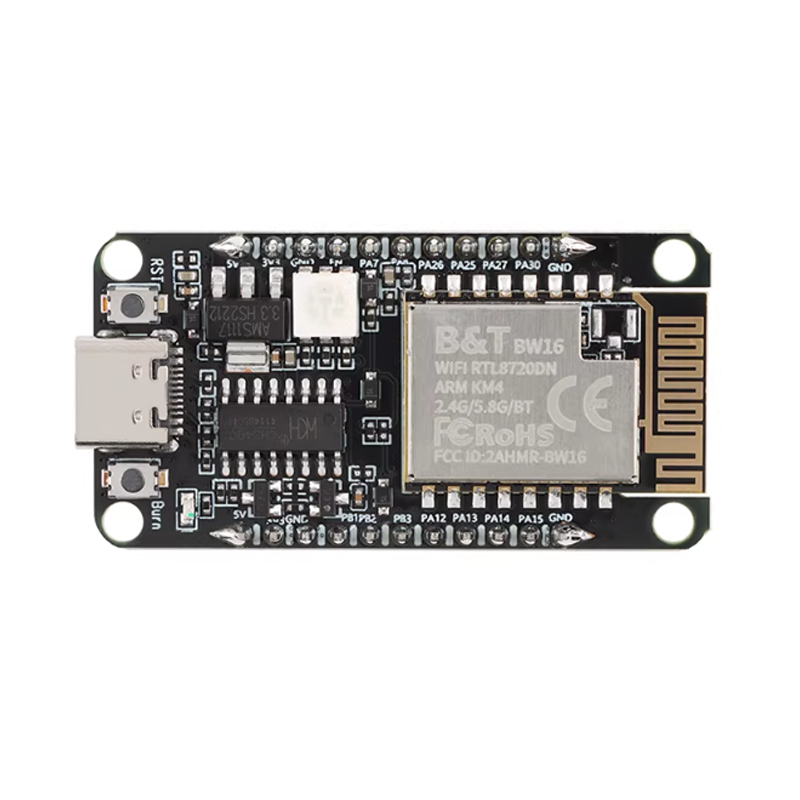
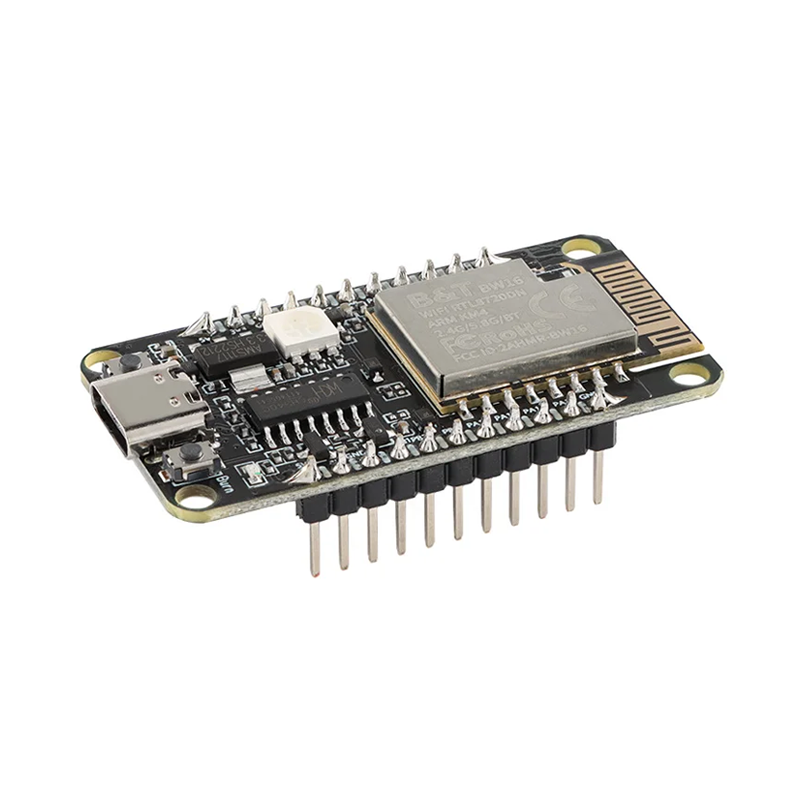
The BW16 is a high-performance, low-power dual-band wireless communication module developed by Ai-Thinker based on the advanced Realtek RTL8720DN chipset. This compact SoC (System on Chip) module combines 2.4GHz and 5GHz dual-band Wi-Fi (802.11 a/b/g/n) with Bluetooth 5.0 (BLE) support in a single integrated package, making it ideal for next-generation IoT devices, smart home applications, and industrial automation .
Unlike traditional ESP8266 or ESP32 modules that operate only on the congested 2.4GHz band, the BW16 supports the less crowded 5GHz frequency, offering faster data rates (up to 150 Mbps), reduced latency, and improved resistance to interference—perfect for high-bandwidth applications like HD video streaming or real-time control systems .
The BW16 integrates a dual-core ARM architecture: a high-performance KM4 MCU (compatible with Cortex-M4F) running at up to 200 MHz, and a low-power KM0 MCU (compatible with Cortex-M0) for efficient power management . With its comprehensive peripheral set (UART, SPI, I2C, PWM, ADC), multiple antenna options (PCB antenna or IPEX connector), and support for secondary development in Arduino, Linux, and Windows environments, the BW16 offers exceptional flexibility for developers .
Key Features
-
Dual-Band Wi-Fi Support: Supports both 2.4GHz and 5GHz frequency bands (802.11 a/b/g/n) for reduced interference and higher throughput .
-
Bluetooth 5.0 & BLE: Integrated Bluetooth 5.0 with Low Energy (BLE) support, offering 4x range, 2x speed, and 8x broadcasting capacity compared to Bluetooth 4.2 .
-
Dual-Core ARM Processor: Features a high-performance KM4 MCU (Cortex-M4F compatible) at up to 200 MHz and a low-power KM0 MCU (Cortex-M0 compatible) for efficient power management .
-
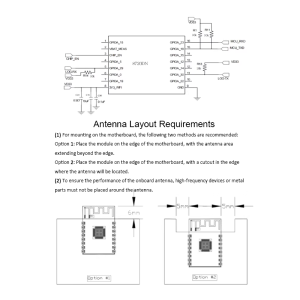
Multiple Antenna Options: Available with onboard PCB antenna or IPEX connector for external high-gain antennas, allowing flexible installation in metal enclosures or long-range applications .
-
Rich Peripheral Interfaces: Supports UART, SPI, I2C, PWM, and ADC interfaces for connecting a wide variety of sensors, actuators, and displays .
-
Multiple Wi-Fi Modes: Supports Station (STA), SoftAP, and STA+AP modes, enabling devices to connect to existing networks or create their own .
-
Low Power Consumption: Features multiple sleep modes (Deep Sleep, Light Sleep, Modem Sleep) with standby current as low as 10 µA, ideal for battery-powered IoT devices .
-
Secure Connectivity: Built-in hardware encryption engine (AES/DES/SHA) and support for WPA3, TLS 1.3, Secure Boot, and TrustZone-M for enhanced security .
-
Wide Operating Temperature: Rated for -40°C to +85°C, suitable for industrial environments .
-
Arduino IDE Support: Fully compatible with Arduino development environment, with dedicated board support and extensive example libraries .
Technical Specifications
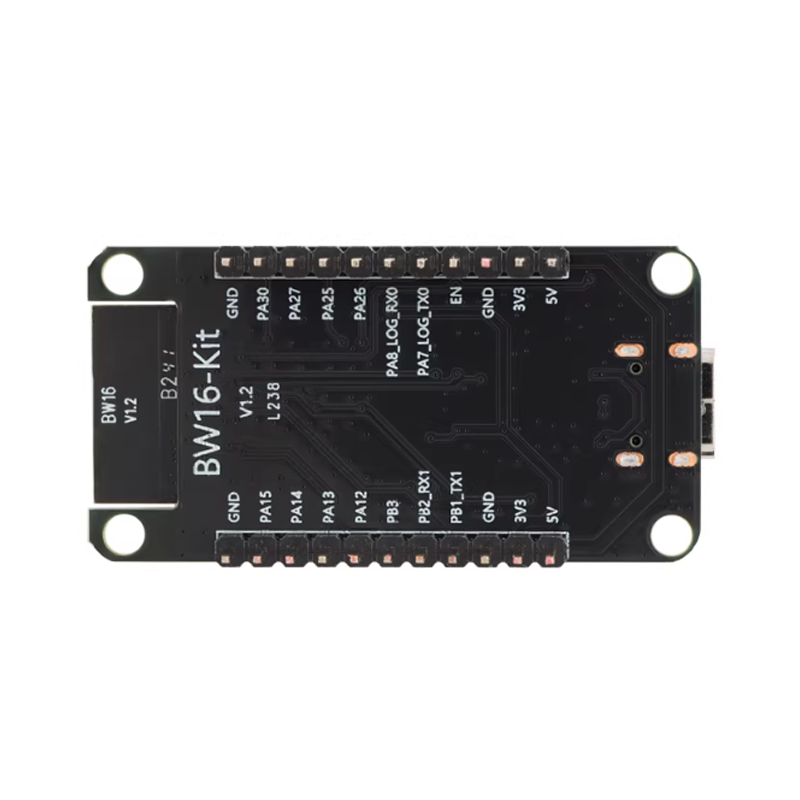
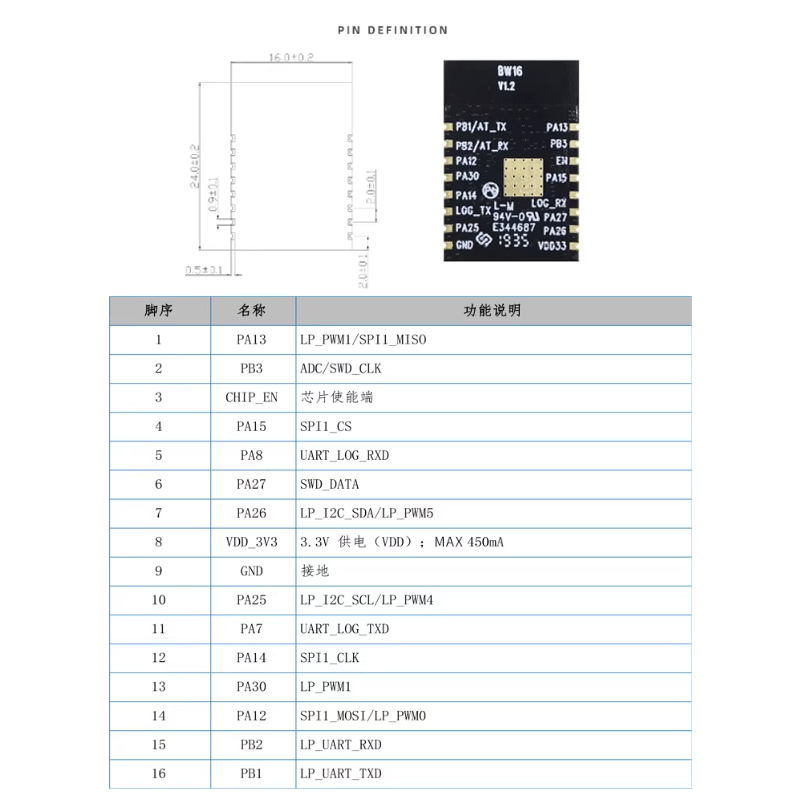
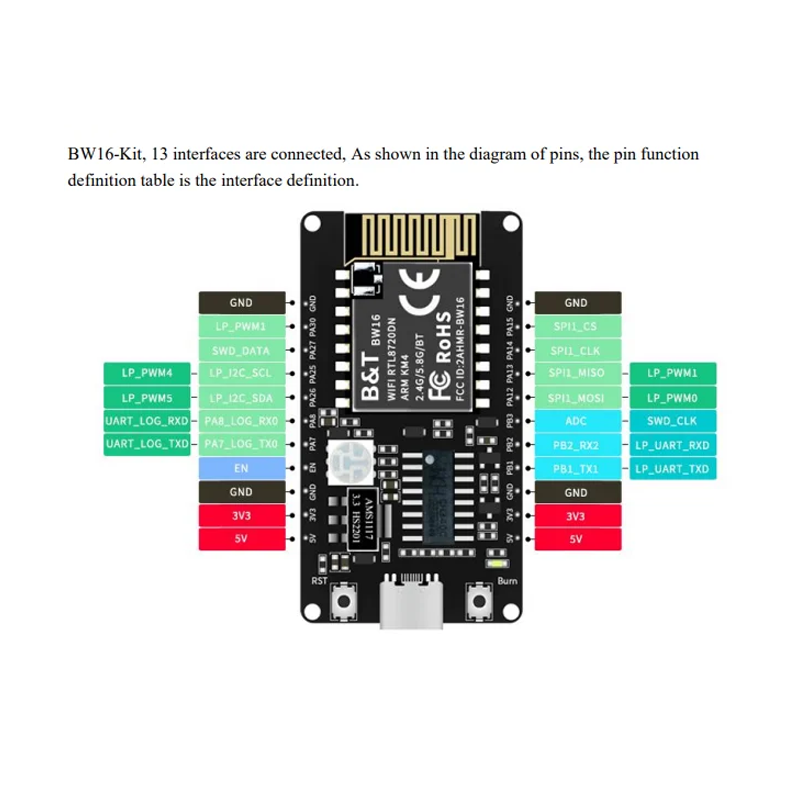
Pinout & Interface Guide
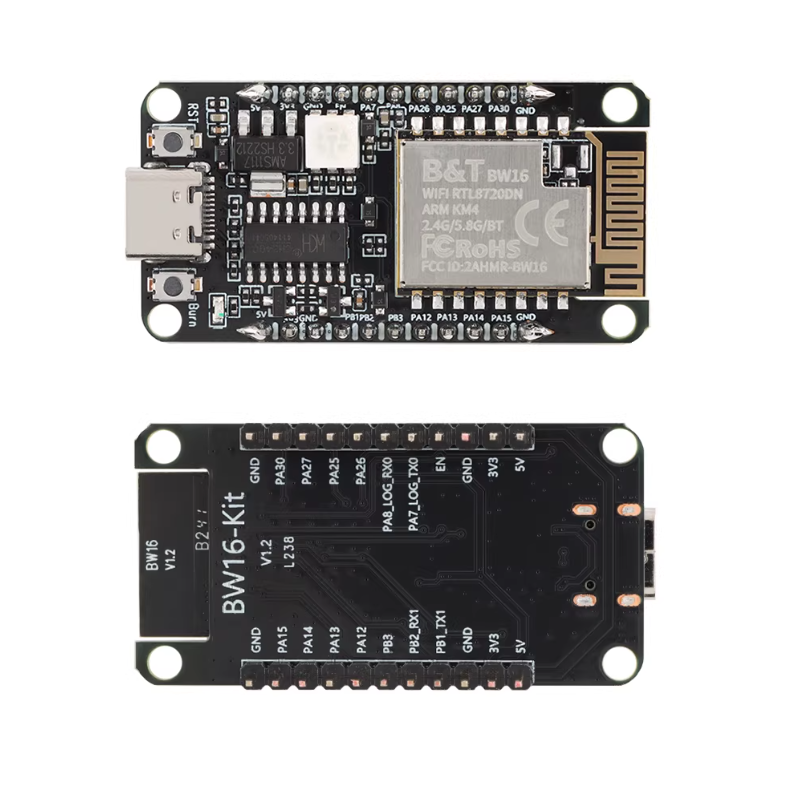
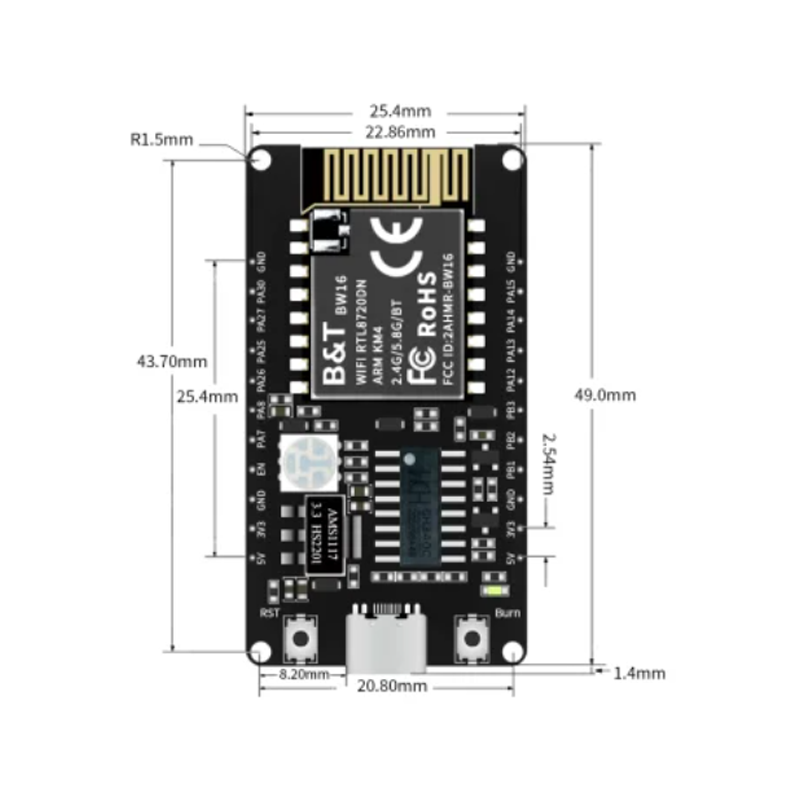
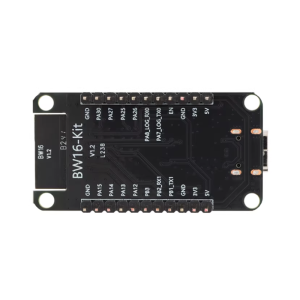
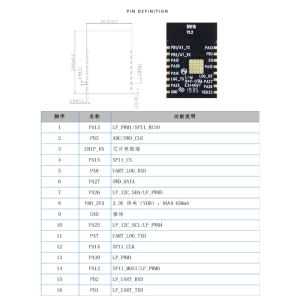
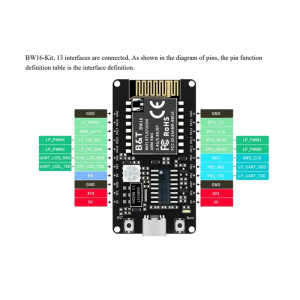
The BW16 module features a compact SMD package with the following key pin assignments (varies by variant, refer to your specific board’s documentation) :
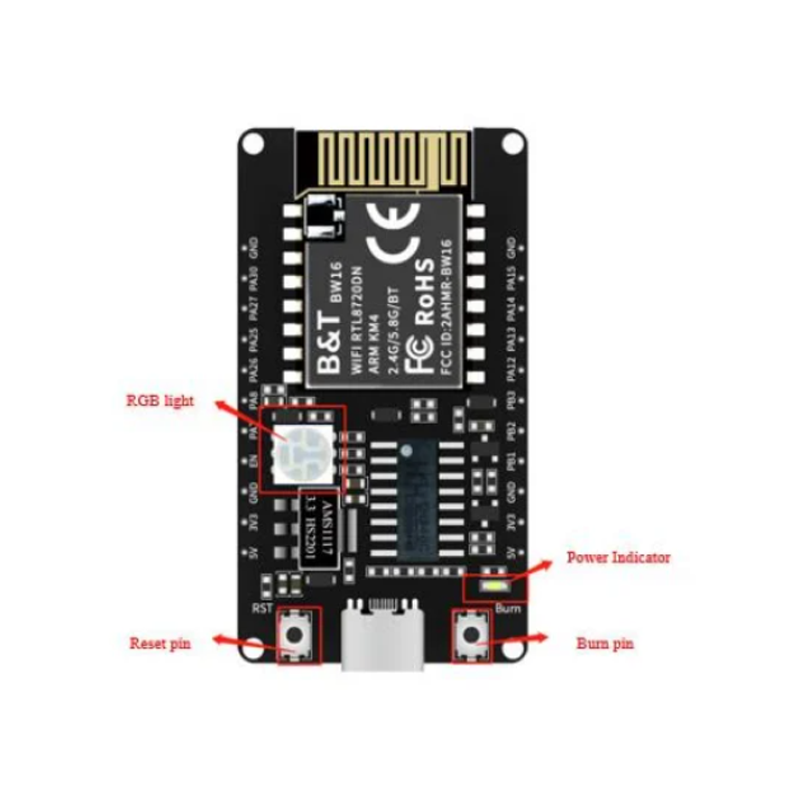
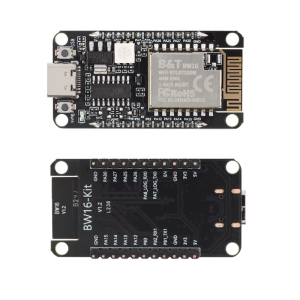
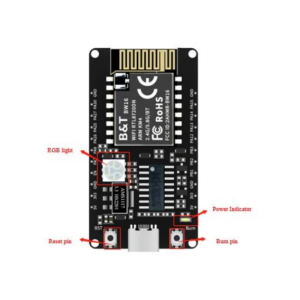
Note: The board includes two buttons: RST (reset) and Burn (for entering upload mode). To enter upload mode, press and hold the Burn button, press and release RST, then release Burn .
Usage Guide
Development Environment Setup
Arduino IDE (Recommended)
-
Install Arduino IDE: Download and install version 1.8.15 or higher from arduino.cc .
-
Add Board Manager URL:
-
Install Board Package:
-
Tools → Board → Boards Manager
-
Search for “Realtek Ameba Boards (32-bits ARM Cortex-M33 @200MHz)”
-
Click Install (version 3.1.5 or later recommended)
-
Select Board:
-
Select Port:
Hardware Setup & Upload Mode
To upload code to the BW16, you must enter upload mode:
-
Press and hold the Burn button.
-
Press and release the RST button.
-
Release the Burn button.
-
The board is now ready to receive firmware.
Note: For boards with auto-upload circuitry, you can enable “Tools → Auto Upload Mode → Enable” .
First-Time Blink Example
-
Open Arduino IDE → File → Examples → 01.Basics → Blink
-
The onboard RGB LED is connected to multiple pins. Change LED_BUILTIN to LED_R, LED_G, or LED_B for different colors .
-
Click Upload. During the 5-second countdown, enter upload mode as described above.
-
After successful upload, the LED will blink.
Network Application Example
#include <WiFi.h>
const char* ssid = "your_SSID";
const char* password = "your_PASSWORD";
void setup() {
Serial.begin(115200);
WiFi.begin(ssid, password);
while (WiFi.status() != WL_CONNECTED) {
delay(500);
Serial.print(".");
}
Serial.println("Connected!");
Serial.print("IP address: ");
Serial.println(WiFi.localIP());
}
void loop() {
}
Advanced Features
The BW16 supports:
-
Dual-band scanning: Scan both 2.4GHz and 5GHz networks simultaneously .
-
TCP/UDP servers: Create network servers for IoT applications .
-
Bluetooth pairing: Pair with smartphones and peripherals for configuration.
-
OTA updates: Over-the-air firmware updates for deployed devices .
Q: What is the main advantage of the BW16 over ESP8266 or ESP32?
The BW16 supports dual-band Wi-Fi (2.4GHz and 5GHz) , while ESP8266 is 2.4GHz only. The 5GHz band offers less interference, higher throughput (up to 150 Mbps), and lower latency—ideal for high-bandwidth applications like video streaming or crowded RF environments
Q: Does the BW16 support both 2.4GHz and 5GHz Wi-Fi simultaneously?
The BW16 supports both frequency bands but typically operates on one band at a time. It can scan and connect to either 2.4GHz or 5GHz networks
Q: What Bluetooth version does the BW16 support?
The BW16 supports Bluetooth 5.0 with both Classic (BR/EDR) and Low Energy (BLE) modes
Q: Can I use the BW16 with Arduino IDE?
Yes. The BW16 is fully supported in Arduino IDE after installing the Realtek Ameba board package. The module appears as “BW16 (RTL8720DN)” in the boards list
Q: Does the BW16 have a built-in antenna or external connector?
Both variants are available. Some BW16 modules feature an onboard PCB antenna; others include an IPEX connector for attaching an external high-gain antenna
Q: What is the maximum range of the BW16?
With a suitable external antenna on 2.4GHz, range can reach up to 100-150 meters in open space. The 5GHz band has shorter range but offers higher speed and less interference
Q: What voltage does the BW16 require?
The BW16 operates on 3.3V DC (range 3.0V–3.6V). Do not apply 5V to any pin—this will damage the module
Q: How much current does the BW16 draw?
Current consumption varies by mode:
-
Active (Wi-Fi transmitting): Up to 200 mA peak
-
Normal operation: ~80-100 mA
-
Deep sleep: As low as 10 µA
Q: How do I power the BW16 for standalone operation?
Use a stable 3.3V power supply capable of providing at least 300mA. The BW16 development board can be powered via Micro USB (5V) with onboard regulation to 3.3V
Q: Why does my BW16 not boot after uploading?
Common boot issues:
-
Flash not erased before first upload (must clear factory firmware)
-
Incorrect board selected in Arduino IDE
-
Power supply insufficient (voltage sag during Wi-Fi transmission)
-
Burn button not held during upload mode entry
Q: How do I erase the factory firmware for first use?
Use the AmebaD Image Tool to erase flash from address 0x0800_0000 for 2048 KB, then upload your Arduino sketch . Some Arduino versions include “Erase Flash → Enable” in Tools menu
Q: I cannot upload code to the BW16. What should I do?
Follow these steps:
-
Ensure the board is in upload mode (press Burn, press RST, release Burn)
-
Select correct board: “BW16 (RTL8720DN)” in Tools → Board
-
Select correct COM port
-
Try a different USB cable (some are charge-only)
-
Check Tools → Erase Flash → Disable (unless clearing factory firmware)
Q: Can I use the BW16 with MicroPython?
The RTL8720DN is supported by some MicroPython ports. Check community resources for the latest firmware availability.
Q: What programming languages can I use with BW16?
Q: How do I use the 5GHz band in my code?
In network connection commands, specify the 5GHz network’s SSID. The module will automatically connect to the available band. For scanning, libraries typically return networks from both bands
Q: What can I build with the BW16?
Popular applications include:
-
Dual-band Wi-Fi sensors and data loggers
-
Smart home devices with 5GHz connectivity
-
Industrial IoT gateways
-
Wireless audio streaming
-
Video transmission systems
-
BLE beacon scanners
-
Network security testing tools
Q: Is the BW16 suitable for battery-powered projects?
Yes. With deep sleep currents as low as 10 µA, the BW16 is well-suited for battery-powered IoT sensors and wearables
Q: Can the BW16 be used for commercial products?
Yes. The BW16 is used in commercial applications, with certifications available. Ai-Thinker provides comprehensive documentation and support for production integration