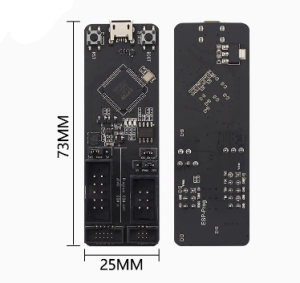
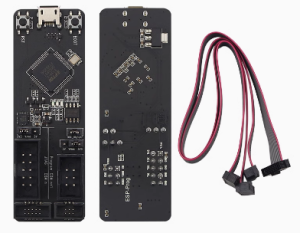
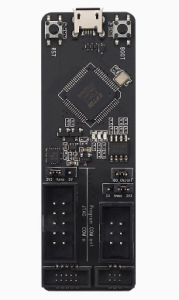
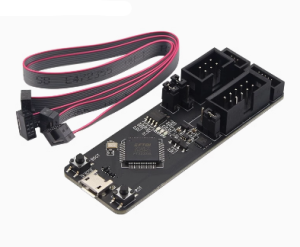
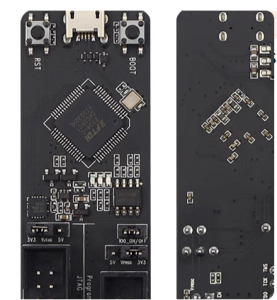
ESP-Prog Universal JTAG Debugger Highlights versatility for both ESP8266/ESP32

SKU: FA1055-2
Main Controller

FTDI FT2232HL

Interface

USB 2.0 High Speed (Micro-USB Connector)

Debugging Interface

JTAG (Standard Pins)

Programming Interface

UART (Serial)

Logic Voltage

3.3V / 5V (Selectable via Jumpers)

Target Power Output

Up to 500mA

Compatible Software

OpenOCD, ESP-IDF, GDB, Arduino IDE, PlatformIO

Dimensions

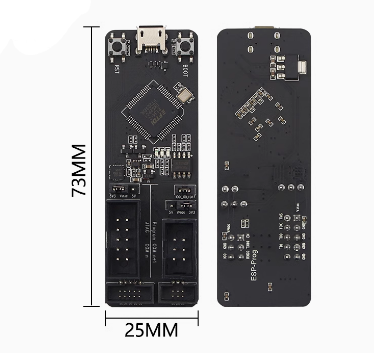
73.4mm x 25.1mm

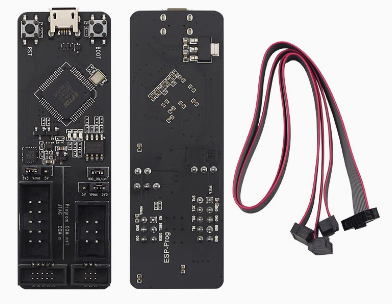
The ESP-Prog is an official open-source development and debugging tool designed by Espressif. It is a dual-function solution that provides both automatic firmware downloading and JTAG hardware debugging, making it an indispensable tool for professional developers working with ESP8266 and ESP32 platforms in 2026.
Long Description
The ESP-Prog is engineered to streamline the entire development lifecycle, from initial flashing to complex real-time troubleshooting. It features a dual-channel design using the FT2232HL chip, which allows it to handle USB-to-Serial (UART) and JTAG communication simultaneously. This means you can monitor serial logs on one channel while stepping through code line-by-line on the other.
For business purchasers, the ESP-Prog is a critical asset for reducing R&D cycles. Its ability to perform hardware-level debugging allows engineers to identify memory leaks and race conditions that are nearly impossible to find with standard serial “print” debugging. For individual makers, it offers a professional-grade gateway into the ESP-IDF environment, transforming how you interact with your hardware by providing deep visibility into the chip’s internal state.
Key Features
  • Dual-Channel Versatility: One channel for Program Download (UART) and one for Hardware Debugging (JTAG).
  • Universal Compatibility: Fully supports the entire Espressif range, including ESP8266, ESP32, ESP32-S2, ESP32-S3, and ESP32-C series.
  • One-Click Flashing: Features automatic bootloader pin control (IO0 and EN), eliminating the need for manual button pressing during firmware uploads.
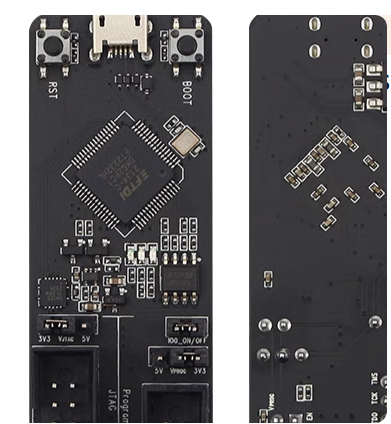
  • Adjustable Logic Levels: Includes onboard jumpers to switch between 3.3V and 5V power supply and signal logic to match your target board.
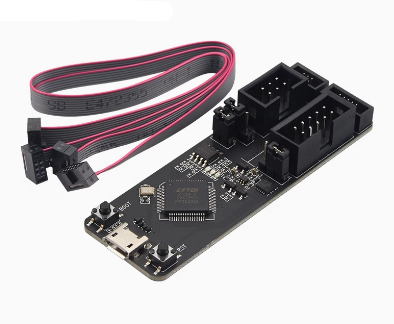
  • Standardized Headers: Uses 2.54mm pitch connectors for easy connection via jumper wires or standard IDC cables.
Usage Instructions
  1. Hardware Connection: Connect the ESP-Prog to your computer using a Micro-USB data cable.
  2. Cable Wiring: Connect the JTAG/UART pins of the ESP-Prog to the corresponding pins on your ESP32 or ESP8266 board (refer to your specific chip’s pinout for JTAG pins like TDI, TDO, TCK, TMS).
  3. Driver Installation: Install the FTDI drivers. For JTAG functionality on Windows, you may need to use Zadig to switch the driver for Channel 0 to “WinUSB”.
  4. Debugging in ESP-IDF:
    • Set your interface to board/esp32-wrover-kit.cfg (which uses the same FT2232 layout).
    • Run idf.py gdbgui or idf.py monitor for real-time analysis.
  5. Voltage Selection: Before connecting, ensure the onboard jumper matches your target board’s voltage (typically 3.3V).
Q: Does ESP-Prog work with the Arduino IDE?

Yes, for firmware downloading, it works perfectly as a standard USB-to-Serial converter. However, the JTAG debugging features are best utilized in professional environments like VS Code with ESP-IDF or PlatformIO.

Q: Can I debug an ESP8266 with this?

While the ESP-Prog supports the ESP8266 UART for programming, please note that the ESP8266 has limited hardware JTAG support compared to the ESP32. Most users use the ESP-Prog’s JTAG features specifically for the ESP32 series

Q: Why are there two separate sets of headers on the board?

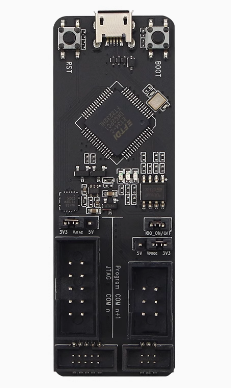
The board is split into two functional areas. The Program header is for standard Serial communication (TX/RX/Reset/Boot), and the JTAG header is for advanced hardware debugging

Q: My computer sees two COM ports when I plug it in. Is this normal?

Yes! The FT2232HL is a dual-port chip. Port A is generally used for JTAG and Port B is used for UART (Serial) communication

Q: Do I need to power my target board separately?

The ESP-Prog can provide power to your target board via the VCC pins. However, for power-hungry projects (like those using Wi-Fi and motors), it is recommended to power the target board via its own source and only connect the Ground (GND) and signal pins to the ESP-Prog

Q: Is this tool required to program an ESP32?

No, most development boards have a built-in USB-to-Serial chip. This tool is an upgrade for boards that lack an onboard USB port or for developers who need hardware-level debugging capabilities