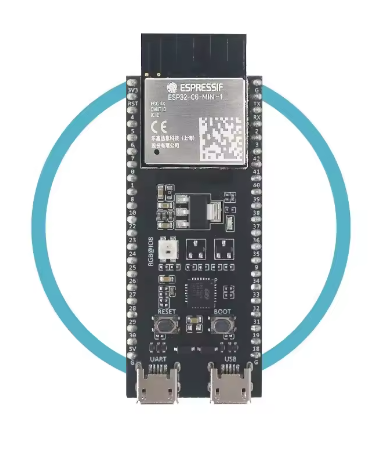
The ESP32-C6-DevKitM-1-N4 is a next-generation entry-level development board designed for the modern 2026 wireless ecosystem. Based on the ESP32-C6-MINI-1 module, it is the first major SoC from Espressif to support Wi-Fi 6 (802.11ax), making it a critical tool for developers building high-efficiency, low-congestion IoT solutions.
Long Description
The ESP32-C6-DevKitM-1-N4 is built around a high-performance 32-bit RISC-V single-core processor. It is specifically engineered to meet the demands of the 2026 smart home and industrial markets by integrating an unprecedented range of wireless protocols: Wi-Fi 6, Bluetooth 5 (LE), Zigbee, and Thread (802.15.4). This multi-protocol capability makes it the ultimate gateway for Matter-compliant devices.
For business purchasers, the “N4” variant indicates 4MB of Flash memory, providing a stable foundation for industrial automation and commercial lighting systems that require the Target Wake Time (TWT) efficiency of Wi-Fi 6. For individual makers, it offers a future-proof platform to explore the latest in mesh networking and low-power smart home integration using the familiar Arduino or ESP-IDF environments.
Key Features
- Wi-Fi 6 Technology: Supports the 2.4 GHz 802.11ax protocol, offering better transmission efficiency and lower power consumption via Target Wake Time (TWT).
- Matter Ready: Full support for Thread and Zigbee allows this board to act as a bridge or terminal in the Matter smart home ecosystem.
- RISC-V Architecture: Powered by a 160MHz RISC-V 32-bit core, providing modern processing efficiency.
- Superior Security: Includes secure boot, flash encryption, and hardware cryptographic accelerators (AES, SHA, RSA).
- Compact Form Factor: The “MINI” module design saves space on breadboards while providing access to nearly all I/O pins.