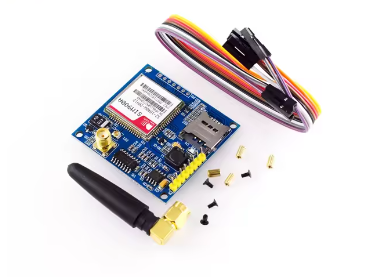
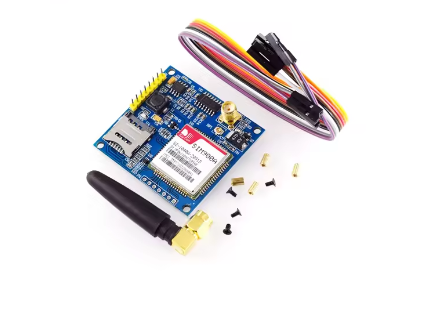
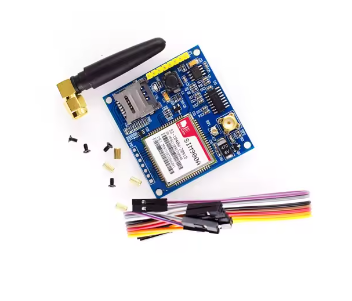
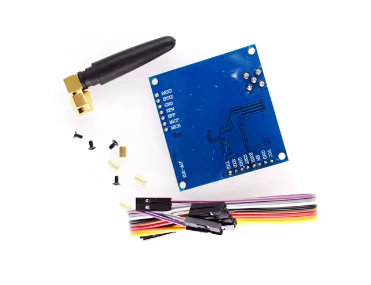
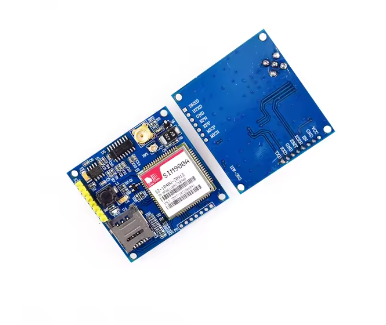
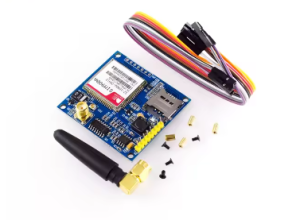
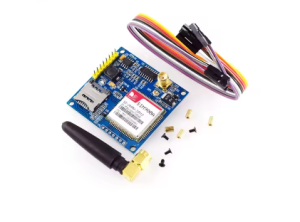
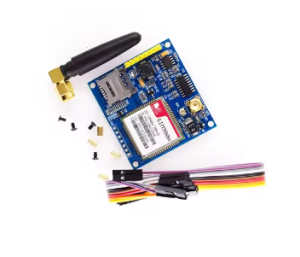
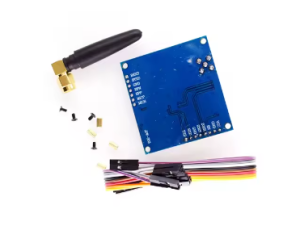
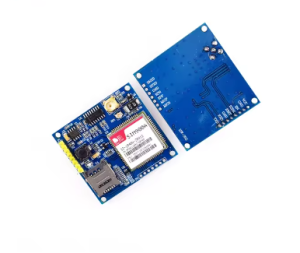
HW-353A SIM900A GSM/GPRS Module – SMS Development Board with STM32 for Wireless Data Transmission [Nor Original]

SKU: FA2034-0
Model Number

HW-353A (SIM900A Series)

Network Support

Dual-Band GSM / GPRS (900/1800 MHz)

Operating Voltage

DC 5V (Current peak 2A required)

Communication Interface

TTL Level UART (Serial)

Baud Rate Support

1200bps to 115200bps (Auto-baud available)

SIM Card Interface

Micro SIM (Push-Pull Slot)

Data Protocols

TCP / UDP / HTTP / FTP

Operating Temperature

-40°C to +85°C

Description
The HW-353A SIM900A Development Board is a specialized wireless communication module designed for high-reliability data transmission in IoT (Internet of Things) and M2M (Machine-to-Machine) environments. This board is engineered to provide seamless cellular connectivity for microcontrollers, specifically optimized for the STM32, Arduino, and 51-series platforms.
Operating on the dual-band 900/1800MHz GSM/GPRS network, the HW-353A facilitates remote SMS control, voice calls, and GPRS data exchange. This “Non-Original” edition utilizes a high-quality, fully compatible chipset that maintains the standard AT command set while offering a more accessible price point for bulk business procurement and large-scale prototyping. Its industrial-grade layout ensures stable signal processing, making it an excellent choice for remote weather stations, smart vending machines, and automated security alerts.
Key Features
  • Enhanced Signal Stability: Features an onboard high-performance spring antenna with an optional IPX/SMA interface for external high-gain antennas.
  • Dual-Band Global Readiness: Optimized for 900/1800MHz frequencies, compatible with GSM networks worldwide.
  • Direct MCU Interfacing: Logic level conversion circuitry is built-in, allowing direct connection to both 3.3V (STM32/ESP32) and 5V (Arduino/51) systems without external level shifters.
  • Triple Mode Communication: Supports standard SMS (text), Voice (audio pins included), and GPRS (wireless TCP/IP data transmission).
  • Industrial Power Design: Includes high-quality electrolytic capacitors to handle the 2A current surges required during network registration.
  • Compact HW-353A Form Factor: Minimalist footprint allows for easy integration into custom enclosures and tight PCB layouts.
Usage Instructions
  1. Hardware Setup: Insert a valid 2G-compatible SIM card into the slot. Connect the GSM antenna securely.
  2. Power Connection: Connect a 5V/2A power source to the VCC and GND pins. Note: Ensure your power source is stable; a weak power supply will cause the module to drop connection during transmission.
  3. Serial Wiring: Connect the module’s TXD to your microcontroller’s RXD, and the module’s RXD to the microcontroller’s TXD. Ensure a common Ground (GND) is shared.
  4. Network Status: Watch the onboard LED. A fast blink indicates searching; a slow blink (once every 3 seconds) indicates successful network registration.
  5. Command Execution: Use a Serial Monitor to send AT commands. Test connectivity by sending ATD[Phone Number]; to initiate a voice call test.
Q: Is the HW-353A compatible with 4G SIM cards?

Yes, most 4G SIM cards will function with this module as long as your service provider still supports 2G/GSM bands (900/1800MHz) in your region.

Q: Why does the module fail to register on the network (LED keeps blinking fast)?

This is usually due to one of three reasons: 1) The SIM card has a PIN lock (must be disabled), 2) Insufficient power supply current, or 3) Poor 2G signal coverage in your specific indoor location

Q: Can this board be used for commercial-grade IoT products?

Absolutely. The HW-353A is widely used by businesses for remote data logging and industrial alerts because of its cost-to-performance ratio and standard serial interface

Q: What is the benefit of the "Non-Original" chipset?

It provides identical functionality, pinouts, and AT command compatibility as the original at a significant cost saving. This makes it the preferred choice for educational kits and high-volume business applications where budget efficiency is key.

Q: How do I send data to a web server?

You can use the GPRS functionality via AT commands (e.g., AT+HTTPINITAT+HTTPACTION) to send POST or GET requests to your server’s IP or domain