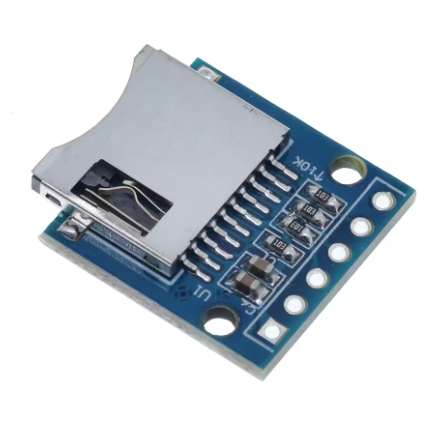
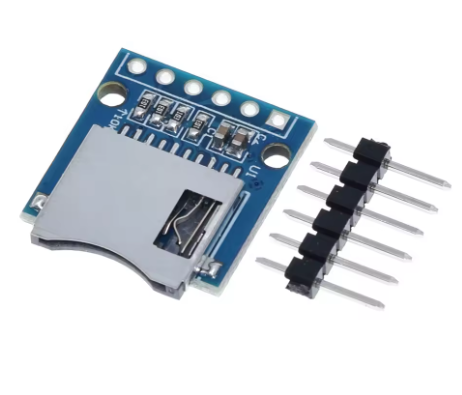
Mini/Micro SD Card Module: Universal Data Storage Solution
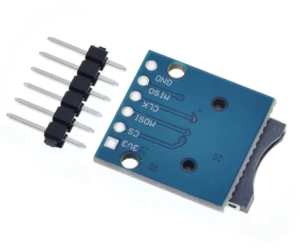
The Mini/Micro SD Card Module provides an essential interface for adding flexible and ample data storage to any microcontroller-based electronic project. Whether you are building a data logger, an MP3 player, or an embedded system that requires configuration files, this compact module allows your Arduino, Raspberry Pi, ESP32, or other microcontrollers to easily read data from and write data to widely available, inexpensive memory cards.
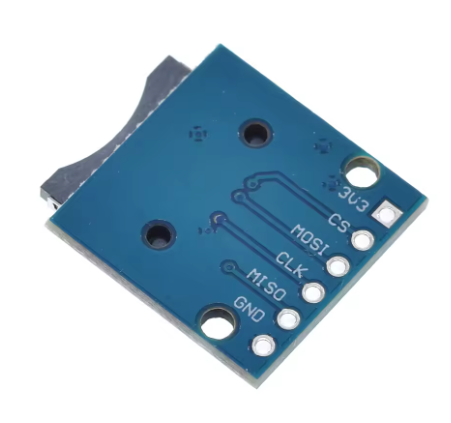
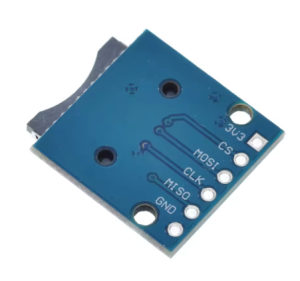
The module interfaces using the prevalent Serial Peripheral Interface (SPI) protocol, requiring only four data pins for operation. A key feature of most retail versions is the inclusion of built-in logic-level conversion and a 3.3V voltage regulator, ensuring compatibility with both 3.3V and 5V logic systems without requiring extra components. This makes the module safe and simple to integrate for both hobbyists and commercial developers.
Key Features
Broad Compatibility: Supports both standard SD cards and high-capacity MicroSD (TF) cards, often supporting up to 32GB or 64GB capacities depending on the microcontroller library used.
SPI Communication: Utilizes the high-speed, four-wire SPI interface for efficient data transfer with minimal pin usage.
5V/3.3V Tolerance: Integrated voltage regulation and level shifting circuitry allows the module to be safely powered by a 5V source while protecting the sensitive 3.3V SD card components.
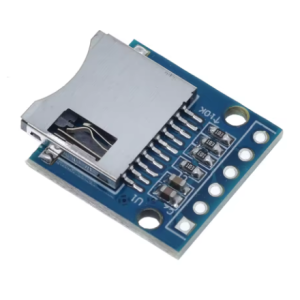
Push-Push Socket: Features a user-friendly socket design where the card clicks securely into place and is ejected with another push.
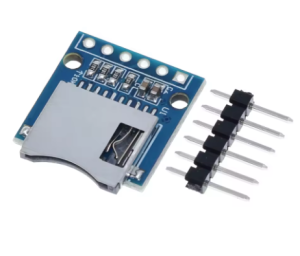
Easy Prototyping: Breadboard-friendly pin headers and compact dimensions ensure easy integration into development setups.
File System Support: Works seamlessly with standard FAT16 and FAT32 file systems.
Technical Parameters (Specifications)
Parameter
Value/Description
Operating Voltage
4.5V to 5.5V DC (via VCC pin)
Logic Voltage Compatibility
3.3V and 5V Logic Safe
Communication Protocol
Standard SPI Interface
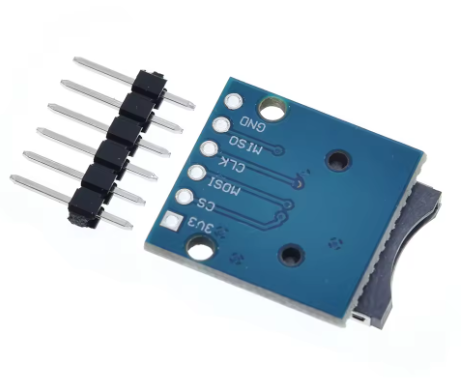
Control Pins
GND, VCC, MISO, MOSI, SCK, CS
Supported Card Types
Micro SD, Micro SDHC (SDXC support varies)
File Systems
FAT16, FAT32 (exFAT support requires specific libraries)
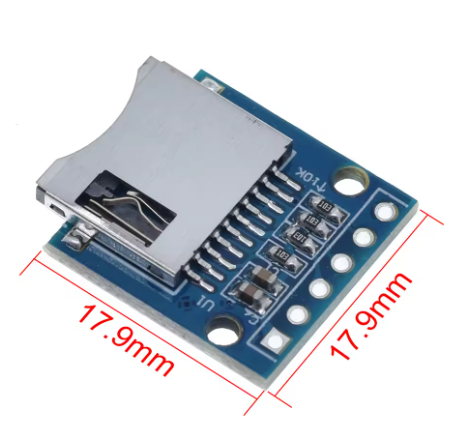
Dimensions
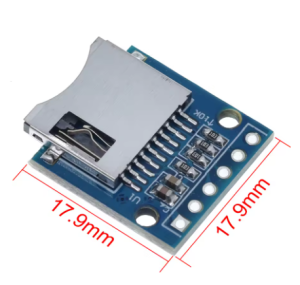
Typically ~42mm x 24mm (Varies slightly by manufacturer)
Usage Instructions
To use the SD card module, you connect its pins to the hardware SPI pins of your microcontroller.
Standard Wiring (Example for Arduino Uno/Mega):
Module Pin Label
Arduino Pin
Description
VCC
5V
Power Supply
GND
GND
Ground
MOSI
D11 (or ICSP MOSI pin)
Master Out Slave In (Data Out from MCU)
MISO
D12 (or ICSP MISO pin)
Master In Slave Out (Data In to MCU)
SCK
D13 (or ICSP SCK pin)
Serial Clock
CS
D10 (or any available digital pin)
Chip Select (programmable control)
Programming:
Most development environments, including the Arduino IDE, provide robust, built-in libraries (SD.h) to handle file system operations.
Format the Card: Ensure your MicroSD card is formatted to FAT16 or FAT32 using a PC utility tool.
Initialize: In your code’s setup function, call SD.begin(CS_PIN); to start communication.
Perform Operations: Use functions like SD.open(), file.print(), file.read(), and file.close() to manage data storage.
Q: Do I need to format the SD card in a specific way?
Yes, the standard libraries usually only support the FAT16 or FAT32 file systems. Ensure you format the card accordingly using a computer before use.
Q: Is the module safe to use with my 5V Arduino board?
Yes, the standard version of this module includes level-shifting hardware specifically so you can safely connect 5V logic signals and power without damaging the sensitive 3.3V SD card.
Q: What is the difference between a "Mini SD" and "Micro SD" module?
“Mini SD” cards are an older, less common format. The vast majority of current modules use the much smaller “Micro SD” (also known as TF card) format. Functionality is identical, only the physical socket differs.
Q: The module is not detecting the card. What troubleshooting steps should I take?
Check Power: Ensure a stable 5V supply is reaching the VCC pin.
Verify SPI Pins: Double-check that MISO, MOSI, and SCK are connected to the correct hardware SPI pins defined by your specific microcontroller board.
Reformat Card: Sometimes a “quick format” isn’t sufficient; perform a full format to FAT32.
Check CS Pin: Ensure your code is using the correct Chip Select (CS) pin number in the SD.begin() function.
Q: I am a business buyer. Can this be integrated into a commercial product?
Yes, these modules are standard components in industrial data loggers and consumer electronics prototypes. They offer a reliable, off-the-shelf storage interface solution for commercial production.