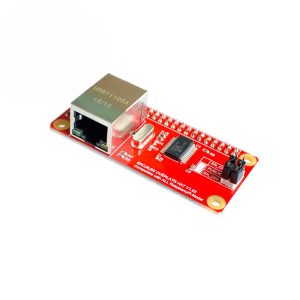
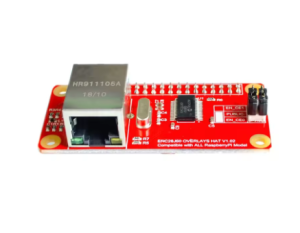
Raspberry Pi ZERO ENC28J60 Network Adapter Module PI0 PIW Compatible with Raspberry Pi

SKU: FA1040-2
Compatibility

Raspberry Pi Zero v1.3, Zero W, Zero 2 W, Zero WH

Controller Chip

Microchip ENC28J60

Speed

10 Mbps (10BASE-T Half-Duplex)

Interface

SPI via 40-pin GPIO Header

Operating Voltage

3.3V (Powered directly from Pi GPIO header)

Dimensions

Designed to match the Pi Zero footprint (~65mm x 30mm)

Connector

RJ45 Ethernet Jack with integrated magnetics

LED Indicators

Link and Activity LEDs

Drivers

Linux Kernel Driver Support (Native in Raspberry Pi OS)

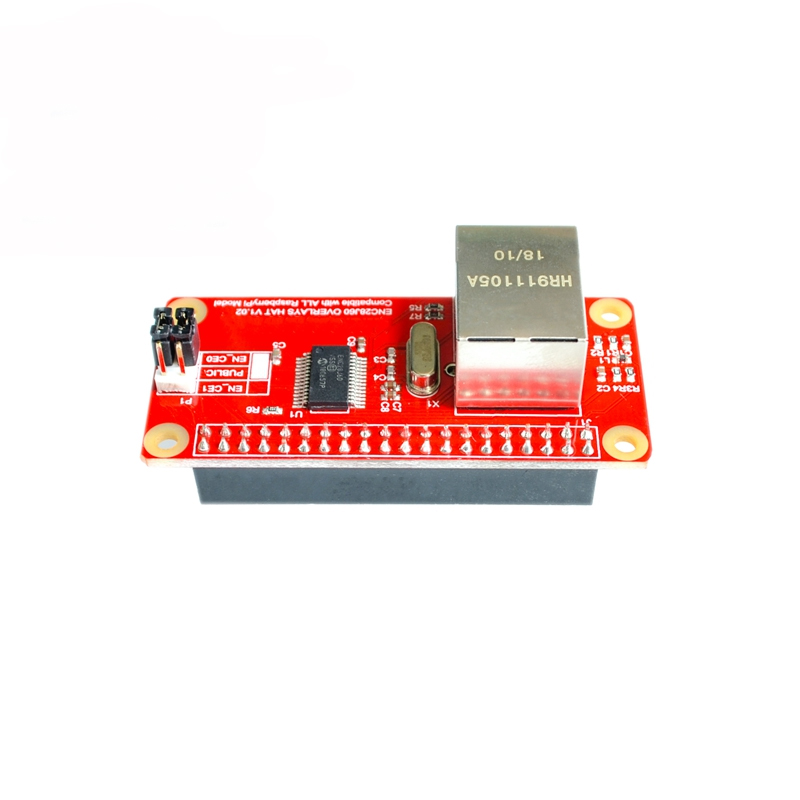
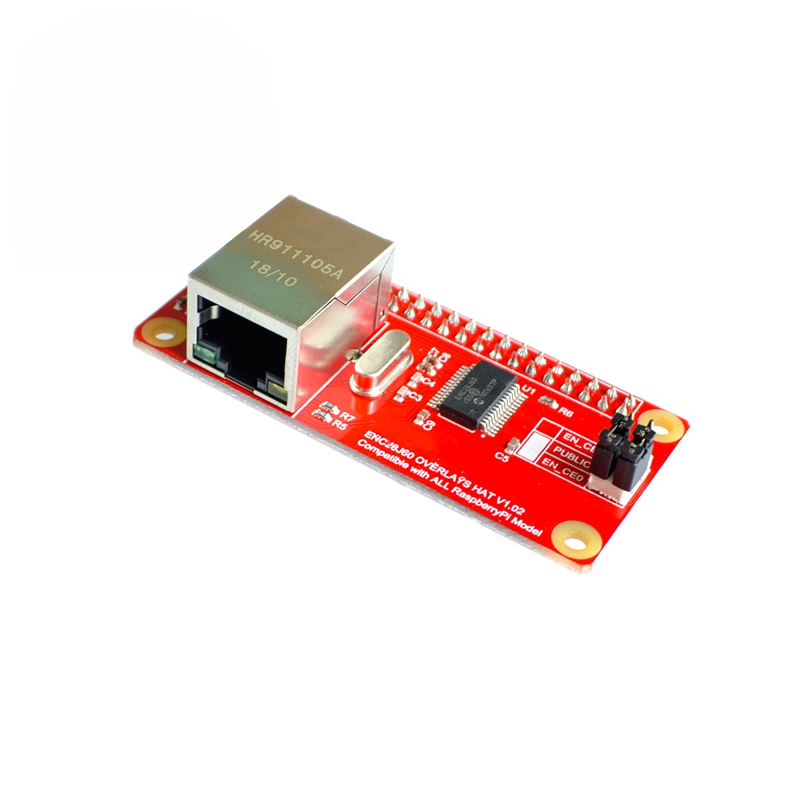
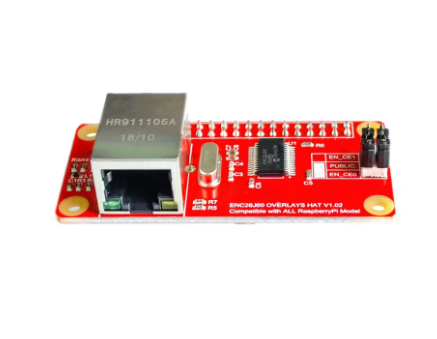
Raspberry Pi ZERO ENC28J60 Network Adapter Module (PI0/PIW Compatible)
The Raspberry Pi Zero ENC28J60 Network Adapter Module is a dedicated expansion board (HAT/pHAT) engineered specifically to bring wired Ethernet connectivity to the ultra-compact Raspberry Pi Zero family (Zero W, Zero 2 W, Zero 1.3). Utilizing the SPI interface on the Pi Zero’s 40-pin GPIO header, this module provides a reliable 10Mbps network connection, ideal for projects where a stable, physical network link is preferred over Wi-Fi, or when you need network access in environments with poor wireless signal strength.
This adapter seamlessly integrates with the Pi Zero’s low-power, single-core form factor, making it perfect for headless systems, IoT gateways, network monitoring probes, or embedded applications that need a compact networking footprint.

Key Features
  • Seamless Raspberry Pi Zero Integration: Designed specifically as a direct-attach board for the Pi Zero’s 40-pin GPIO header, requiring no additional wiring.
  • ENC28J60 Controller: Utilizes the Microchip ENC28J60 10BASE-T Ethernet controller chip, a proven and cost-effective networking solution.
  • SPI Interface: Communicates via the hardware SPI bus of the Raspberry Pi for efficient data transfer.
  • 10Mbps Ethernet Port: Provides a robust 10 BASE-T physical connection via an integrated RJ45 jack.
  • Status Indicators: Onboard Link and Activity LEDs help monitor network status.
  • Compact Form Factor: Matches the small size of the Pi Zero board for a clean, integrated setup.
  • Driver Support: Compatible with the standard Linux kernel drivers and networking stacks, ensuring easy configuration within Raspberry Pi OS (Raspbian).

Technical Parameters (Specifications)
Parameter Value/Description
Compatibility Raspberry Pi Zero v1.3, Zero W, Zero 2 W, Zero WH
Controller Chip Microchip ENC28J60
Speed 10 Mbps (10BASE-T Half-Duplex)
Interface SPI via 40-pin GPIO Header
Operating Voltage 3.3V (Powered directly from Pi GPIO header)
Dimensions Designed to match the Pi Zero footprint (~65mm x 30mm)
Connector RJ45 Ethernet Jack with integrated magnetics
LED Indicators Link and Activity LEDs
Drivers Linux Kernel Driver Support (Native in Raspberry Pi OS)
Usage Instructions
Using this adapter requires configuration within the Raspberry Pi OS software environment. It is not plug-and-play like the official Pi 3/4 onboard Ethernet ports.
Hardware Setup:
  1. Attach the Module: Carefully align the 40-pin female connector on the adapter board with the 40-pin GPIO header on your Raspberry Pi Zero. Press firmly to ensure a secure connection.
  2. Connect Network: Plug a standard Ethernet cable into the RJ45 jack and connect it to your router or network switch.
  3. Power Up: Supply power to your Raspberry Pi Zero via the standard PWR micro-USB port.


Q: Is this module compatible with the Raspberry Pi 3 or Pi 4?

This module is physically designed to fit the Pi Zero footprint. While the underlying technology (SPI) works on larger Pi models, this specific board form factor is meant for the Zero line. Standard USB Ethernet adapters are recommended for Pi 3/4.

Q: What speed can I expect from this adapter?

This module is locked to 10 Mbps (10BASE-T). It is not a 100 Mbps or Gigabit adapter. This speed is sufficient for standard IoT tasks, SSH access, and general low-bandwidth networking.

Q: Why do I have to manually configure it in config.txt?

The Raspberry Pi Zero does not natively know that an Ethernet chip is attached to its GPIO pins. The Device Tree Overlay (dtoverlay) line tells the Linux kernel which driver to load and which pins to use for the module to function correctly.

Q: The Link LED is on, but I'm not getting an IP address (no internet).

Check your software configuration again, specifically the dtoverlay=enc28j60 line in /boot/config.txt. Ensure your DHCP server on your router is running correctly, and verify the physical cable is good.

Q: I am a business buyer. Is this a reliable solution for embedded industrial use?

Yes, the ENC28J60 is a common and highly stable chip for industrial embedded systems where 10Mbps performance is sufficient. The direct GPIO connection ensures a robust physical link compared to consumer USB adapters. We can offer bulk pricing and support for commercial deployment needs.