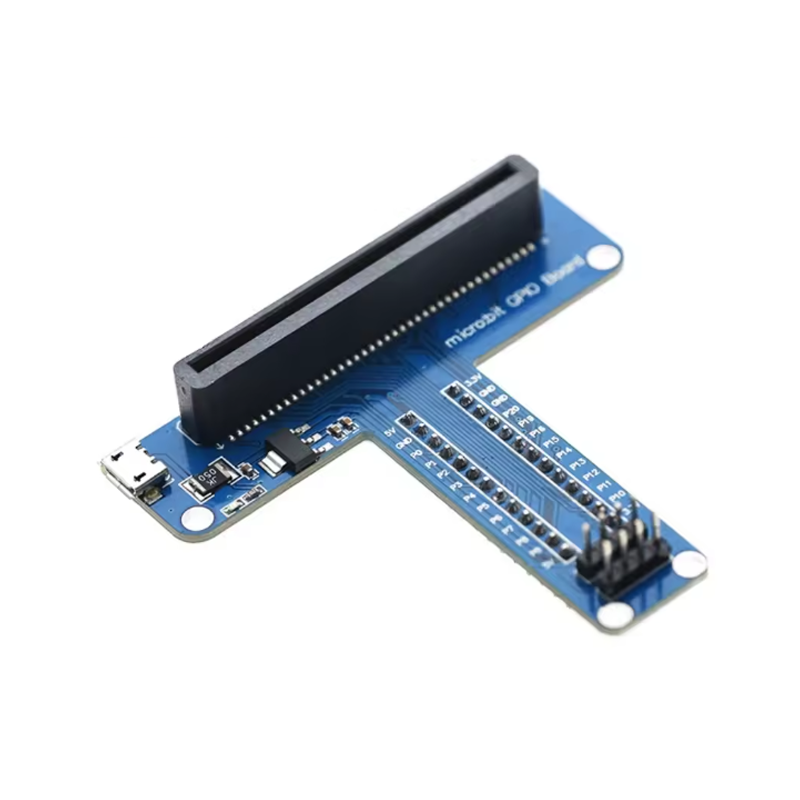
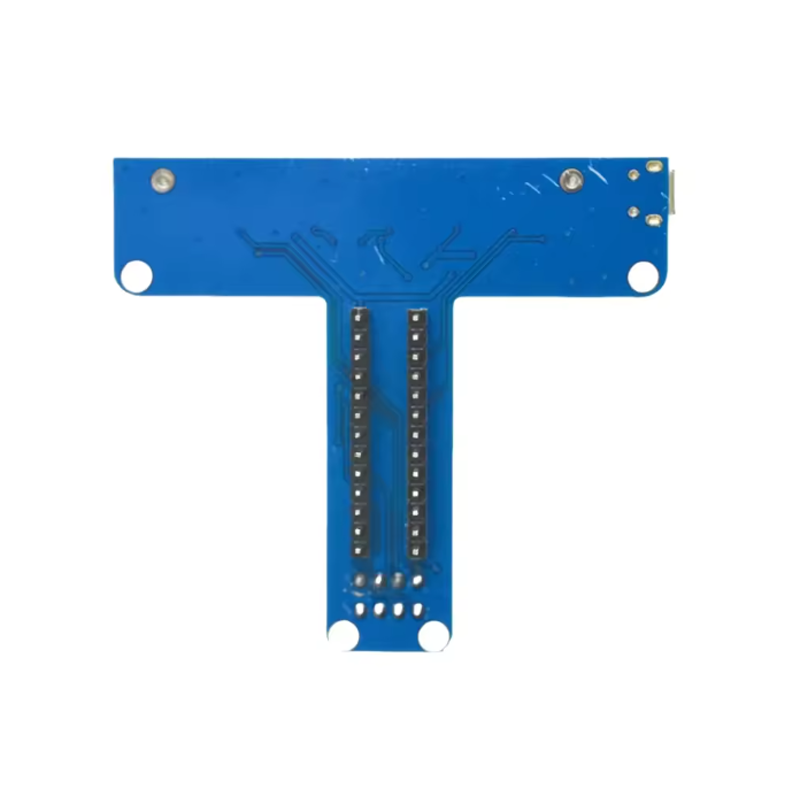
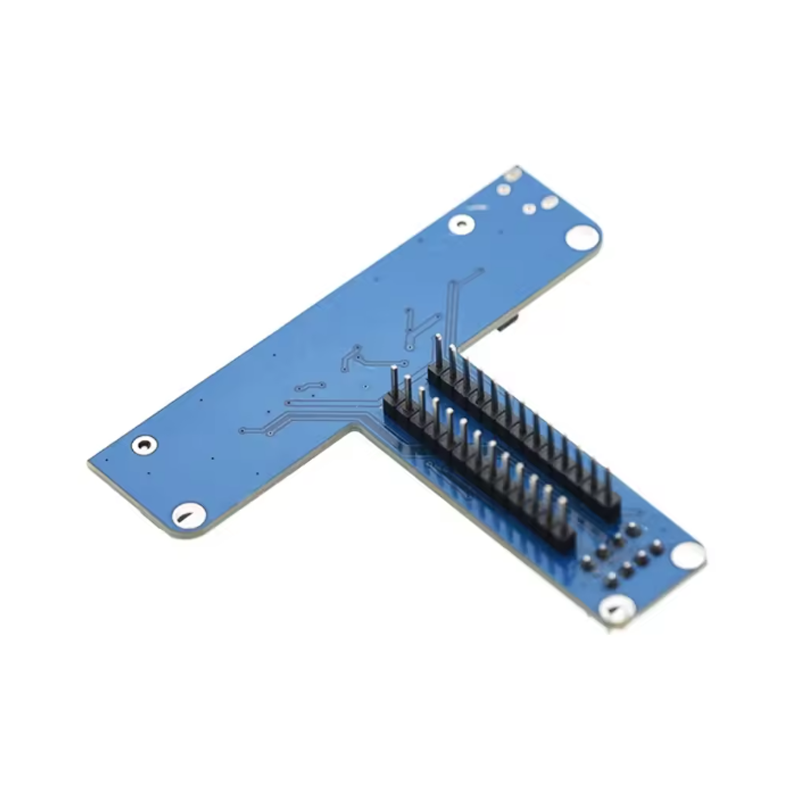
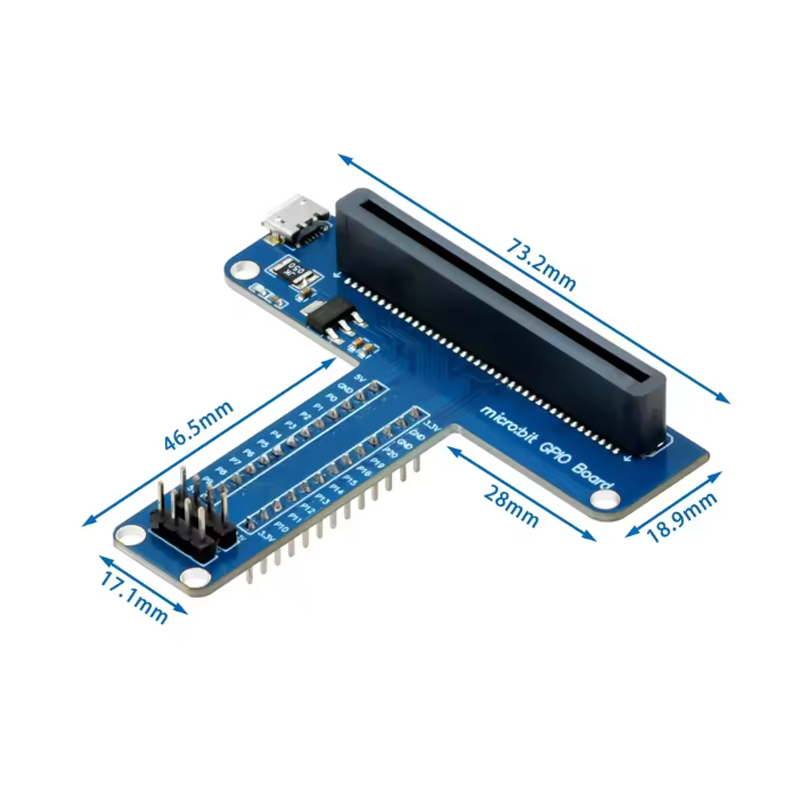
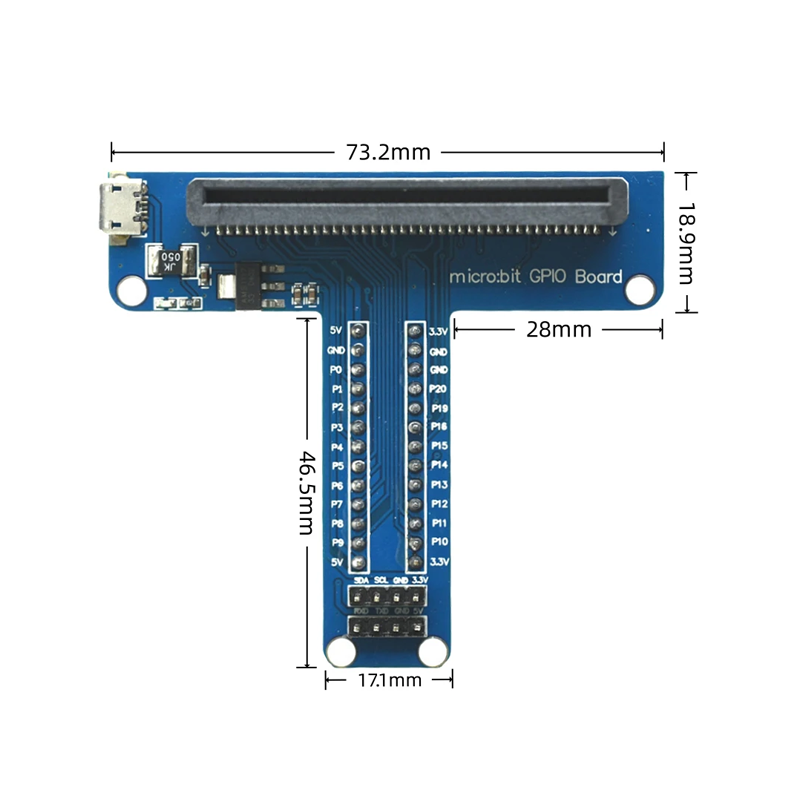
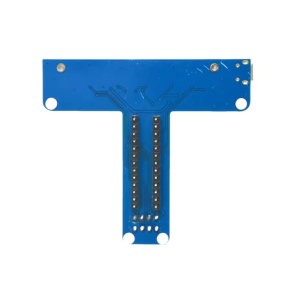
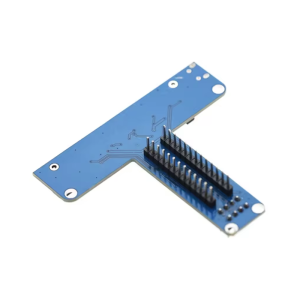
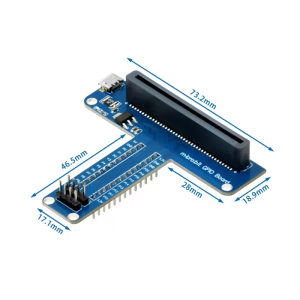
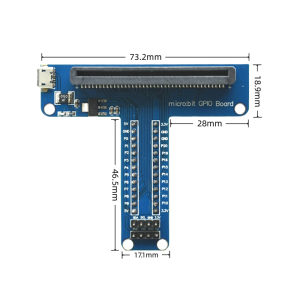
Microbit T-Type GPIO Interface Expansion Board for Microbit V1.5 V2 V2.2 Development Board (Micro Usb)

SKU: FA1078-5
Compatibility

Micro:bit V1.5, V2, V2.2

Interface Type

Edge connector to 0.1″ male headers

GPIO Pins Exposed

P0–P16, P19, P20

Power Pins

3V and GND

Header Pitch

2.54mm (0.1″)

USB Interface

Micro USB (for micro:bit programming)

Form Factor

T-shaped, mounts directly on micro:bit

Assembly

Fully assembled, no soldering required

The Micro:bit T-Type GPIO Interface Expansion Board is a practical breakout adapter designed to make the micro:bit’s edge connector pins easily accessible for breadboard prototyping, jumper wire connections, and external circuit integration. It transforms the micro:bit’s compact 20-pin edge connector into a convenient T-shaped layout with clearly labeled, standard 0.1-inch pitch headers.

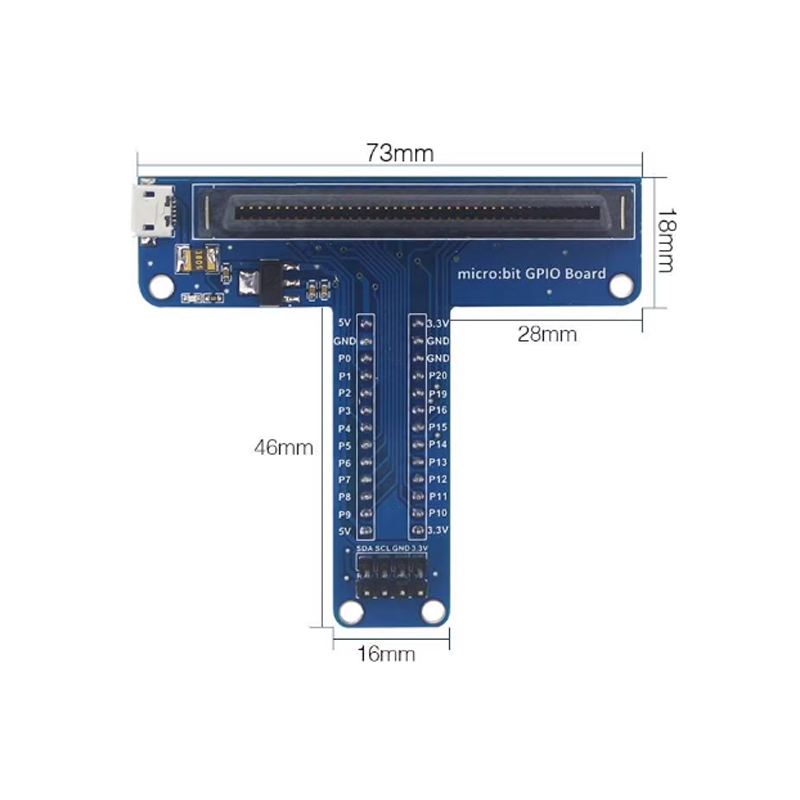
The micro:bit is a powerful and versatile educational platform, but its edge connector requires special connectors or clips to access the GPIO pins. This T-Type expansion board solves that problem by providing a secure, plug-in interface that exposes all available pins — including P0, P1, P2, P3, P4, P5, P6, P7, P8, P9, P10, P11, P12, P13, P14, P15, P16, P19, P20, plus 3V and GND — on easily accessible male headers. This makes it simple to connect sensors, LEDs, motors, and other peripherals without soldering or special adapters.

The board is compatible with micro:bit V1.5, V2, and V2.2 development boards, ensuring broad compatibility across the most widely used versions of the platform. The Micro USB designation indicates that the board is designed to work alongside the micro:bit’s Micro USB programming interface, allowing you to power and program the micro:bit while using the expansion board for external connections.

The T-shaped form factor keeps the board compact and stable when mounted on the micro:bit, and the clearly labeled pins reduce wiring errors — a significant advantage for classroom and educational environments. The board is fully assembled and ready to use, with no soldering or additional components required.

Whether you are a student learning electronics, a teacher preparing classroom kits, or a maker building a complex project, the Micro:bit T-Type GPIO Interface Expansion Board provides a reliable, convenient way to unlock the full I/O capabilities of your micro:bit.


Features

  • Full pin breakout — All available micro:bit GPIO pins exposed on standard 0.1″ headers

  • T-shaped form factor — Compact, stable design that mounts securely on the micro:bit

  • Clearly labeled pins — Silkscreen markings reduce wiring errors and speed up assembly

  • Broad compatibility — Works with micro:bit V1.5, V2, and V2.2 development boards

  • Micro USB compatible — Designed to work alongside the micro:bit’s Micro USB programming interface

  • No soldering required — Fully assembled and ready to use out of the box

  • Breadboard friendly — Standard header pitch allows direct connection to breadboards and jumper wires

  • Durable construction — Secure edge connector interface for repeated plugging and unplugging


Technical Specifications

# Parameter Specification
1 Compatibility Micro:bit V1.5, V2, V2.2
2 Interface Type Edge connector to 0.1″ male headers
3 GPIO Pins Exposed P0–P16, P19, P20
4 Power Pins 3V and GND
5 Header Pitch 2.54mm (0.1″)
6 USB Interface Micro USB (for micro:bit programming)
7 Form Factor T-shaped, mounts directly on micro:bit
8 Assembly Fully assembled, no soldering required

Usage

Getting Started

  1. Attach the expansion board — Align the board’s edge connector with the micro:bit’s 20-pin edge connector and press firmly to seat. The T-shaped board should sit securely on top of the micro:bit.

  2. Connect power — Power the micro:bit via its Micro USB port or battery pack. The expansion board draws power from the micro:bit’s 3V rail.

  3. Connect peripherals — Use jumper wires to connect sensors, LEDs, motors, and other components to the labeled GPIO headers. Each header corresponds to a specific micro:bit pin.

  4. Program the micro:bit — Use MakeCode, Python, or JavaScript to write your program, then download it to the micro:bit via USB or the mobile app.

  5. Test and iterate — Verify your connections and adjust your code as needed.

Pin Reference

Pin Function
P0, P1, P2 Analog input, touch, large pins
P3, P4, P5, P6, P7, P8, P9, P10 Digital I/O, PWM
P11, P12, P13, P14, P15, P16 Digital I/O, PWM
P19, P20 I2C (SCL, SDA)
3V 3.3V power output
GND Ground

Typical Applications

  • Sensor projects — Connect temperature, humidity, light, and motion sensors

  • Motor and servo control — Drive motors and servos with external power

  • LED and display projects — Control LED strips, matrices, and displays

  • Robotics — Build complex robotic systems with multiple peripherals

  • Classroom and STEM education — Simplifies wiring for student projects

  • Prototyping — Rapid iteration with breadboard-compatible headers

Notes for Business Buyers

  • Classroom-ready — Clearly labeled pins and no-soldering design reduce setup time for educational environments

  • Broad compatibility — Works with all major micro:bit versions, simplifying inventory management

  • Durable construction — Secure edge connector supports repeated use in high-traffic environments

  • Suitable for bulk purchasing — Ideal for schools, training centers, and educational programs

Q: Is this expansion board compatible with all micro:bit versions?

Yes. It is compatible with micro:bit V1.5, V2, and V2.2 development boards.

Q: Do I need to solder anything to use this board?

No. The board is fully assembled and ready to use. Simply plug it onto the micro:bit’s edge connector.

Q: What pins are exposed on this expansion board?

The board exposes P0–P16, P19, P20, plus 3V and GND power pins.

Q: Can I use this board with a breadboard?

Yes. The standard 0.1″ (2.54mm) header pitch allows direct connection to breadboards and jumper wires.

Q: Does this board work with the micro:bit's Micro USB programming?

Yes. The board is designed to work alongside the micro:bit’s Micro USB interface, allowing you to power and program the micro:bit while using the expansion board for external connections.

Q: What is the difference between this T-Type board and other micro:bit expansion boards?

The T-Type board offers a compact, stable form factor with clearly labeled pins, making it ideal for breadboard prototyping and classroom use.

Q: Can I power external components from this board?

Yes. The board provides access to the micro:bit’s 3V and GND pins, allowing you to power low-current external components. For high-current devices like motors, use an external power supply.

Q: Is this board suitable for beginners?

Yes. The clearly labeled pins and no-soldering design make it particularly well suited for beginners and educational settings.

Q: Can I use multiple expansion boards at the same time?

No. The board mounts directly onto the micro:bit’s edge connector, so only one expansion board can be used at a time.

Q: Can I purchase in bulk for a school or training program?

Yes. This expansion board is suitable for both individual users and business purchasing, including classroom sets, training centers, and educational programs.