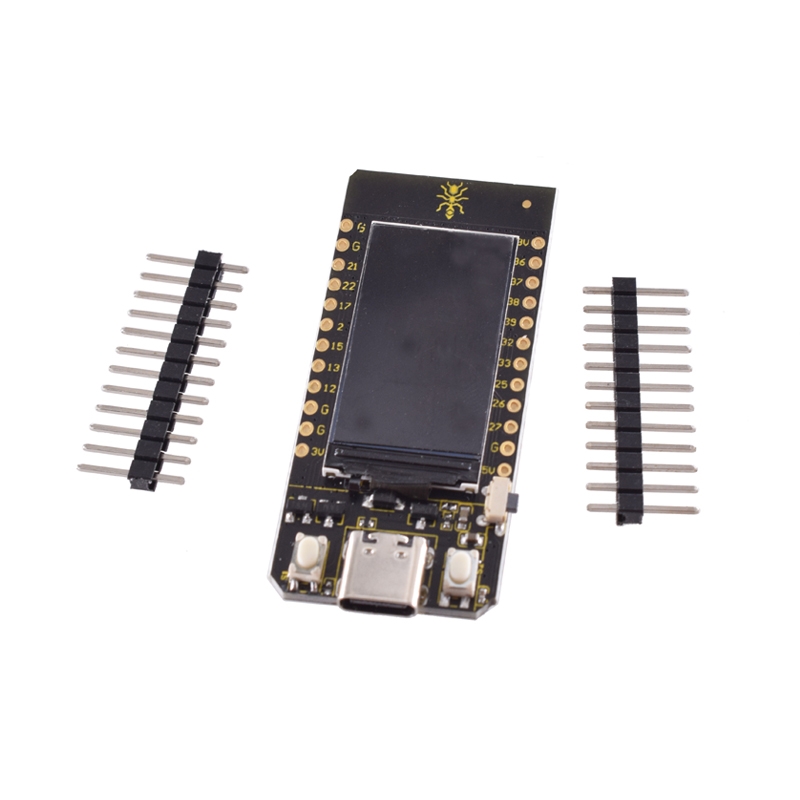
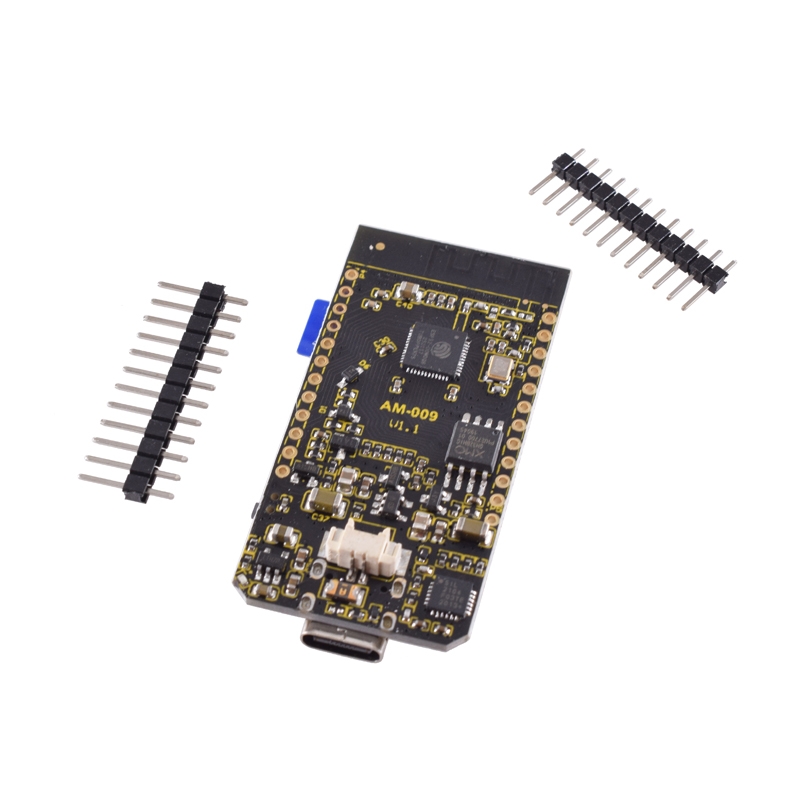
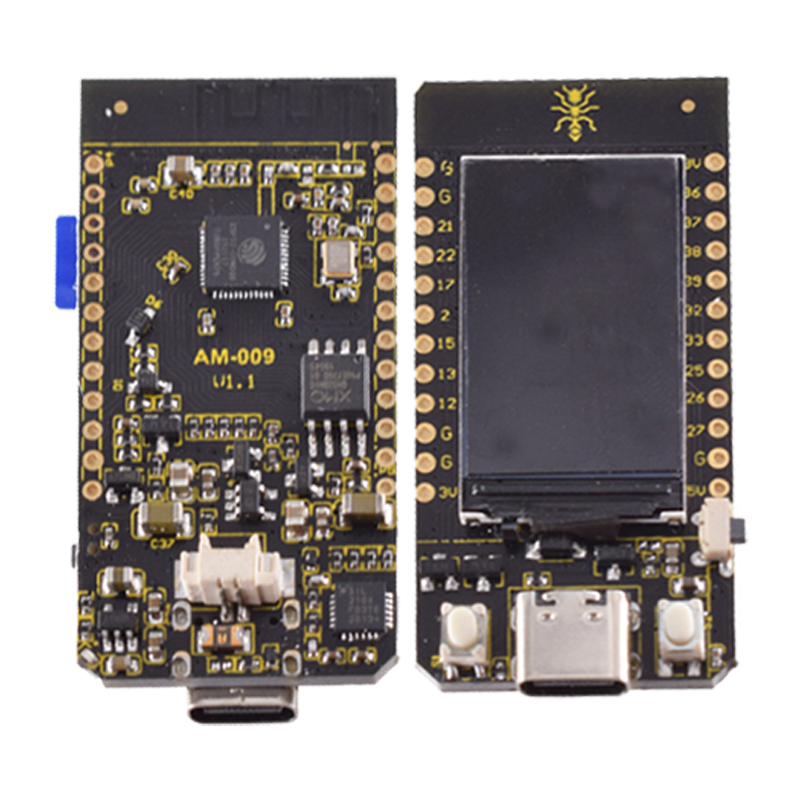
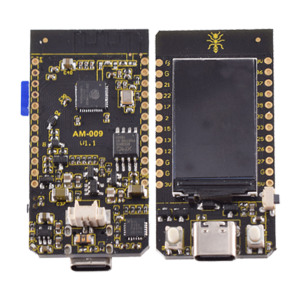
TTGO T-Display ESP32 WIFI Bluetooth module 1.14-inch LCD development board

SKU: FA1053-4-1
Microcontroller

ESP32-WROOM-32 (Dual-core, 240 MHz)

Display

1.14" IPS LCD, ST7789V driver, 135×240 pixels

Wireless

2.4GHz Wi-Fi (802.11 b/g/n) & Bluetooth 4.2 (BLE/Classic)

Memory

4MB QSPI Flash, 520KB SRAM

Input Voltage

5V (USB-C) or 2.7V–4.2V (Battery)

USB-Serial Chip

CH9102F or CP2104 (version dependent)

Dimensions

51.52mm x 25.04mm x 8.54mm

The TTGO T-Display (by LilyGO) is a compact, all-in-one IoT development board that combines a high-performance ESP32 microcontroller with a vibrant 1.14-inch IPS LCD color screen. Designed for the 2026 connectivity landscape, it serves as an ideal solution for developers needing a “ready-to-go” visual interface without the clutter of external wiring.
Long Description
The TTGO T-Display is powered by the dual-core ESP32-WROOM-32, providing high-speed Wi-Fi and Dual-mode Bluetooth for seamless communication with smartphones, cloud servers, and other smart devices. Its standout feature is the integrated ST7789V color display, which offers high pixel density (260 PPI) for crisp visuals, perfect for real-time sensor monitoring, custom dashboards, or portable gaming.
For business purchasers, the board’s integrated battery management and wide operating temperature range (-40°C to +85°C) make it a reliable choice for commercial industrial monitoring and compact wearable prototypes. For individual makers, it simplifies entry into ESP32 development by providing built-in buttons and an LCD that works out of the box with standard Arduino IDE libraries.
Key Features
  • Integrated Color Visuals: Built-in 1.14″ IPS LCD with 135×240 resolution and 65K colors.
  • High Performance: Dual-core 240MHz processor capable of complex multitasking.
  • Dual Power Versatility: Powered via USB Type-C or a 3.7V Lithium battery through an onboard JST connector.
  • Smart Power Management: Features a built-in battery charging circuit (500mA) and low-power sleep modes (~120μA–350μA).
  • User Interface Ready: Includes two programmable buttons (GPIO0 and GPIO35) and a reset button for immediate user interaction.
sage Instructions
  1. Hardware Connection: Connect to your PC via a USB Type-C data cable.
  2. Driver Installation: Download and install the appropriate driver (CH9102 or CP2104) to ensure the system recognizes the COM port.
  3. Arduino IDE Setup:
    • Add the ESP32 board manager URL in Preferences and install the ESP32 package.
    • Select “ESP32 Dev Module” in the Board menu.
    • Ensure Flash Size is set to 4MB.
  4. Display Library: Install the TFT_eSPI library. For this specific board, you must configure the User_Setup_Select.h file to use the ST7789 driver and the T-Display pin configuration.
  5. Battery Use: Connect a 3.7V Li-Po battery to the JST GH 1.25mm connector for wireless, portable operation.

Q: Can the board be used while charging the battery?

Yes. The onboard power management chip allows the board to operate from USB power while simultaneously charging a connected battery.

Q: Which pins are used for the integrated display?

The display is connected via SPI. Standard pin mapping usually uses: SDA: 19, SCL: 18, CS: 5, DC: 16, RES: 23, and Backlight: 4.

Q: Is this board compatible with 5V logic sensors?

No. Like all ESP32 boards, the I/O pins operate at 3.3V logic. Connecting 5V sensors directly may damage the module; use logic level shifters for 5V components.

Q: Does it support 5GHz Wi-Fi?

No, the ESP32 chipset only supports 2.4GHz Wi-Fi networks.

Q: Can I turn off the display to save power?

Yes. You can control the backlight via GPIO 4 to significantly reduce power consumption during battery-operated deep sleep.