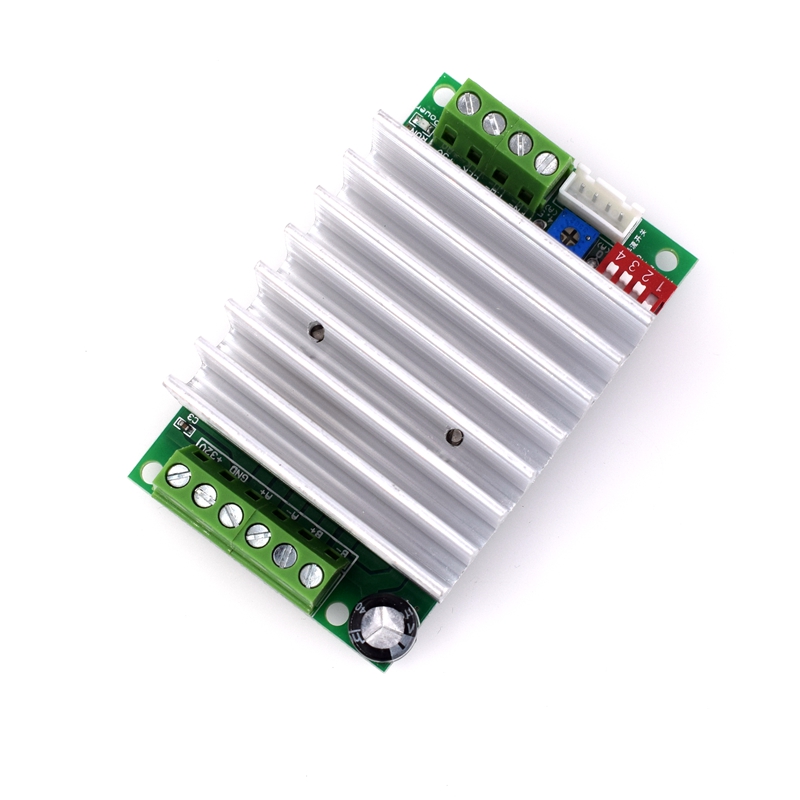
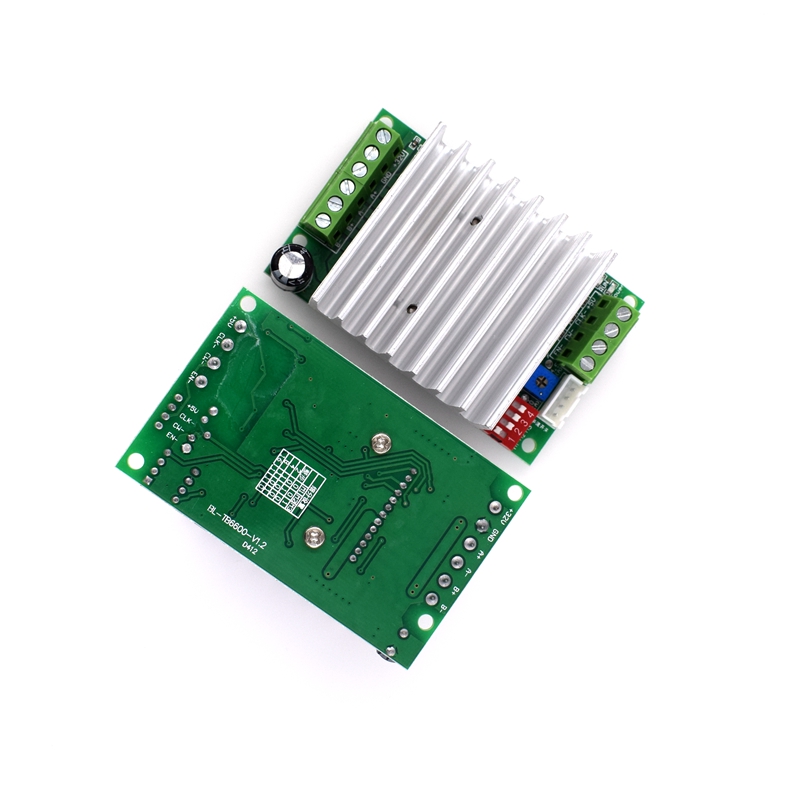
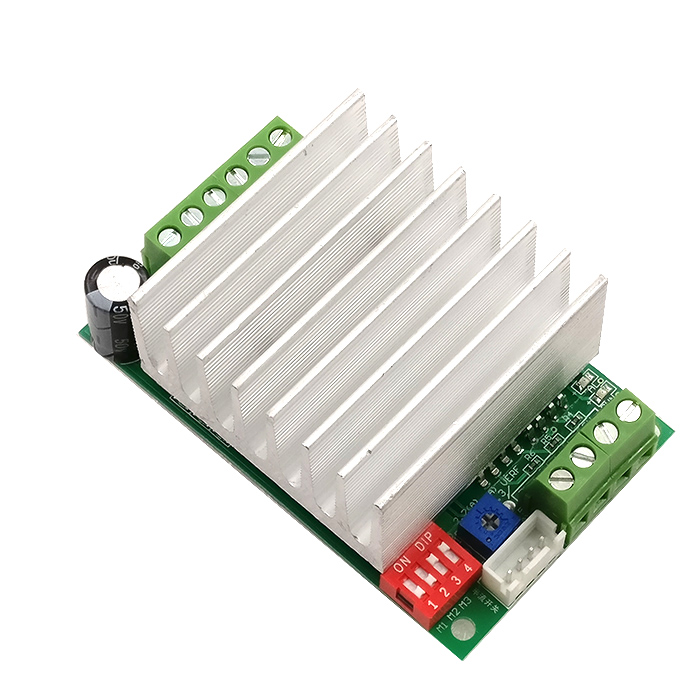
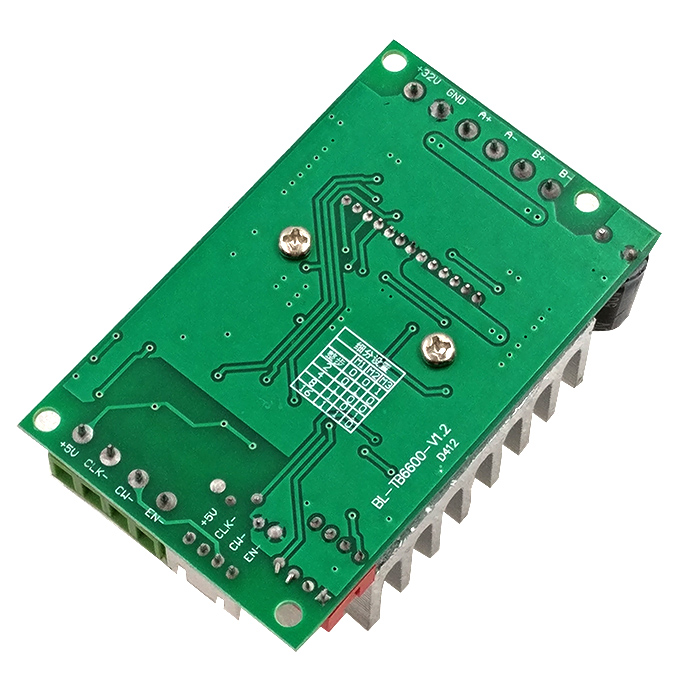
Product Overview
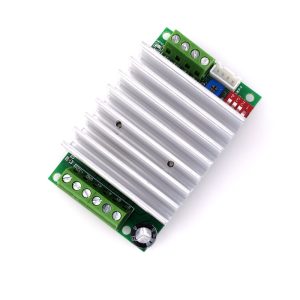
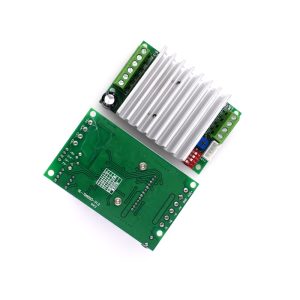
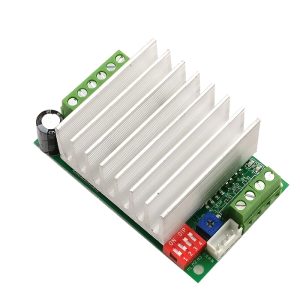
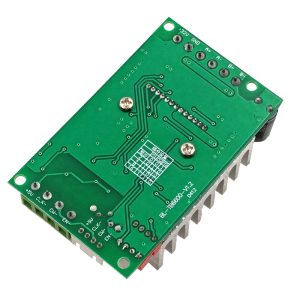
The TB6600 Stepper Motor Driver is a professional-grade, single-axis controller designed for precise and powerful control of two-phase stepper motors. Based on Toshiba’s advanced TB6600HG chip, this driver utilizes H-bridge bipolar constant-phase current drive technology to deliver smooth, efficient, and reliable performance for a wide range of industrial and DIY applications .
This driver acts as a critical bridge between your microcontroller (Arduino, Raspberry Pi, PLC) and your stepper motor. While your controller provides the logic and direction signals, the TB6600 supplies the high current and voltage necessary to drive the motor effectively . With a wide power input range of 9-42VDC and output current adjustable up to 4.5A, it is capable of driving NEMA 23, 34, and other large-frame stepper motors commonly used in CNC machines, 3D printers, robotic arms, and automated manufacturing equipment .
All signal terminals feature high-speed optocoupler isolation, which protects your sensitive control electronics from electrical noise and voltage spikes generated by the motor, ensuring stable and interference-free operation even in demanding industrial environments . The driver’s rugged aluminum housing and large heatsink provide excellent thermal management, allowing for sustained high-power operation .
Key Features
-
High Current Capacity: Delivers output current adjustable from 0.5A to 4.5A, suitable for a wide variety of medium to large stepper motors. The peak current can reach up to 5.0A .
-
Wide Power Supply Range: Accepts a motor supply voltage from 9V to 42V DC, providing flexibility for different system voltages and allowing for higher torque at higher speeds .
-
Extensive Microstep Selection: Offers 7 kinds of microstep resolutions via DIP switches, including 1, 2/A, 2/B, 4, 8, 16, and 32 microsteps. This allows you to balance motor smoothness, positioning accuracy, and speed .
-
8-Level Current Control: Features 8 selectable output current settings (0.5A, 1.0A, 1.5A, 2.0A, 2.5A, 2.8A, 3.0A, 3.5A, and up to 4.5A depending on the model) configurable via DIP switches, enabling precise matching to your motor’s specifications .
-
Optocoupler Isolation: All control signals (PUL, DIR, ENA) are high-speed optocoupler isolated, providing excellent noise immunity and protecting your microcontroller from potential damage .
-
Automatic Semi-Flow Current Reduction: Includes an automatic idle-current reduction mode. When the motor is not receiving pulses for a short period, the driver automatically reduces the current to 50% of the set value, significantly decreasing heat generation and power consumption while keeping the motor holding torque .
-
Comprehensive Protection Features:
-
Overheat Protection (Thermal Shutdown): Automatically shuts down the driver if the internal temperature exceeds safe limits .
-
Over-Current Detection (ISD): Protects the driver and motor from damage caused by excessive current .
-
Input Reverse Polarity Protection: Safeguards the driver against accidental reverse connection of the power supply .
-
Short Circuit Protection: Built-in protection against output short circuits .
-
Large Heatsink & Rugged Enclosure: The driver comes pre-installed with a large aluminum heatsink and is enclosed in a durable case, ensuring efficient heat dissipation and longevity in tough environments .
-
Universal Signal Compatibility: Control signal voltage is compatible with 3.3V to 24V logic, meaning it can be directly connected to a wide range of controllers without needing external level shifters or current-limiting resistors .
Technical Specifications
Pinout & Interface Guide
The TB6600 uses screw terminals for secure connections and DIP switches for configuration.
Power Terminals
Motor Output Terminals
-
A+, A-: Connect to the first coil of your bipolar stepper motor.
-
B+, B-: Connect to the second coil of your bipolar stepper motor.
Identifying Motor Wires: Use a multimeter to measure resistance between wires. Wires from the same coil will be continuous (show low resistance) .
Control Signal Terminals
These terminals accept signals from your controller (e.g., Arduino). They are optically isolated and support both common-anode and common-cathode wiring.
-
PUL+ (Pulse+), PUL- (Pulse-): The pulse input. The motor moves one step (or microstep) for each pulse received on this pin .
-
DIR+ (Direction+), DIR- (Direction-): The direction control input. A high or low level on this pin determines the motor’s rotation direction .
-
ENA+ (Enable+), ENA- (Enable-): The enable input.
-
When left disconnected or set to HIGH, the driver is enabled, and the motor holds its position with the set current.
-
When set to LOW, the driver outputs are disabled, and the motor enters a “free” state (offline), allowing it to be turned manually .
DIP Switch Configuration (SW1 – SW6)
The six DIP switches on the driver are used to set the output current and microstep resolution.
Current Setting (SW1, SW2, SW3): These three switches set the output current to match your motor’s rating. Always set the current to match or be slightly less than your motor’s rated current to prevent overheating . A common configuration table is:
(Note: The exact current values can vary slightly between manufacturers; always verify with the label on your specific driver.)
Microstep Setting (SW4, SW5, SW6): These three switches set the number of microsteps per full step. Higher microstepping results in smoother motor operation and higher resolution but reduces maximum speed and torque.
*(Note: “ON” typically means the switch is pressed down or in the “ON” position. “2/A” and “2/B” are both 1/2 step modes but with different phase relationships.)*
Usage Guide
Important Pre-Operation Warnings
-
Never connect or disconnect the motor wires or signal wires while the driver is powered on. Doing so can generate high-voltage spikes that will permanently damage (brick) the driver .
-
Ensure all connections are secure before applying power. Loose connections can also cause voltage spikes and damage the driver .
-
Use a power supply with sufficient current capacity. It is recommended to use a switching power supply rated for at least 5A .
-
Do not exceed the maximum supply voltage of 42V .
Wiring Guide (Common Anode Connection with Arduino)
This is a standard wiring method for connecting the TB6600 to a 5V microcontroller like an Arduino .
Enable Pin Note: The enable pin is optional. If you do not need to use the ENA function, you can leave the ENA+ and ENA- terminals disconnected. The motor will be enabled by default .
Basic Arduino Example Code
This code will make the motor rotate forward one full revolution (assuming 6400 pulses per revolution for 32 microsteps), then reverse one revolution, repeating continuously .
Q: What types of motors can I use with the TB6600 driver?
The TB6600 is designed to drive two-phase and four-phase hybrid stepper motors . It is commonly used with NEMA 17, 23, and 34 series motors. It is not suitable for brushless DC motors (BLDC) or servo motors.
Q: What is the difference between the TB6600 and smaller drivers like the A4988 or DRV8825?
The main differences are power and features:
-
Current: The TB6600 can handle up to 4.5A, much higher than the ~2A of the A4988/DRV8825, making it suitable for larger motors .
-
Voltage: It accepts up to 42V, allowing for better high-speed performance .
-
Isolation: It features optocoupler isolation on signal inputs, making it much more resistant to electrical noise in industrial environments .
-
Form Factor: It is a larger, enclosed driver with a heatsink, designed for chassis mounting, not direct PCB mounting like the A4988.
Q: Can I use this driver with a 3.3V controller like a Raspberry Pi or ESP32?
Yes, absolutely. The TB6600’s control signal inputs are universally compatible with 3.3V to 24V logic, so you can connect it directly to 3.3V devices without any level shifters
Q: How do I calculate the number of steps per revolution for my motor?
This depends on your motor’s step angle and the microstep setting.
-
A standard stepper motor has a step angle of 1.8°, meaning 200 full steps per revolution (360° / 1.8° = 200).
-
Multiply this by your microstep setting. For example, at 1/32 microstepping, steps per revolution = 200 × 32 = 6400 steps
Q: How do I set the output current correctly?
Use the DIP switches (SW1, SW2, SW3). You must set the current to a value equal to or less than the rated current of your stepper motor. Setting the current too high will cause the motor and driver to overheat and may trigger thermal protection or cause damage . Refer to the current table on the driver’s label or in its manual.
Q: What microstep setting should I choose?
The best setting depends on your application:
-
1/1 (Full step): Highest speed and torque at low speeds, but more vibration and lower resolution.
-
1/8, 1/16: Good balance between smoothness, resolution, and speed for most applications.
-
1/32: Smoothest operation and highest resolution, but reduces top speed and torque. Ideal for precision applications like CNC and laser engraving
Q: Do I need to use the Enable (ENA) pin?
No, it is optional. If you do not connect the ENA pins, the driver will remain enabled by default, and the motor will hold its position with the set current when not moving . You can use the ENA pin if you want to be able to “release” the motor (e.g., to allow manual positioning) by setting the ENA- signal LOW
Q: My motor is weak or lacks torque. What could be wrong?
This is often a power or configuration issue:
-
Power Supply Voltage: Using a higher voltage (within the 9-42V range) significantly improves high-speed torque. A 24V supply will generally perform much better than a 12V supply .
-
Current Setting: Verify that the DIP switches are set to the correct current for your motor.
-
Power Supply Current: Ensure your power supply can deliver enough current (at least 4-5A for a medium motor).
-
Acceleration Settings: In your code, ensure you are using proper acceleration. Trying to start a motor at too high a speed will cause it to stall
Q: The driver gets very hot and sometimes shuts down. Why?
Overheating and thermal shutdown are usually caused by :
-
Current Set Too High: The output current may be set higher than the motor’s rating or what the driver can continuously handle.
-
Inadequate Cooling: Ensure the driver’s heatsink is not covered and has adequate airflow around it. The ambient temperature should be below 45°C .
-
High-Frequency Operation: Running at very high speeds for long periods generates more heat.
Q: The motor runs rough or loses steps. How can I fix this?
Rough operation or lost steps can be caused by:
-
Microstep Setting: Try a different microstep setting.
-
Mechanical Issues: Check for binding in your mechanical system.
-
Electrical Noise: Ensure your signal wires are not running parallel to high-current power wires. The TB6600’s optocouplers help, but good wiring practices are still important .
-
Pulse Timing: Ensure your controller is sending clean, stable pulses with an appropriate frequency. Using a library like AccelStepper that handles acceleration can prevent stalling due to inertia
Q: The motor doesn't move at all. What should I check?
Follow this checklist:
-
Check Power: Is the external power supply on and is the voltage at the VCC/GND terminals between 9V and 42V?
-
Check Connections: Ensure all motor and signal wires are securely connected to the screw terminals. A loose connection is a common cause of failure .
-
Check Enable Pin: If you are using the ENA pin, make sure it is set to the correct state (HIGH to enable). If not using it, leave it disconnected .
-
Check Pulses: Verify with an LED or oscilloscope that your controller is sending pulses to the PUL- pin.
-
Test Motor: Disconnect the motor from the driver and test the motor coils with a multimeter to ensure they are not open.
Q: I think I damaged my driver. What are common causes of failure?
The most common causes of TB6600 failure are :
-
Connecting or disconnecting the motor while the driver is powered on.
-
Shorting the motor output wires.
-
Exceeding the maximum supply voltage (42V).
-
Reverse polarity on the power supply (though this model has some protection, it’s not guaranteed).
-
Loose connections causing voltage spikes.
Q: My motor vibrates or makes a loud noise when idle. Is this normal?
Some high-frequency whine is normal for stepper drivers, especially at higher microstep settings. However, excessive vibration could indicate the current is set too high or the motor is resonating. Try adjusting the current or microstep setting. The driver’s automatic semi-flow function should reduce the current when idle, which will also reduce noise and vibration