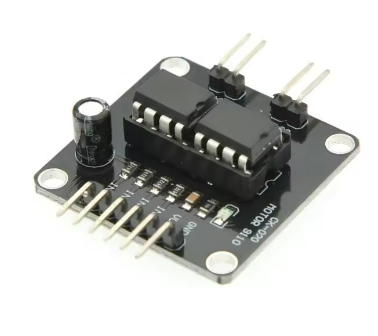
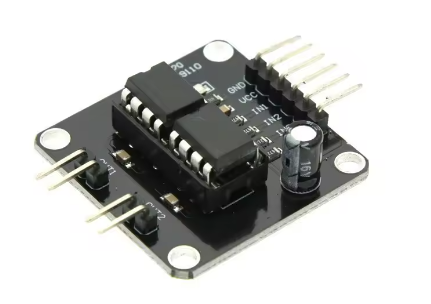
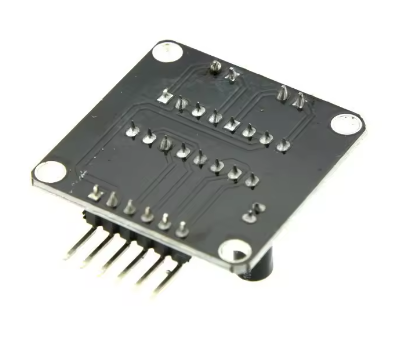
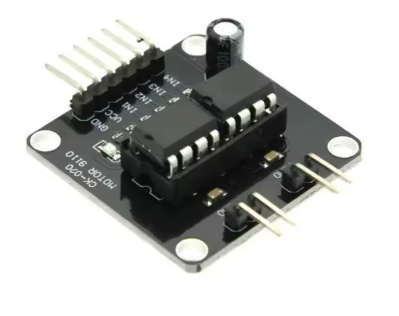
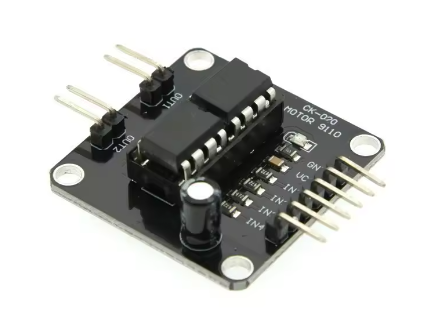
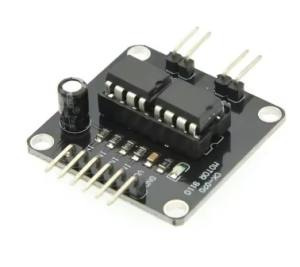
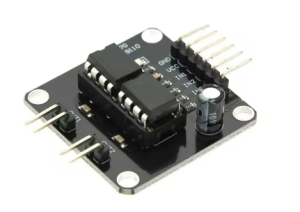
DC 5V L9110 Driver module 2-Channel

SKU: FA2114-2
Operating Voltage

5V DC (2.5V – 12V range)

Continuous Output Current (Per Channel)

800mA / 1.0A

Peak Output Current (Per Channel)

2.5A

Number of Channels

2 (Independent)

Control Logic Level

3.3V / 5V (TTL/CMOS Compatible)

Speed Control Method

PWM (Pulse Width Modulation)

Standby Current

< 1µA

Operating Temperature

-20°C to +80°C

Dimensions

Approx. 27mm × 20mm × 14mm

Product Overview

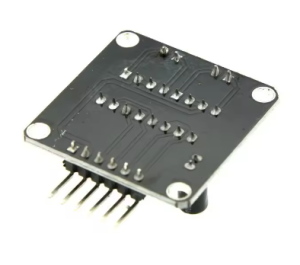
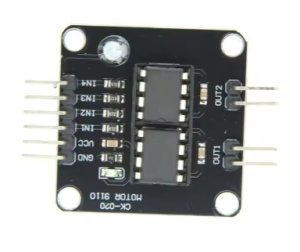
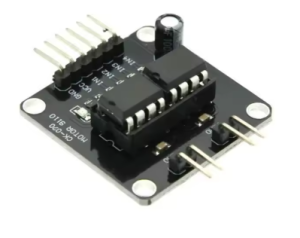
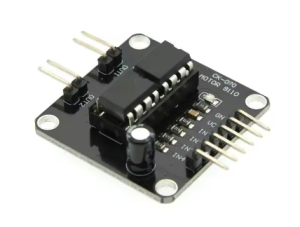
The DC 5V L9110 Dual-Channel Motor Driver Module is a compact, high-efficiency H-bridge driver board designed for controlling two small DC motors or a single 4-wire bipolar stepper motor . Built around the popular L9110S motor driver IC, this module integrates two independent H-bridge circuits into a tiny footprint, allowing you to independently control the speed and direction of two DC motors .

This module is a favorite among hobbyists and professionals for smart car projects, DIY robots, and small automation systems . It offers a simple control interface: use standard PWM (Pulse Width Modulation) signals for speed control and standard digital outputs (High/Low) to change the motor’s direction . The control logic is straightforward, with all critical signal pins broken out to easy-to-use 2.54mm headers.

One of the biggest advantages of this module is its miniaturized size. The board measures approximately 27mm × 20mm, making it ideal for portable and space-constrained applications . Despite its small footprint, it features built-in flyback diodes for protection against motor-induced voltage spikes, ensuring the stability and longevity of your main control circuit . Whether you are building a line-follower robot or a wireless smart car, this driver provides the essential drive power you need.

Key Features

  • Dual Channel H-Bridge: Two independent H-bridge channels that can control two DC motors (bidirectional) or one 4-wire stepper motor simultaneously .

  • 5V Power Supply: Designed to operate with a 5V DC power supply (2.5V–12V range, optimized for 5V systems), compatible with Arduino and USB power sources .

  • 3A Peak Current Output: Each channel supports a continuous current of up to 800mA (0.8A) , with a peak current capability of up to 2.5A .

  • PWM & Direction Control: Supports PWM for smooth speed regulation and standard digital logic for motor direction control .

  • Built-in Protection Diodes: Onboard flyback diodes suppress reverse currents generated by the motor, protecting the IC from damage .

  • Simple Pin Interface: 4 control pins (A-IA, A-IB, B-IA, B-IB) and 4 motor output terminals (Motor A/B) .

  • Compact Size: Extremely small board dimension, fitting perfectly into small robotic chassis .

Technical Specifications

Parameter Operating Value
Operating Voltage 5V DC (2.5V – 12V range)
Continuous Output Current (Per Channel) 800mA / 1.0A
Peak Output Current (Per Channel) 2.5A
Number of Channels 2 (Independent)
Control Logic Level 3.3V / 5V (TTL/CMOS Compatible)
Speed Control Method PWM (Pulse Width Modulation)
Standby Current < 1µA
Operating Temperature -20°C to +80°C
Dimensions Approx. 27mm × 20mm × 14mm

Pinout & Connection Guide

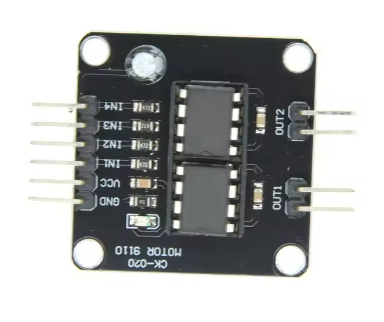
The module is clearly labeled for easy wiring. Use female-to-female jumper wires to connect it to your microcontroller.

Control Pins (Connect to Microcontroller)

Pin Symbol Label on PCB Description
VCC VCC Connect to 5V DC power source
GND GND Connect to common ground
A-IA (IN1) IA Control signal input for Motor A
A-IB (IN2) IB Control signal input for Motor A
B-IA (IN3) IA Control signal input for Motor B
B-IB (IN4) IB Control signal input for Motor B

Motor Output Terminals

Terminal Description
Motor A Outputs (OA1/OB1) Connect the two wires of DC Motor A here .
Motor B Outputs (OA2/OB2) Connect the two wires of DC Motor B here .

Control Truth Table (Motor A Control)

A-IA (IN1) A-IB (IN2) Motor A State
PWM (Speed Signal) LOW Forward (Speed = PWM Duty Cycle)
LOW PWM (Speed Signal) Reverse (Speed = PWM Duty Cycle)
LOW LOW Coast / Stop (Free-run stop)
HIGH HIGH Brake / Stop (Instant stop)

(The same logic applies to Motor B, using pins B-IA and B-IB.)

Usage Guide

Wiring Instructions

IMPORTANT: Always disconnect the input power source before wiring or modifying connections.

Step 1: Connect Motor Power

  • Connect the positive wire of your 5V DC power source to the VCC terminal.

  • Connect the negative wire (ground) of the power source to the GND terminal .

Step 2: Connect Motors

  • Connect the two wires of Motor A to the Motor A screw terminals (polarity determines initial rotation direction) .

  • Connect Motor B similarly to the Motor B terminals.

Step 3: Connect Control Signals

  • Connect the 4 control pins (A-IA, A-IB, B-IA, B-IB) to digital pins on your microcontroller (Arduino, ESP32, etc.) .

Step 4: Common Ground

  • CRITICAL: Connect the GND terminal of the driver board to the GND of your microcontroller. This is mandatory for stable operation .

Basic Arduino Code Example

This sketch demonstrates controlling Motor A with forward and reverse speed cycles. Upload this code to your Arduino to test the module.

cpp
// L9110S Dual Motor Driver Control Example
// Motor A: IA -> Pin 3, IB -> Pin 4
// Motor B: IA -> Pin 5, IB -> Pin 6

int motorA_IA = 3;  // Speed/Direction pin
int motorA_IB = 4;  // Direction/Speed pin

int motorB_IA = 5;  // Speed/Direction pin
int motorB_IB = 6;  // Direction/Speed pin

void setup() {
  pinMode(motorA_IA, OUTPUT);
  pinMode(motorA_IB, OUTPUT);
  pinMode(motorB_IA, OUTPUT);
  pinMode(motorB_IB, OUTPUT);
}

void loop() {
  // Motor A Forward at 70% Speed
  analogWrite(motorA_IA, 178);   // PWM Speed to IA
  digitalWrite(motorA_IB, LOW);  // IB LOW for Forward direction
  delay(2000);

  // Motor A Reverse at 50% Speed
  digitalWrite(motorA_IA, LOW);          // IA LOW for Reverse direction
  analogWrite(motorA_IB, 127);            // PWM Speed to IB
  delay(2000);

  // Motor A Stop (Brake)
  digitalWrite(motorA_IA, HIGH);
  digitalWrite(motorA_IB, HIGH);
  delay(2000);
}
Q: What is the maximum voltage for this L9110 module?

The recommended operating voltage range is 2.5V to 12V DC, with the module optimized for 5V operation . Avoid exceeding 12V.

Q: The motor runs very slowly or not at all. What's wrong?

This is usually a power supply issue. Ensure your battery voltage matches the motor’s requirement. The most common mistake is forgetting to connect the GND of the microcontroller board to the GND of the driver board . A weak battery cannot supply the surge current required to start the motor.

Q: Does the L9110 have overcurrent or short circuit protection?

The chip has basic thermal shutdown (over-temperature) protection to prevent the IC from overheating during a stall or overload, but its primary protection is the internal flyback diode against inductive surges . It does not feature a dedicated current sense or software-adjustable current limit.

Q: Can I run a stepper motor with this L9110 module?

Yes. This module can drive a 4-wire bipolar stepper motor. Connect one coil to the OUTA terminals and the other coil to the OUTB terminals, then follow the standard 8-bit or half-step stepping sequence in your code .

Q: How do I control the speed of the motor?

You must use Pulse Width Modulation (PWM). Send a PWM signal to the IA pin (for Motor A) while holding the IB pin LOW to achieve forward speed control . To reverse, send PWM to IB while holding IA LOW.

Q: Can I use this driver with 3.3V logic microcontrollers like ESP32?

Yes. The L9110S is compatible with both 3.3V and 5V logic levels, making it suitable for ESP32, STM32, and Raspberry Pi Pico .
