Product Overview
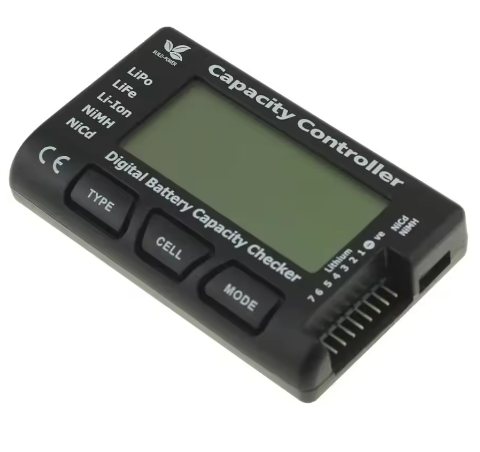
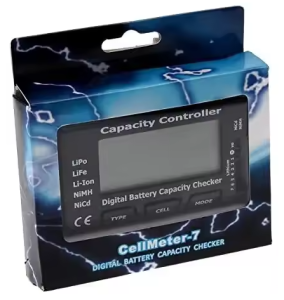
The CellMeter-7 Digital Battery Capacity & Voltage Tester is an essential diagnostic tool for anyone working with rechargeable batteries in RC hobbies, drones, robotics, and portable electronics. This compact, multi-function device instantly checks the health and charge level of nearly any battery pack, eliminating guesswork and helping you prevent expensive battery damage.
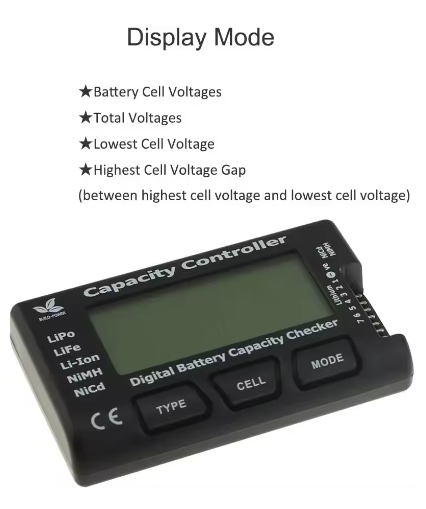
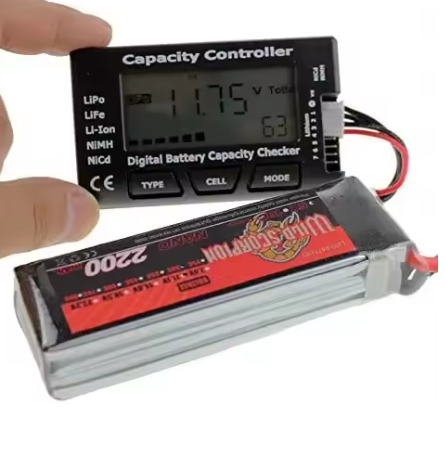
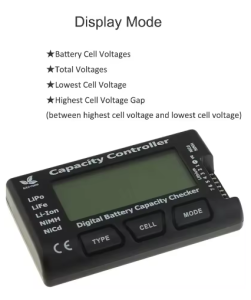
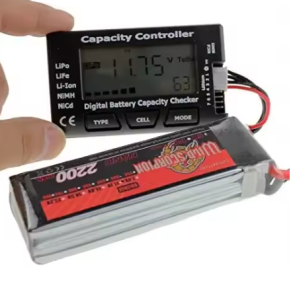
Gone are the days of guessing when your LiPo battery is fully charged or worrying about over-discharging your flight pack. The CellMeter-7 provides a comprehensive battery health analysis at the press of a button. Simply plug your battery into the versatile balance port, and within seconds the 2.1-inch LCD screen displays: individual cell voltages, total pack voltage, remaining capacity percentage, and the critical voltage difference between the highest and lowest cells .
Whether you are an RC pilot needing to check your LiPo packs before a race, a drone enthusiast monitoring battery health, a robotics engineer testing NiMH packs, or a technician maintaining backup battery systems, the CellMeter-7 delivers accurate, reliable readings across a wide range of battery chemistries, including LiPo, LiFe, Li-ion, NiCd, and NiMH .
Key Features
-
Multi-Chemistry Support: Compatible with LiPo, LiFe, Li-ion, NiCd, and NiMH batteries – one tool covers your entire workshop .
-
2-7 Cell Lithium Support: Works with 2S to 7S LiPo/LiFe/Li-ion battery packs, plus 4-7 cells for NiCd/NiMH receiver packs .
-
Comprehensive Display: 2.1″ LCD screen shows individual cell voltages, total voltage, highest/lowest cell, voltage differential, and remaining capacity (0-99%) .
-
Built-in Balance Function: Integrated passive balancing helps equalize cell voltages, extending battery life and improving performance .
-
Instant Health Assessment: Quickly identify weak or unbalanced cells before they cause equipment failure or fire hazards.
-
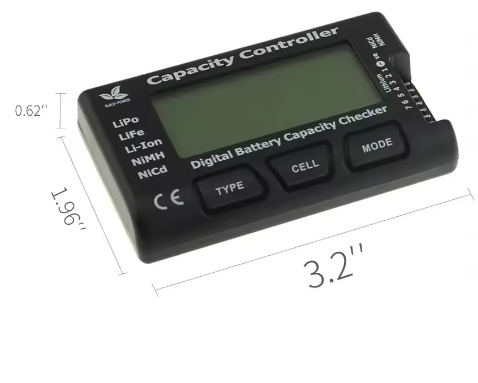
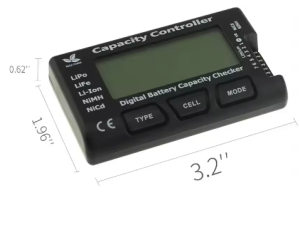
Portable Design: Compact size (84×50×16mm) and lightweight (approx. 40g) fits easily in your pocket or field kit .
-
Easy-to-Use Interface: Simple menu navigation with dedicated “Type” and “Mode” buttons for cycling through display options .
-
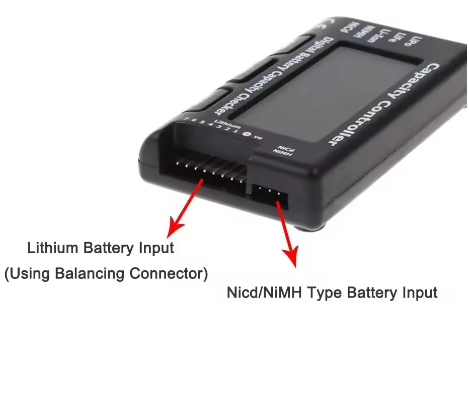
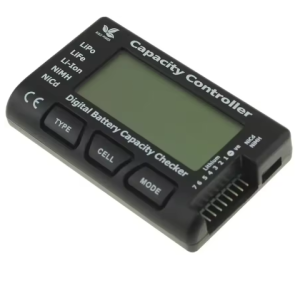
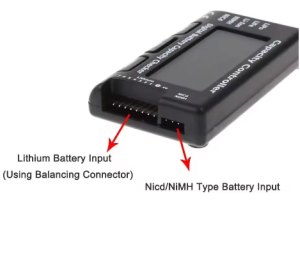
Versatile Connectivity: JST XH/EH balance port for direct connection to lithium batteries; 3-pin receiver-style port for NiCd/NiMH pack total voltage .
Technical Specifications
Pinout & Connection Guide
Lithium Battery Connection (Balance Port)
-
Connector Type: JST XH 2.54mm balance plug (standard on most RC LiPo packs)
-
Insertion: Align the black/negative wire with the “-” marking on the PCB
-
Cell Detection: Automatically detects 2-7 cell packs; displays “No Cell” for 1S packs (not supported by default)
-
Note: For 1S batteries, you will need a compatible adapter or use the NiCd/NiMH mode with a custom adapter lead .
NiCd/NiMH Battery Connection (Rx Port)
Adapters for Non-Standard Connectors
If your battery uses a different connector type (e.g., Thunder Power, Polyquest), you will need to use an appropriate balance adapter board or custom adapter lead .
Usage Guide
Getting Started
-
Select Your Battery: Ensure your battery is within the supported cell range (2-7S for lithium, 4-7 cells for NiCd/NiMH).
-
Connect the Balance Lead: Plug the battery’s balance connector into the corresponding port on the top of the CellMeter-7. The connector is keyed—it only fits one way.
-
Read the Display: The device will power on automatically. The screen will cycle through the following information :
-
Individual Cell Voltages: C1, C2, C3… followed by their voltage in volts.
-
Total Voltage: The sum of all cells in the pack.
-
Lowest Cell: The voltage of the weakest cell.
-
Highest Cell: The voltage of the strongest cell.
-
Voltage Difference (ΔV): The gap between the highest and lowest cell. A large gap indicates an unbalanced pack.
-
Remaining Capacity (%): An estimate of how much usable charge is left in the pack.
Reading Battery Health
Using the Balance Function
The CellMeter-7 includes a built-in passive balancing feature to help equalize cell voltages .
To activate the Balance Mode:
-
Connect a Lithium battery pack to the balance port.
-
Press and hold the “Type” button for approximately 3 seconds until you hear three beeps.
-
The display will indicate that balancing has begun (the specific cell indicators may flash).
-
The device will discharge higher-voltage cells down to match the level of the lowest cell in the pack.
Important Balancing Notes:
-
During balancing, the CellMeter-7 will become slightly warm. This is normal .
-
Balancing is a relatively slow process. It is best to leave the device connected for several minutes to allow the voltages to equalize.
-
For severely unbalanced packs, it is recommended to use a dedicated balance charger for the primary balancing, and use the CellMeter-7 for quick field checks and top-ups.
Monitoring NiCd/NiMH Receiver Packs
To check a NiCd or NiMH receiver pack:
-
Connect the battery’s power lead to the 3-pin servo port on the side of the CellMeter-7.
-
The display will show the total voltage of the pack (e.g., 5.2V for a 4-cell NiMH pack).
-
This feature does NOT provide individual cell voltages, only the total pack voltage .
Q: What battery types does the CellMeter-7 support?
The CellMeter-7 supports LiPo, LiFe, Li-ion, NiCd, and NiMH batteries. For lithium types, it supports 2 to 7 cells in series (2S-7S). For NiCd/NiMH, it supports 4 to 7 cells
Q: Can I use it for a single-cell (1S) LiPo or Li-ion battery?
No, not directly. The balance port is designed for 2S-7S packs. To test a 1S battery, you will need to use an adapter lead that connects to the NiCd/NiMH port or create a custom adapter that connects the single cell to the first two pins of the balance connector . Do not force a 1S plug into the port, as incorrect insertion can cause damage.
Q: Does the CellMeter-7 check NiMH/NiCd individual cell voltages?
No. For NiCd and NiMH batteries, the device only displays the total pack voltage via the 3-pin servo connector. It does not have the capability to read individual cell voltages for these chemistries .
Q: What is the difference between the highest and lowest cell voltage (ΔV)?
The voltage difference indicates how well-balanced your battery pack is. In a healthy pack, cells should be very close (within 0.02V-0.05V). A large ΔV (greater than 0.1V) suggests the pack is unbalanced, which can lead to reduced run time, overheating, and potential swelling or fire risk
Q: My CellMeter-7 shows "No Cell" or incorrect cell count. Why?
This usually indicates one of the following issues:
-
Loose balance connector: Ensure the plug is fully seated in the port.
-
Dirty or bent pins: Inspect the connector on your battery for damage or corrosion.
-
Incorrect cell count (1S): As mentioned, 1S batteries are not supported directly.
-
Blown internal trace: In rare cases, connecting a battery with a very high voltage differential can damage the internal balancing/monitoring circuit.
Q: Does the CellMeter-7 charge batteries?
No. The CellMeter-7 is a tester, monitor, and passive balancer only. It draws power from the connected battery to operate its screen and circuitry. It does not have the ability to add charge to a battery; you will need a dedicated LiPo battery charger for that.
Q: The device gets warm when balancing. Is this normal?
Yes. During the balancing process, the device uses internal resistors to convert excess voltage from higher-charged cells into heat. This is a normal part of passive balancing. If it becomes very hot, disconnect the battery and allow it to cool before continuing .
Q: Can I use this for testing 24V or 36V battery packs?
Yes, if the pack is within the supported configuration. A 24V Lithium pack is typically a 6S or 7S pack (max 29.4V), which falls within the CellMeter-7’s 2-7S range. A 36V Lithium pack is a 10S pack, which is not supported by this device.
Q: How do I switch between LiPo and LiFe modes?
The CellMeter-7 uses the “Type” button to cycle through supported battery chemistries. Pressing the “Type” button will toggle between LiPo (3.70V nominal), LiFe (3.30V nominal), Li-ion (3.60V nominal), and NiCd/NiMH modes. This changes the reference voltage used for calculating the remaining capacity percentage .
Q: What can I use this battery tester for?
Popular applications include:
-
RC Hobbies: Pre-flight checks for drone and RC car LiPo batteries
-
Battery Maintenance: Checking storage voltage and balancing packs before long-term storage
-
Battery Recycling: Sorting used cells by remaining capacity
-
DIY Power Walls: Testing the health and balance of harvested 18650 cells
-
Robotics: Monitoring NiMH receiver/controller pack voltage