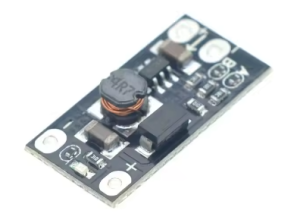
Product Overview
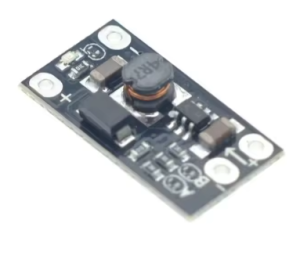
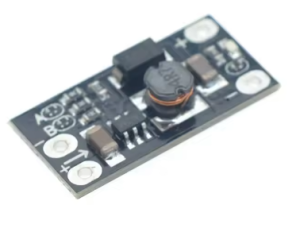
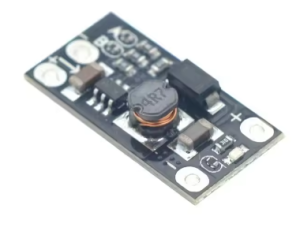
The 3.7V to 12V Mini DC-DC Boost Converter is a compact, high-efficiency step-up power module designed to convert a low 3.7V input from a lithium battery to a range of higher output voltages up to 12V .
This essential power solution allows you to utilize the widespread 18650 or Li-Po battery to power devices that require higher voltage rails, such as Arduino boards, routers, sensors, LED strips, and small portable fans. It serves as a universal voltage booster, making it invaluable for DIY electronics and portable projects .
Key Features
-
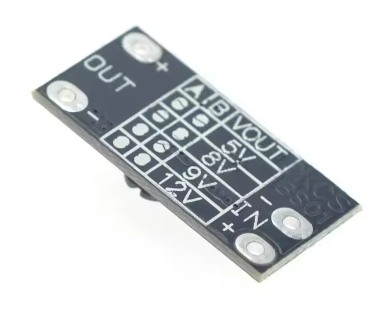
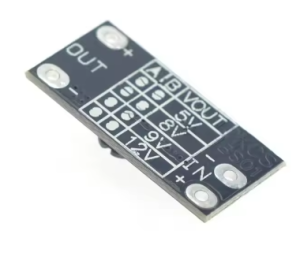
4 Selectable Output Voltages: Easily configure the module to output 5V, 8V, 9V, or 12V to match your specific device requirements .
-
Efficient Step-Up Conversion: High conversion efficiency (up to 92%) ensures minimal power loss when boosting from a lower voltage battery source .
-
High Output Current: Delivers stable current with capabilities up to 1A at 5V from a 3.7V battery, perfect for powering development boards and small peripherals .
-
Wide Input Voltage Range: Operates with an input range of 2.5V to 5.5V, making it compatible with single 18650 batteries, Li-Po packs, and even 5V USB power sources .
-
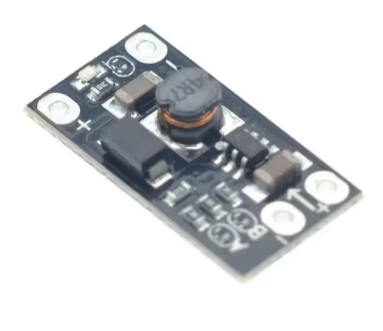
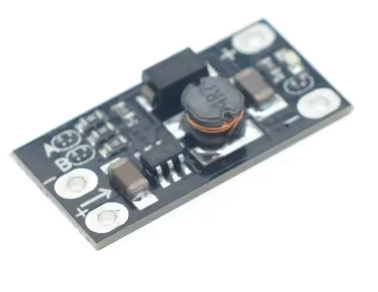
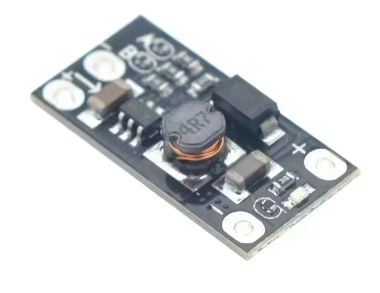
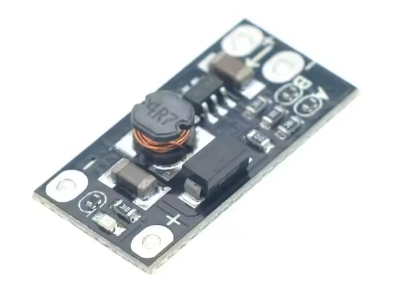
Ultra-Compact & Lightweight: Tiny form factor (approx. 30mm x 17mm) and low weight (approx. 5g) allows for seamless integration into space-constrained portable projects .
-
Integrated LED Indicator: Onboard LED provides clear visual confirmation of the module’s output status .
-
Simple Setup: Features a straightforward 3-pin interface (VIN, GND, VOUT) for easy wiring to batteries and loads .
Technical Specifications
Pinout & Interface Guide
The module is clearly labeled for easy wiring:
Input Side (Power Source)
Output Side (Load Connection)
-
VOUT (+): This is the boosted output. Connect to the positive terminal of your device (e.g., Arduino 5V/VIN pin, LED anode) .
-
GND (-): Common ground. Connect to the negative terminal (ground) of your device.
Voltage Setting
Usage Guide
Basic Wiring Instructions
-
Set Output Voltage: Before wiring, use a soldering iron to bridge or disconnect the ‘A’ and ‘B’ pads according to the table above for your required output voltage.
-
Connect Input: Solder the positive wire of your 3.7V lithium battery to the VIN terminal and the negative wire to the GND terminal .
-
Connect Load: Solder the positive wire of your device to the VOUT terminal and the negative wire to the common GND terminal.
-
Power On: Once connections are secure, apply power from the battery. The LED should illuminate, and the output voltage will be present.
Current Limitations
It is critical to note that the maximum available output current depends heavily on the input voltage and the chosen output voltage . The highest current is available at 5V, while higher voltages like 12V will have a lower maximum current capacity.
Example: Powering a 12V device from a 3.7V battery will draw significantly more current from the battery than what is delivered to the load. Ensure your battery can handle the increased current draw.
Important Considerations
-
Direct DC Conversion: This is a pure DC-to-DC converter and cannot step-up AC voltage from a wall outlet.
-
Input Must Be Lower Than Output: For proper operation, the input voltage must always be less than the desired output voltage .
-
Heat Dissipation: In high-load applications, the module may become warm. Ensure proper ventilation to prevent overheating .
-
No Reverse Polarity Protection: This module does not include reverse polarity protection. Double (and triple) check your connections for correct +/- orientation before applying power to avoid damaging the module .
Q: Can I use this module to power an Arduino from an 18650 battery?
Yes, absolutely. You can set the output to 5V and connect it to the 5V pin of your Arduino (not the VIN pin) to power it directly from a single 18650 cell .
Q: What is the difference between this fixed-voltage module and an adjustable one?
This module uses solder pads to select from four preset voltages, making it quick and simple for mass production or fixed applications. An adjustable module uses a potentiometer for fine-tuning but requires a multimeter for setup.
Q: Can I use this module to charge my lithium battery?
No, this is not a charger. This module is designed only to boost the voltage from a battery to power devices. To safely charge a lithium battery, you must use a dedicated charger module .
Q: The output voltage is incorrect or absent. What should I check?
Ensure the A and B pads are configured correctly for your desired voltage. Also, verify that your input voltage is higher than 2.5V and that all solder connections are secure .
Q: Why does the voltage drop when I connect my device?
The module has a maximum output current limit. If your device attempts to draw more current than it can supply, the voltage will drop or fluctuate. Check the current capabilities of the module for your specific output voltage .
Q: The LED indicator is off, but the module seems to be working.
The LED can be disabled by opening the solder pad located next to it for power saving. This is a common feature on these modules .
Q: Is there any risk of damaging my device with an over-voltage on startup?
While designed for stability, some boost converters can exhibit a voltage spike during startup. It is best practice to connect your load after powering on the module, or check with a multimeter first .
Q: What projects can I create with this boost converter?
Popular projects include:
-
Portable Power Bank: Boost a single 18650 to 5V for charging USB devices.
-
DIY Soldering Iron: Power a portable 8V or 9V soldering iron from a lithium battery.
-
Wireless Speaker: Run higher voltage audio amplifiers from a single cell.
-
LED Lighting: Drive 12V LED strips from a battery pack .
Q: Can I use this to directly power a 12V DC motor?
You can, but be cautious. DC motors have a high inrush current that may exceed the module’s 12V/0.3A limit from a single battery. A stall could cause a voltage drop or damage the module.