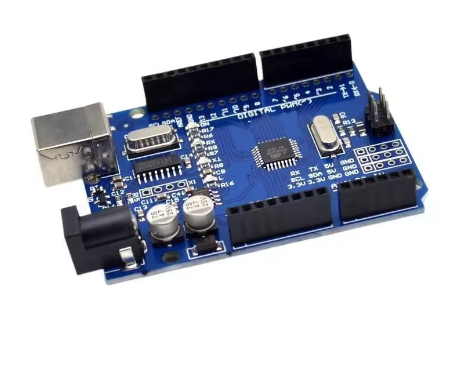
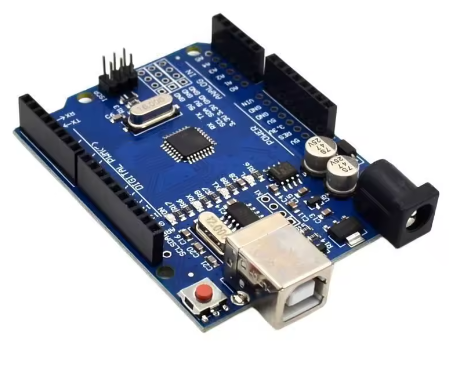
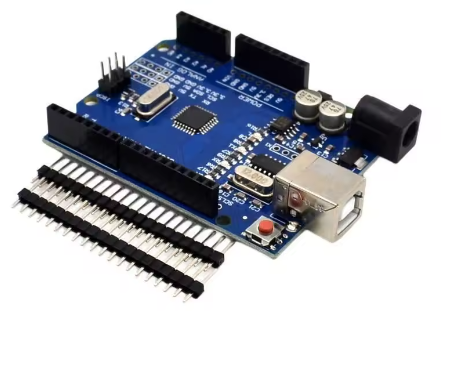
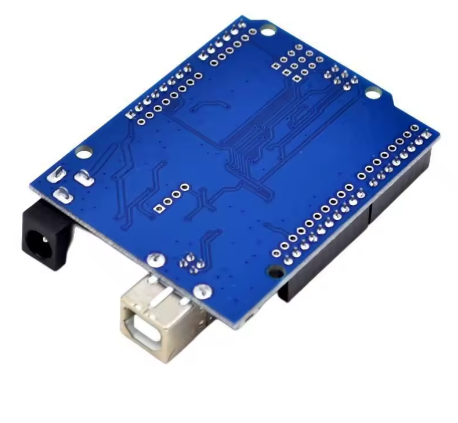
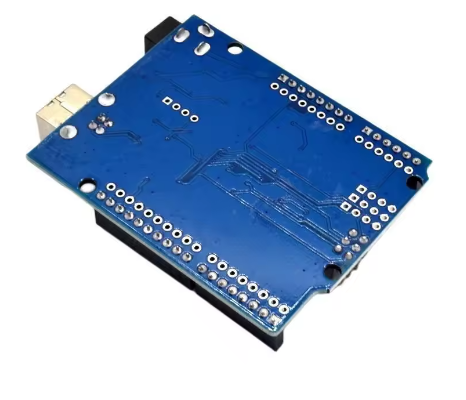
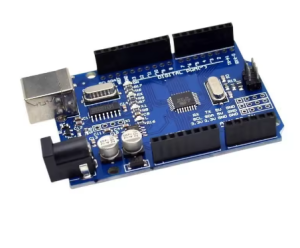
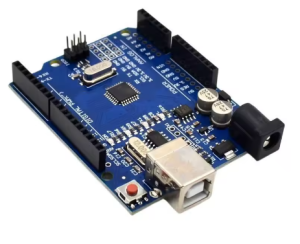
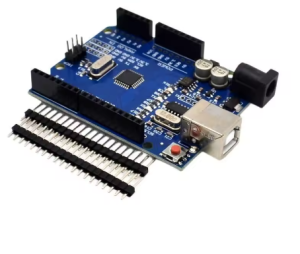
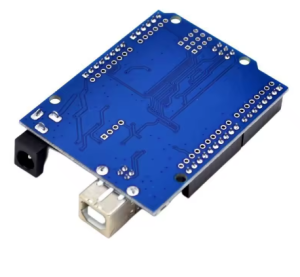
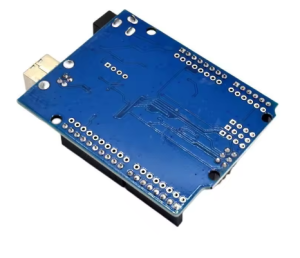
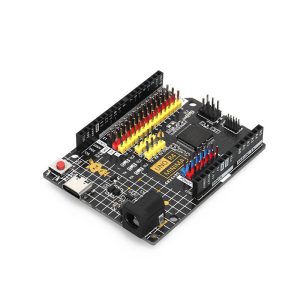
The 2023 UNO R3 Development Board is a modernized version of the classic UNO platform, built around the enhanced ATmega328PB microcontroller and paired with the reliable CH340G USB-to-serial converter. This combination delivers improved hardware capabilities while maintaining full backward compatibility with existing Arduino projects and libraries.
The ATmega328PB is an upgraded variant of the widely used ATmega328P. It retains the same core architecture and 32 KB flash memory, but adds significant peripheral enhancements: dual USART, dual SPI, dual I2C (TWI) interfaces, five timers instead of three, and additional PWM channels . For developers, this means more communication ports, more precise timing control, and greater flexibility in complex projects without needing external multiplexing hardware.
The board follows the standard UNO R3 footprint and pinout, making it compatible with the extensive ecosystem of shields, sensors, motors, displays, and expansion modules. It can be programmed through the standard Arduino IDE — existing code written for the ATmega328P runs without modification, thanks to full backward compatibility .
This model uses the CH340G USB interface chip, a mature and widely supported USB-to-serial solution. It requires a one-time driver installation on most operating systems, after which it works smoothly with the Arduino IDE and other serial tools. This makes it an economical choice for cost-sensitive projects and bulk deployments.
The board is supplied with a 30cm USB cable, so you can connect to a computer and start programming right out of the box. Whether you are running a STEM classroom, building a prototype, or deploying a small-batch control solution, this board offers a practical balance of modern performance, cost, and dependability.
Features
-
ATmega328PB microcontroller – enhanced version of the classic ATmega328P with additional peripherals and capabilities.
-
CH340G USB interface chip – a mature, widely supported USB-to-serial solution for programming and communication.
-
Dual communication interfaces – 2× USART, 2× SPI, and 2× I2C (TWI) for connecting more devices simultaneously .
-
Additional timers and PWM – 5 timers (3× 16-bit, 2× 8-bit) and up to 10 PWM channels for precise control applications .
-
Peripheral Touch Controller (PTC) – built-in hardware support for capacitive touch buttons, sliders, and wheels without external components .
-
UNO R3 standard footprint – compatible with the full range of UNO shields and accessories.
-
14 digital I/O pins – 6 support PWM output for motors, LEDs, and analog-style control.
-
6 analog input channels – for sensors, potentiometers, and signal measurement.
-
On-board power regulation – supports USB power and external 7–12V DC input.
-
Includes 30cm USB cable – ready to connect and program immediately.
Technical Specifications
Usage
Getting Started
-
Connect the board to your computer using the included 30cm USB cable.
-
Install the CH340G driver if prompted (required on most systems for first-time use).
-
Install the Arduino IDE and select “Arduino UNO” as the board type.
-
Select the correct COM/serial port.
-
Open a built-in example sketch (such as Blink) and click Upload.
-
Once uploaded, the board runs the program automatically.
Power Options
-
USB power – 5V from a computer or USB adapter.
-
External DC power – 7–12V via the barrel jack, or 5V via the VIN pin.
-
The board automatically selects the appropriate power source.
Typical Applications
-
Learning electronics and programming fundamentals
-
STEM and robotics classroom projects
-
Prototyping sensor and control systems
-
Driving LEDs, relays, motors, and displays
-
Building automation and data-logging devices
-
Multi-sensor projects requiring dual communication ports
-
Capacitive touch interface projects
-
OEM integration into custom enclosures or product kits
-
Corporate training and workshop demonstrations
Expansion
Stack UNO-compatible shields directly onto the board, or connect sensors and modules using jumper wires on the breakout headers. The ICSP header supports advanced programming and bootloader recovery when needed.
Notes for Business Buyers
-
The enhanced ATmega328PB provides additional communication ports and timers for projects that outgrow the standard ATmega328P.
-
The CH340G interface helps keep unit costs competitive for bulk deployment.
-
Boards are suitable for bulk deployment in classrooms, labs, and training programs.
-
Existing ATmega328P code runs without modification, reducing migration effort for training materials .
Q: Is this board compatible with the standard Arduino IDE?
Yes. It works with the standard Arduino IDE. Select “Arduino UNO” as the board type and choose the correct serial port.
Q: What is the difference between the ATmega328PB and the standard ATmega328P?
The ATmega328PB is an enhanced version. It adds a second USART, second SPI, second I2C, two additional 16-bit timers, and up to 10 PWM channels. It also includes a built-in Peripheral Touch Controller for capacitive touch applications .
Q: Can I use my existing ATmega328P code on this board?
Yes. The ATmega328PB is backward compatible with the ATmega328P. Existing code and libraries work without modification .
Q: Do I need to install a driver for the CH340G?
Yes. On most operating systems, a one-time CH340G driver installation is required before the board is recognized. After installation, it works normally with the Arduino IDE.
Q: What power supply should I use?
You can power the board via USB (5V) or an external DC adapter rated 7–12V through the barrel jack. Avoid exceeding the recommended voltage range.
Q: Does it come with a USB cable?
Yes. Each board includes a 30cm USB cable.
Q: Can I use UNO shields and accessories with this board?
Yes. It follows the standard UNO R3 footprint and pinout, so most UNO-compatible shields and modules work directly.
Q: Can I access the extra peripherals on the ATmega328PB in Arduino?
Yes, but it may require additional board definitions or core support. Standard Arduino IDE support treats it as an UNO, so the extra peripherals are accessible through direct register manipulation or with specialized cores.
Q: Is this board suitable for beginners?
Yes. It is well suited for beginners learning electronics and programming, and the enhanced hardware makes it equally suitable for experienced users with more demanding projects.
Q: Can I order in bulk for a school, company, or training program?
Yes. This board is suitable for both individual users and business purchasing, including classroom sets, corporate training, and OEM integration.