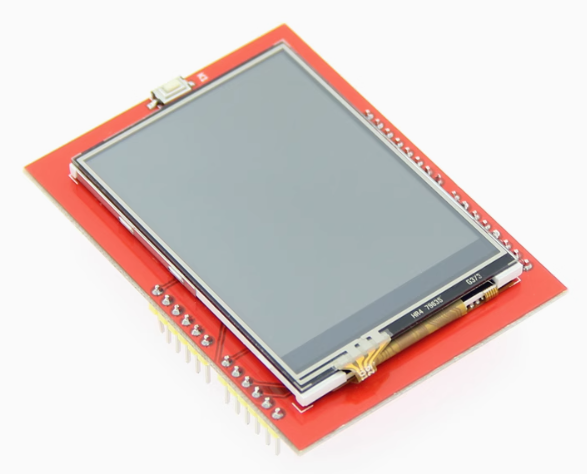
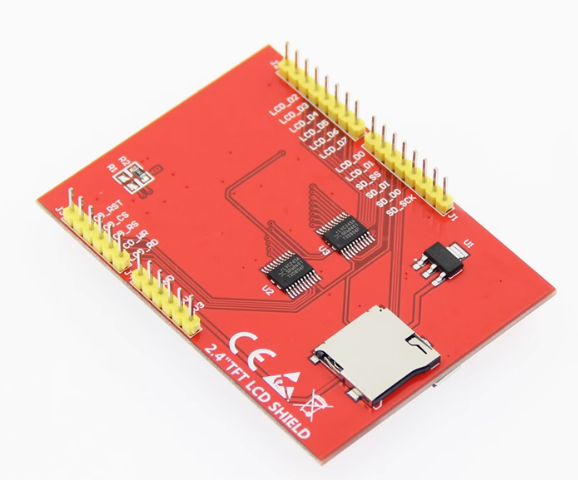
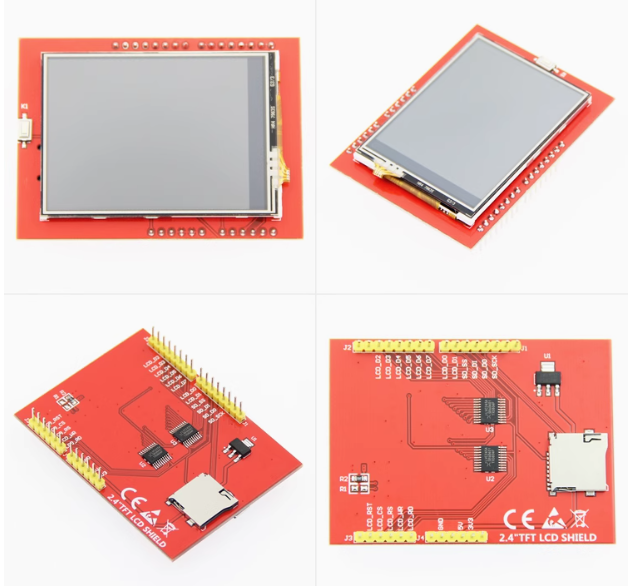
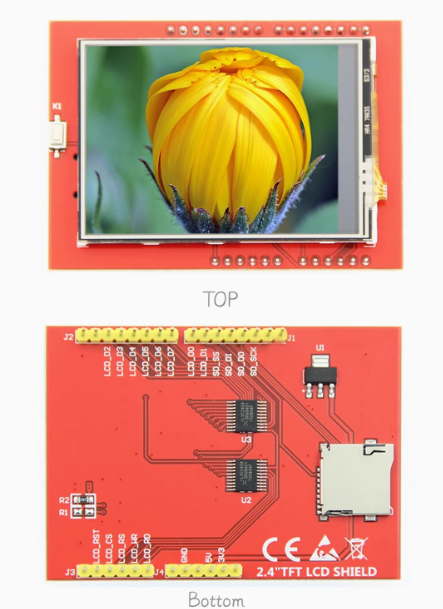
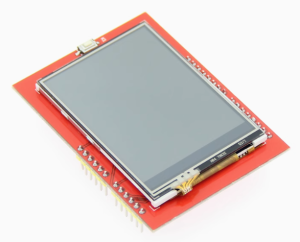
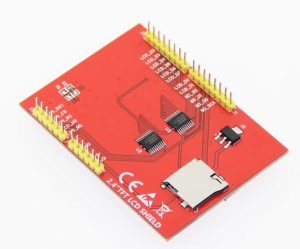
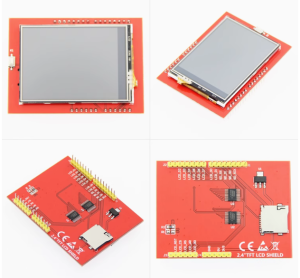
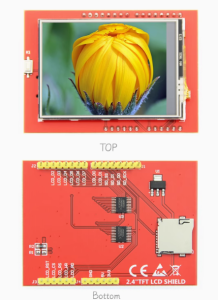
2.4 inch TFT LCD touch screen color screen module can be directly plugged into UNO MEGA2560 ST7789 Driver (With highlights)

SKU: FA2124-2
Display Size

2.4 inch (diagonal)

Resolution

320 × 240 pixels

Driver IC

ST7789 / ILI9341

Color Depth

16-bit RGB (65K colors)

Interface

8-bit parallel bus

Touch Type

4-wire resistive touch panel

Operating Voltage

5V / 3.3V (with level shifting IC)

Additional Storage

MicroSD card slot (SPI mode)

The 2.4-inch TFT LCD Touch Screen Module is a plug-and-play color display shield designed for Arduino UNO and MEGA2560 development boards. With its ST7789 (or ILI9341) driver chip and integrated resistive touch panel, this module transforms your Arduino into a capable human-machine interface platform without any wiring or soldering.

The module features a 320×240 pixel resolution TFT display supporting 16-bit RGB 65K color output, delivering rich and clear visuals for text, graphics, and UI elements. Unlike SPI-based displays, this module uses an 8-bit parallel bus interface, which provides significantly faster refresh rates and smoother rendering for animation-heavy projects. The display operates at both 5V and 3.3V thanks to the onboard level-shifting IC, making it compatible with the full range of classic Arduino boards.

The integrated 4-wire resistive touch panel allows for direct interaction with your projects. Whether you are building a control panel, a game console, or a data visualization interface, the touch functionality opens up a wide range of interactive possibilities. The module is designed as a shield that plugs directly into the UNO or MEGA2560 — no jumper wires or breadboards required, eliminating connection errors and speeding up prototyping.

An onboard MicroSD card slot adds convenient data logging and image display capabilities. You can store bitmap images on the SD card and display them on the screen, or log sensor data for later analysis. The module comes with Arduino libraries and rich example programs covering display functions, touch detection, and SD card operations.

The ST7789 (or ILI9341) driver chip is widely supported in the Arduino ecosystem, with libraries such as Adafruit_ST7789, TFT_eSPI, and UTFT providing comprehensive graphics capabilities including drawing pixels, lines, rectangles, circles, and text. Whether you are a beginner learning to display your first “Hello World” or an experienced developer building a complex UI, this module provides a reliable and well-supported platform.

Suitable for individual makers, students, and businesses purchasing in bulk for education, prototyping, or product development, this touch screen module offers a practical balance of performance, compatibility, and ease of use.


Features

  • Plug-and-play shield design — Directly mounts onto UNO and MEGA2560 boards without any wiring.

  • 320×240 resolution with 65K color — Clear, vibrant display for text, graphics, and UI elements.

  • Resistive touch panel — Direct interaction with your projects using finger or stylus.

  • 8-bit parallel bus interface — Faster refresh rates than SPI for smoother rendering.

  • ST7789 / ILI9341 driver — Widely supported in the Arduino ecosystem with multiple library options.

  • Onboard MicroSD card slot — Convenient data logging and image display capability.

  • 5V/3.3V level shifting — Compatible with both 5V and 3.3V Arduino boards.

  • Arduino library and examples — Comprehensive support for rapid development.


Technical Specifications

# Parameter Specification
1 Display Size 2.4 inch (diagonal)
2 Resolution 320 × 240 pixels
3 Driver IC ST7789 / ILI9341
4 Color Depth 16-bit RGB (65K colors)
5 Interface 8-bit parallel bus
6 Touch Type 4-wire resistive touch panel
7 Operating Voltage 5V / 3.3V (with level shifting IC)
8 Additional Storage MicroSD card slot (SPI mode)

Usage

Getting Started

  1. Mount the shield — Align the module’s headers with your UNO or MEGA2560 pin sockets and press firmly to seat. The module is designed to plug directly into the board.

  2. Install the library — Download the provided Arduino library and copy it to your Arduino libraries folder. Alternatively, use a widely supported library such as Adafruit_ST7789 or TFT_eSPI.

  3. Open an example sketch — Load one of the example programs included with the library to test display and touch functionality.

  4. Select board and port — In Arduino IDE, choose your board type (Arduino UNO or MEGA2560) and the correct serial port.

  5. Upload and test — Compile and upload the sketch. The display should initialize and show the example content.

  6. Calibrate touch (if needed) — Some libraries provide a touch calibration routine. Follow the on-screen prompts to calibrate the touch panel for accurate input.

Typical Applications

  • Human-machine interfaces (HMI) — Control panels for equipment, home automation, and industrial systems.

  • Data visualization — Display sensor readings, charts, and graphs in real time.

  • Game development — Simple games using the touch screen for input.

  • Digital photo frames — Display images stored on the MicroSD card.

  • Educational projects — Teaching display and touch interface concepts.

  • Portable instruments — Handheld measurement and monitoring devices.

Notes for Business Buyers

  • Plug-and-play design — Reduces assembly time and connection errors in production and training environments.

  • Widely supported driver — ST7789 and ILI9341 are well-documented with multiple library options, reducing development risk.

  • SD card slot for expansion — Supports data logging and image display without additional hardware.

  • Suitable for bulk purchasing — Ideal for educational institutions, R&D teams, and product development.

Q: Is this module compatible with Arduino UNO and MEGA2560?

Yes. The module is designed as a shield that plugs directly into both UNO and MEGA2560 boards without any wiring.

Q: What is the difference between the ST7789 and ILI9341 driver?

Both are display controller chips. The ST7789 is a newer driver often used in IPS panels, while the ILI9341 is a widely used driver for TFT displays. This module may come with either driver depending on the batch, and both are supported by common Arduino libraries.

Q: Do I need to install any libraries to use this module?

Yes. You will need a display library (such as Adafruit_ST7789, TFT_eSPI, or UTFT) and a touch library (such as the Touch library). The module typically comes with a library and example programs for quick setup.

Q: How do I connect the module to my Arduino?

Simply plug the module directly into the UNO or MEGA2560 header sockets. No jumper wires are required.

Q: Can I use the touch screen with my fingers?

Yes. The 4-wire resistive touch panel responds to both finger touches and stylus input.

Q: Does the module support 3.3V Arduino boards?

Yes. The onboard level-shifting IC allows the module to work with both 5V and 3.3V boards.

Q: What is the MicroSD card slot used for?

The SD card slot allows you to store and retrieve data, such as bitmap images for display or sensor logs for later analysis.

Q: How do I calibrate the touch screen?

Most touch libraries include a calibration routine. Run the calibration sketch and follow the on-screen prompts, touching the indicated points with a stylus for accuracy.

Q: Does this module work with other Arduino boards?

It is primarily designed for UNO and MEGA2560. Compatibility with other boards depends on pin availability and library support.

Q: Can I purchase in bulk for a school or company?

Yes. This module is suitable for both individual users and business purchasing, including classroom sets, prototyping labs, and product development.