XBee Shield V3.0 – Universal Bluetooth Bee Adapter

SKU: FA1044
Model

XBee Shield V3.0

Compatibility

Arduino Uno, Mega 2560, Leonardo, Due, etc.

Module Support

20-pin "Bee" footprint (XBee, Bluetooth Bee, WiFi Bee)

Input Voltage (via Arduino)

5V DC recommended (via Arduino USB or VIN pin)

Regulated Output

3.3V DC @ up to 500mA (typical)

Logic Levels

5V input tolerant, 3.3V output

Interface

Selectable UART (Hardware/Software Serial)

Dimensions

Standard Arduino Shield form factor (~68mm x 53mm)

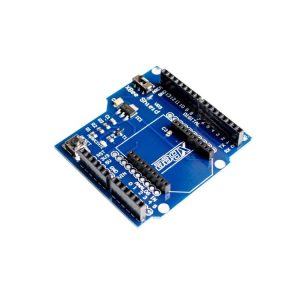
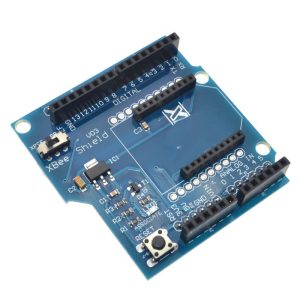
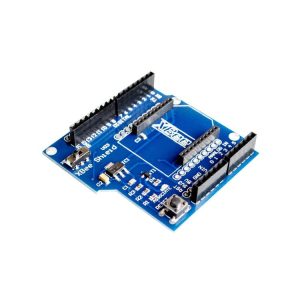
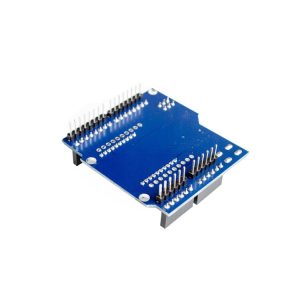
XBee Shield V3.0: Universal Bluetooth Bee Adapter for Arduino 
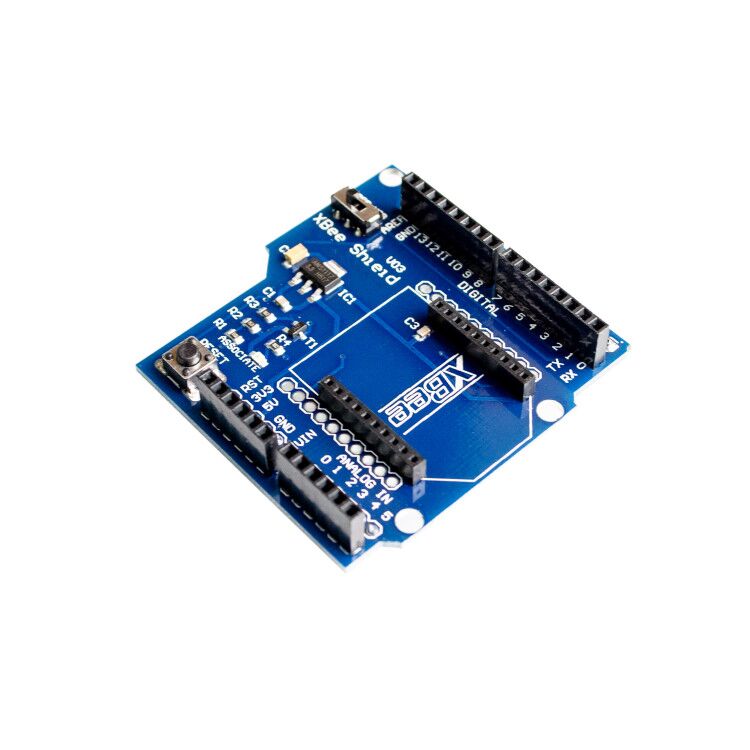
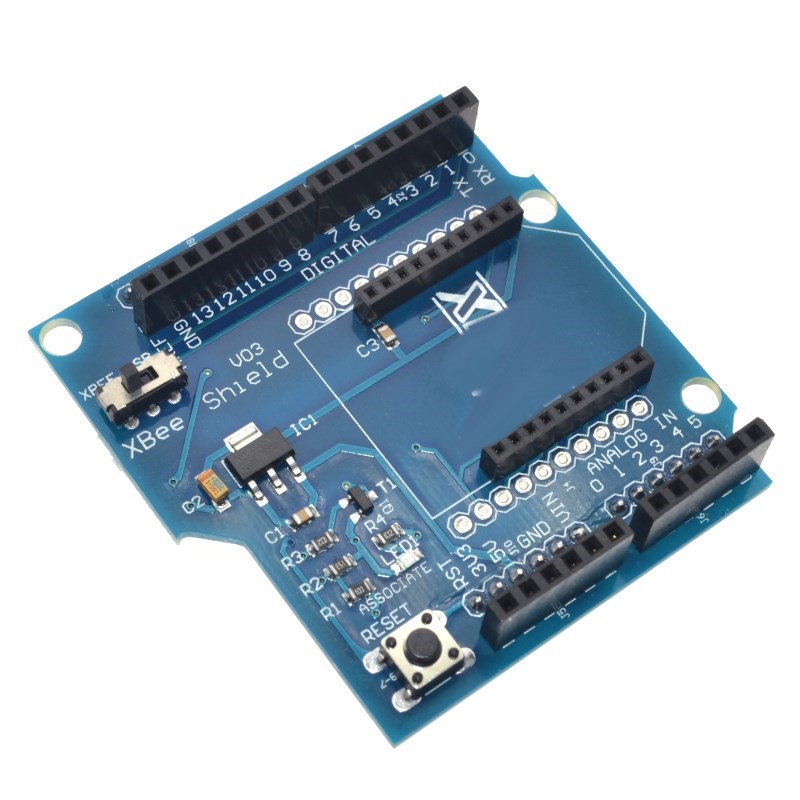
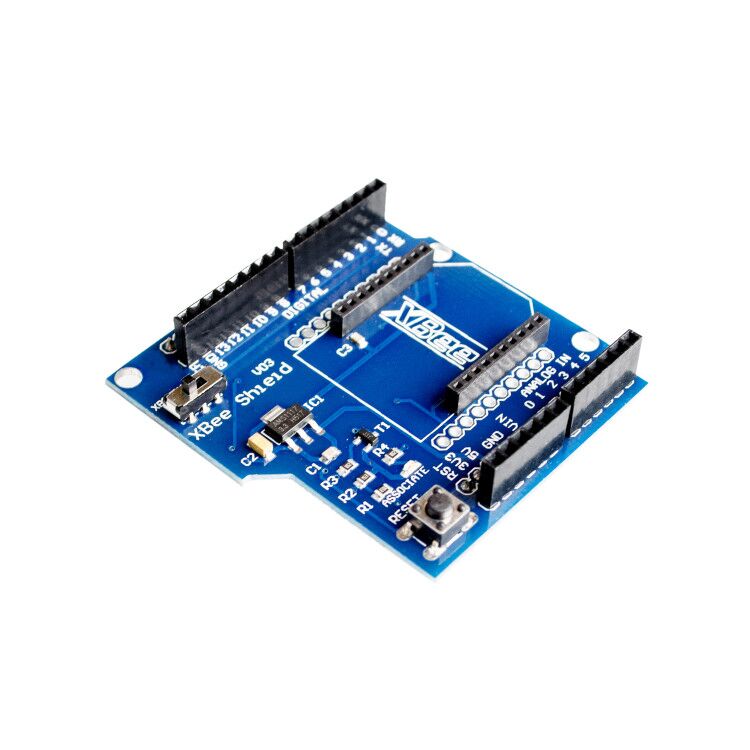
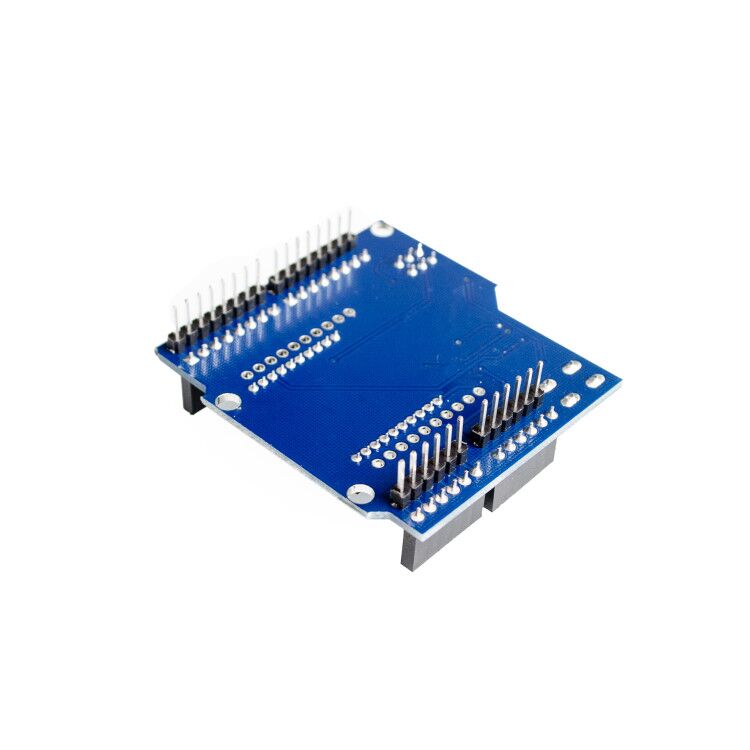
The XBee Shield V3.0 is an essential expansion board designed to seamlessly integrate various wireless modules—including the XBee Series, Bluetooth Bee, and ESP8266 Bee—directly with standard Arduino and Arduino-compatible development boards (Uno, Mega, Leonardo, etc.). 
This shield removes all the guesswork of wiring 3.3V wireless modules to 5V Arduino platforms by providing proper voltage regulation and integrated logic level shifting. The V3.0 iteration features a crucial hardware UART switch, allowing users to easily select which pins on the Arduino the Bee module communicates through, providing maximum flexibility and compatibility with different Arduino models and preventing conflicts with the main USB serial port used for programming and debugging. 

Key Features
  • Arduino Compatibility: Stacks directly onto standard Arduino form factor boards.
  • Universal Bee Socket: Features the standard 20-pin XBee socket footprint, supporting a wide array of wireless modules (XBee 802.15.4, Zigbee S2C, Bluetooth Bee, Wi-Fi Bee, etc.).
  • Onboard Voltage Regulation: Provides a stable 3.3V power supply derived from the Arduino’s 5V/VIN pin, ensuring safe operation for all Bee modules.
  • Integrated Logic Level Shifting: Automatically handles the voltage difference between the Arduino’s 5V logic and the Bee module’s 3.3V logic, protecting your components from damage.
  • Hardware UART Switch (V3.0 Feature): A critical switch allows selection of the communication channel:
    • “D0/D1” Position: Routes the module to Arduino’s hardware Serial RX/TX pins (for final deployment with code uploading via ICSP).
    • “D2/D3” (or other D-pins): Routes the module to software serial pins, leaving D0/D1 free for USB programming and debugging.
  • Reset Button: Onboard reset button to easily reset the Arduino board without needing to unplug the shield.
  • Status LEDs: Includes LEDs for Power, Link, RX, and TX activity for easy troubleshooting and monitoring. 

Technical Parameters (Specifications)
Parameter  Value/Description
Model XBee Shield V3.0
Compatibility Arduino Uno, Mega 2560, Leonardo, Due, etc.
Module Support 20-pin “Bee” footprint (XBee, Bluetooth Bee, WiFi Bee)
Input Voltage (via Arduino) 5V DC recommended (via Arduino USB or VIN pin)
Regulated Output 3.3V DC @ up to 500mA (typical)
Logic Levels 5V input tolerant, 3.3V output
Interface Selectable UART (Hardware/Software Serial)
Dimensions Standard Arduino Shield form factor (~68mm x 53mm)
Usage Instructions
The XBee Shield V3.0 simplifies integration with the Arduino platform. 
Hardware Setup:
  1. Insert Wireless Module: Place your desired XBee or Bluetooth Bee module into the 20-pin socket on the shield, aligning Pin 1 correctly.
  2. Attach to Arduino: Stack the shield onto your Arduino board, ensuring all pins are properly seated.
  3. Set the UART Switch:
    • For Programming the Arduino: Set the switch to a software serial pin position (e.g., D2/D3). This frees up D0/D1 for your USB cable connection to upload code.
    • For Running the Final Project: Set the switch to the D0/D1 position so the Arduino can communicate with the module using its reliable hardware serial port.
  4. Power Up: Connect the Arduino to your PC via USB or an external power supply.
Q: Is a wireless module included with this shield?

No, this product listing is for the XBee Shield V3.0 adapter board only. The XBee, Bluetooth Bee, or WiFi Bee module must be purchased separately.

Q: Can I use this with a 3.3V logic Arduino Pro Mini?

Yes, the shield will work, but the built-in level shifters are optimized for 5V input/3.3V output. For a 3.3V Pro Mini, you would likely disable the level shifting or use a simpler, bare breakout board that doesn’t include the extra circuitry, as it is unnecessary.

Q: I can upload code, but my XBee module won't communicate. What's wrong?

Check your UART switch position. If the switch is set to D0/D1 (Hardware Serial), your PC’s USB connection conflicts with the XBee module during runtime. Switch it to D2/D3 and ensure your code uses the SoftwareSerial library correctly.

Q: Is this shield compatible with Raspberry Pi?

No, this shield is designed specifically for the Arduino standard header pinout and voltage levels. A dedicated RPi HAT is needed for Raspberry Pi integration.

Q: I am a business buyer. How does this aid product development?

The XBee Shield V3.0 significantly speeds up prototyping by providing a reliable, pre-engineered interface between the powerful Arduino ecosystem and certified wireless modules, allowing engineers to focus on application software rather than hardware interfacing challenges.