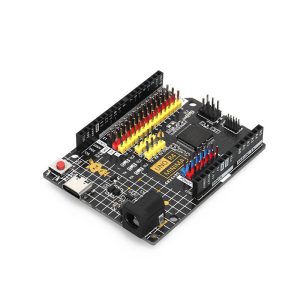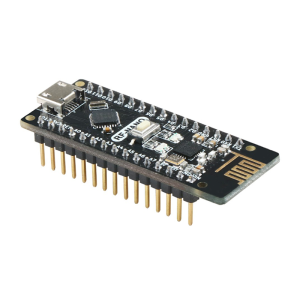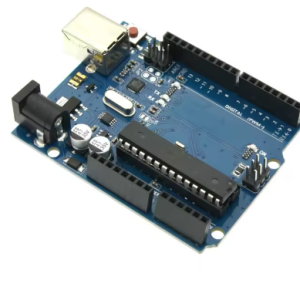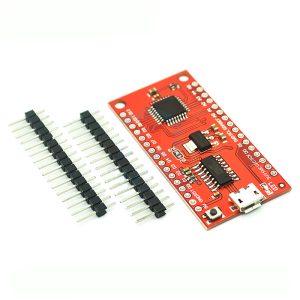
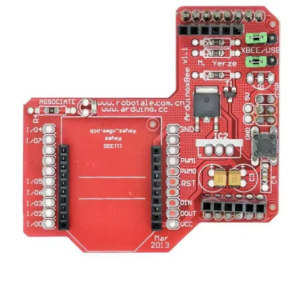
XBee Zigbee Wireless Expansion Board for Arduino – DIY Maker & IoT Development Module

SKU: FA1044-2
Model

XBee Wireless Expansion Board/Shield

Compatibility

Arduino UNO R3, Mega, Leonardo, ADK, etc.

Input Voltage (via Arduino)

5V DC recommended

Regulated Output

3.3V DC (for the XBee module)

Logic Levels

5V Input Tolerant to the shield, 3.3V supplied to module

Interface

Selectable UART (Hardware/Software Serial)

Dimensions

Standard Arduino Shield form factor

Included

Expansion board only (XBee module sold separately)

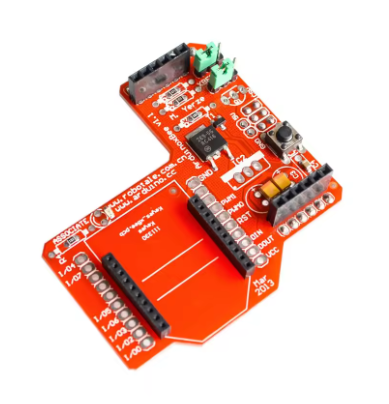
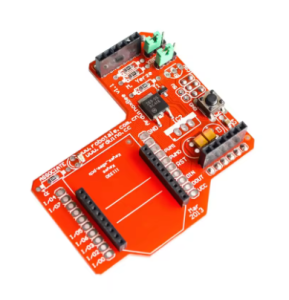
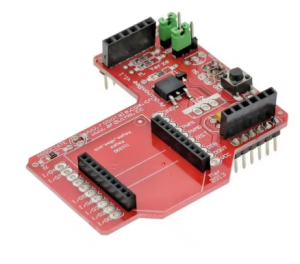
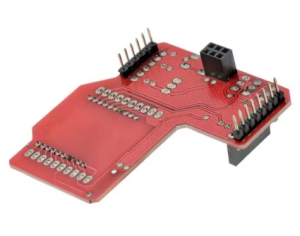
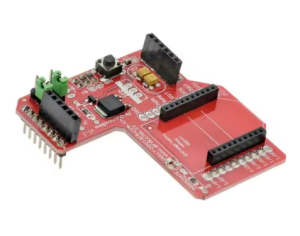
XBee Zigbee Wireless Expansion Board for Arduino: DIY Maker & IoT Development Module
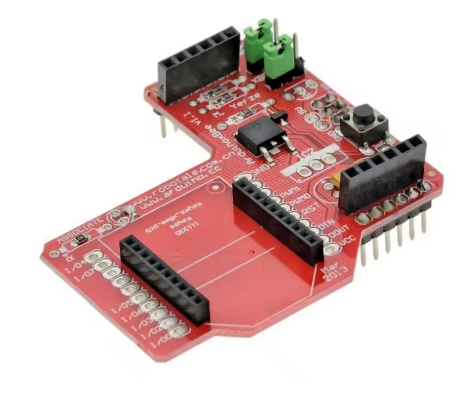
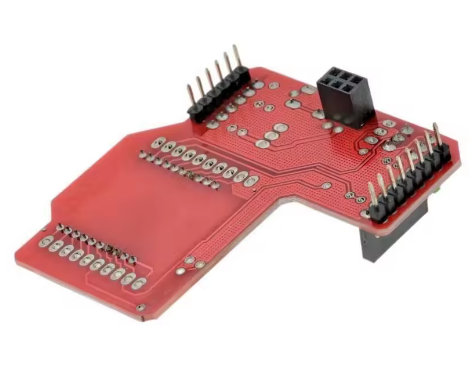
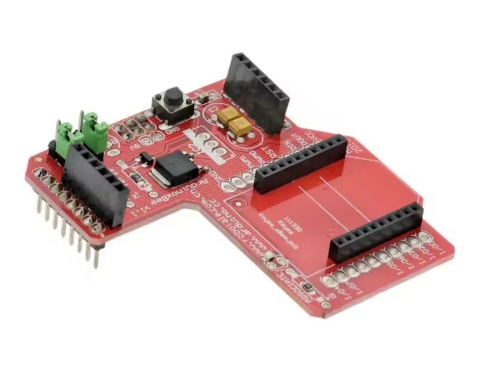
The XBee Zigbee Wireless Expansion Board (often referred to as an XBee Shield or Adapter) provides a crucial bridge for seamlessly integrating robust wireless mesh networking capabilities into any standard Arduino platform. This board is designed for DIY makers, students, and engineers developing Internet of Things (IoT) applications, enabling reliable, low-power communication between microcontrollers, sensors, and gateway devices. 
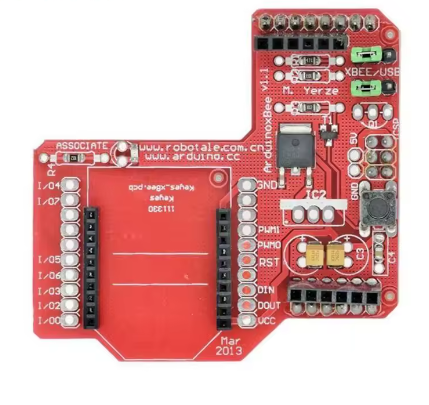
By utilizing the 20-pin XBee socket footprint, this shield allows you to plug in any XBee module (Zigbee, 802.15.4, or Bluetooth Bee) and instantly add wireless capabilities to your Arduino Uno, Mega, or Leonardo projects. It includes essential onboard voltage regulation and logic level shifting, ensuring that the 3.3V-based wireless modules operate safely with 5V Arduino logic. 

Key Features
  • Arduino Shield Form Factor: Stacks directly onto official and compatible Arduino boards for simple, plug-and-play hardware integration.
  • Universal 20-pin “Bee” Socket: Compatible with all XBee Series 1, Series 2/S2C, Bluetooth Bee, and WiFi Bee modules.
  • Integrated Level Shifting: Built-in circuitry automatically converts 5V Arduino logic signals to the required 3.3V logic level for the XBee module, preventing damage.
  • Onboard 3.3V Regulation: Regulates the 5V power from the Arduino board down to the stable 3.3V needed by the XBee module.
  • Selectable Serial Communication: Features configuration jumpers or DIP switches to choose between using the hardware serial pins (D0/D1) or software serial pins (e.g., D2/D3), providing flexibility for programming/debugging.
  • Status Indicators: Onboard LEDs for Power, Link, RX, and TX activity assist in debugging network activity.
  • Prototyping Area: Often includes a small prototyping area with through-hole pads for adding custom components or breakout wires. 

Technical Parameters (Specifications)
Parameter  Value/Description
Model XBee Wireless Expansion Board/Shield
Compatibility Arduino UNO R3, Mega, Leonardo, ADK, etc.
Input Voltage (via Arduino) 5V DC recommended
Regulated Output 3.3V DC (for the XBee module)
Logic Levels 5V Input Tolerant to the shield, 3.3V supplied to module
Interface Selectable UART (Hardware/Software Serial)
Dimensions Standard Arduino Shield form factor
Included Expansion board only (XBee module sold separately)
Usage Instructions
This shield simplifies the connection between the Arduino and the XBee module. Configuration jumpers are essential for successful operation. 
Hardware Setup:
  1. Insert XBee Module: Carefully place your Zigbee or other “Bee” module into the 20-pin socket on the shield, ensuring Pin 1 aligns with the board’s marking.
  2. Mount on Arduino: Attach the XBee shield firmly to your Arduino board’s headers.
  3. Configure Jumpers/Switches:
    • For Arduino Programming: Set the shield to use Software Serial pins (e.g., D2/D3) so the USB connection can upload code via D0/D1 without conflict.
    • For Running the Application: Set the shield to use the Hardware Serial pins (D0/D1) for the fastest, most reliable communication once your code is uploaded and the USB cable is disconnected.
  4. Power Up: Connect power to your Arduino board.
Q: Does this expansion board include the actual XBee wireless module?

No, the XBee module itself (e.g., XBee S2C Zigbee) must be purchased separately. This product is the adapter board/shield only.

Q: Are XBee modules 5V tolerant? Can I connect them directly to my Arduino Uno without this shield?

No, all XBee modules are 3.3V devices. Connecting them directly to a 5V Arduino without this shield or an external logic level converter will permanently damage the module. This shield safely manages that voltage conversion.

Q: What is the difference between an XBee Series 1 and Series 2 module, and do both work with this board?

Series 1 uses a simple peer-to-peer 802.15.4 protocol (point-to-point communication). Series 2 uses the more complex Zigbee mesh networking protocol. Both module types physically fit and work with this shield, but they cannot communicate with each other in a network.

Q: I am a business buyer/developer. Is this suitable for commercial IoT prototyping?

Yes, this shield is an industry-standard prototyping tool. It allows rapid development of IoT solutions using certified, robust XBee modules before moving to finalized custom PCB hardware designs.