Product Overview
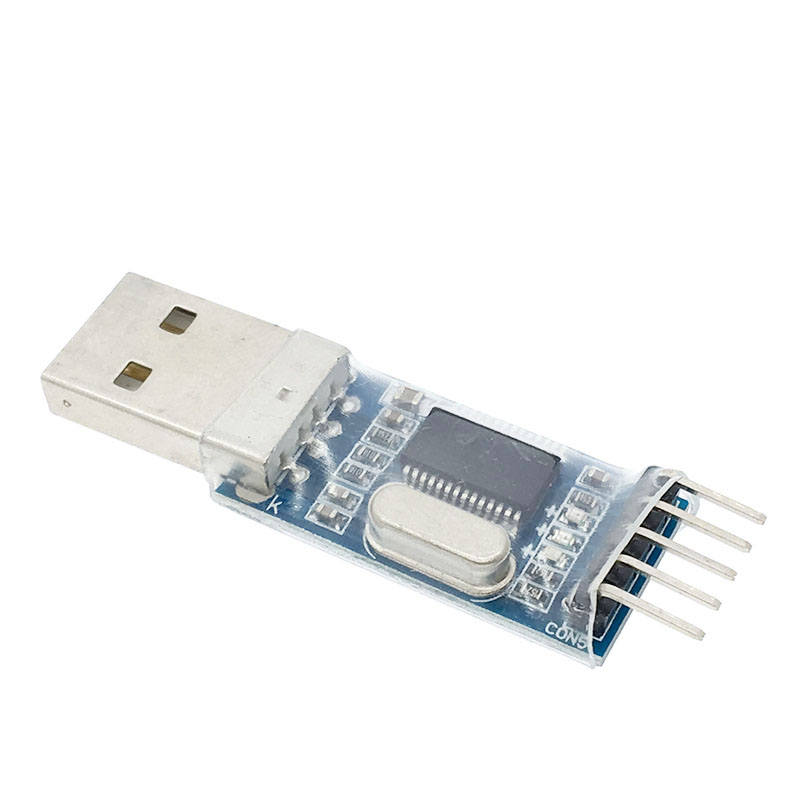
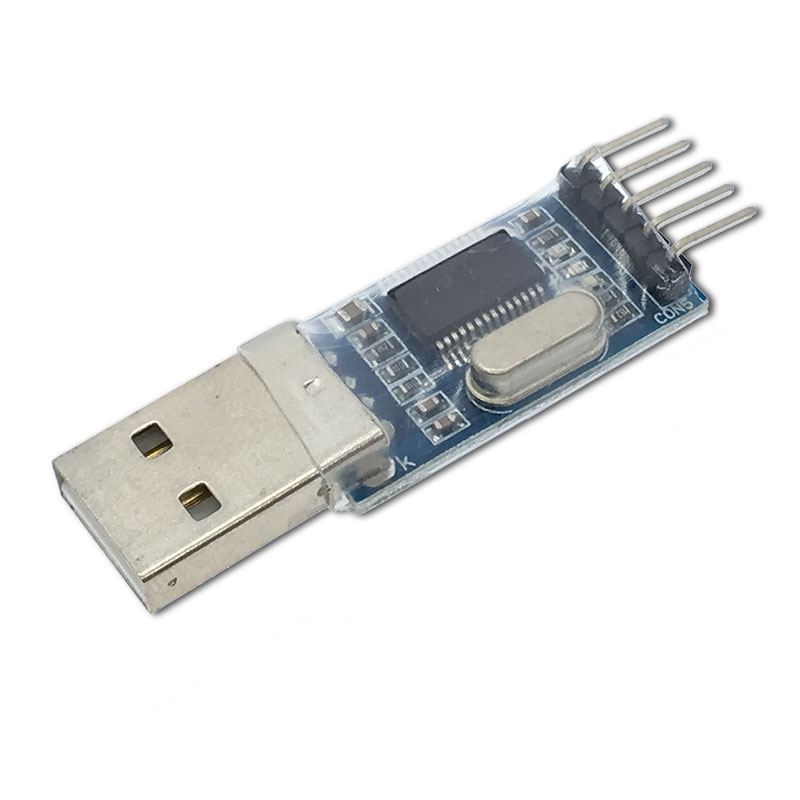
The PL2303HX USB to TTL Converter Module is a versatile and reliable serial communication adapter designed to bridge the gap between your computer’s USB port and a wide range of microcontrollers and electronic devices. Based on the prolific PL2303HX chipset, this module converts USB signals to TTL (Transistor-Transistor Logic) level serial signals, allowing you to program, debug, and communicate with embedded systems that lack native USB connectivity .
This converter is an indispensable tool for electronics hobbyists, embedded system developers, and technicians. It is specifically designed as a download cable for STC microcontrollers and is widely used for programming STM32 boards, serving as an STK500 programmer for AVR devices, and performing firmware upgrades on satellite receivers such as the ZX-9 model .
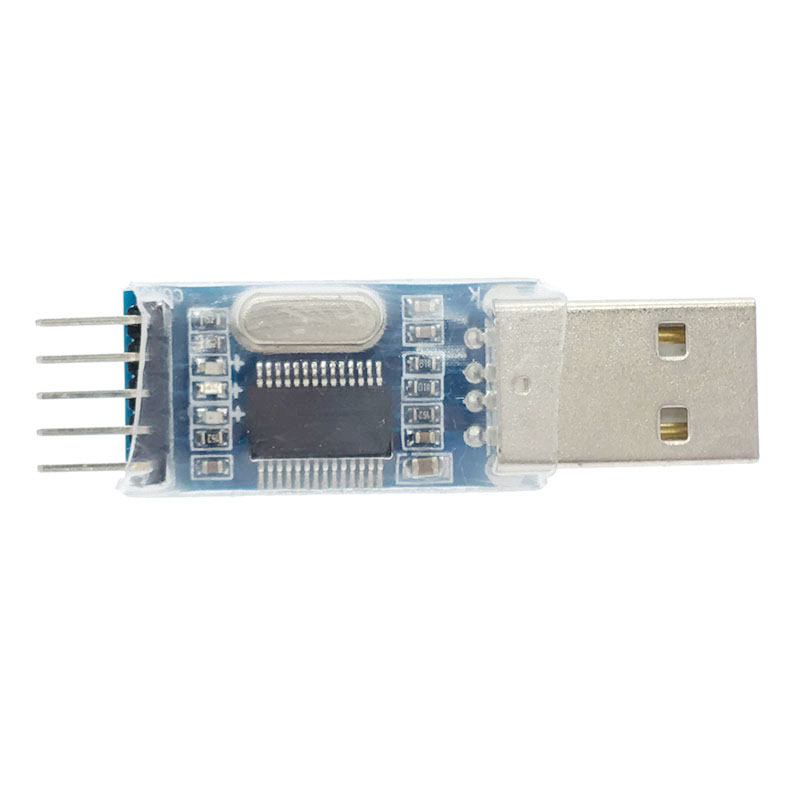
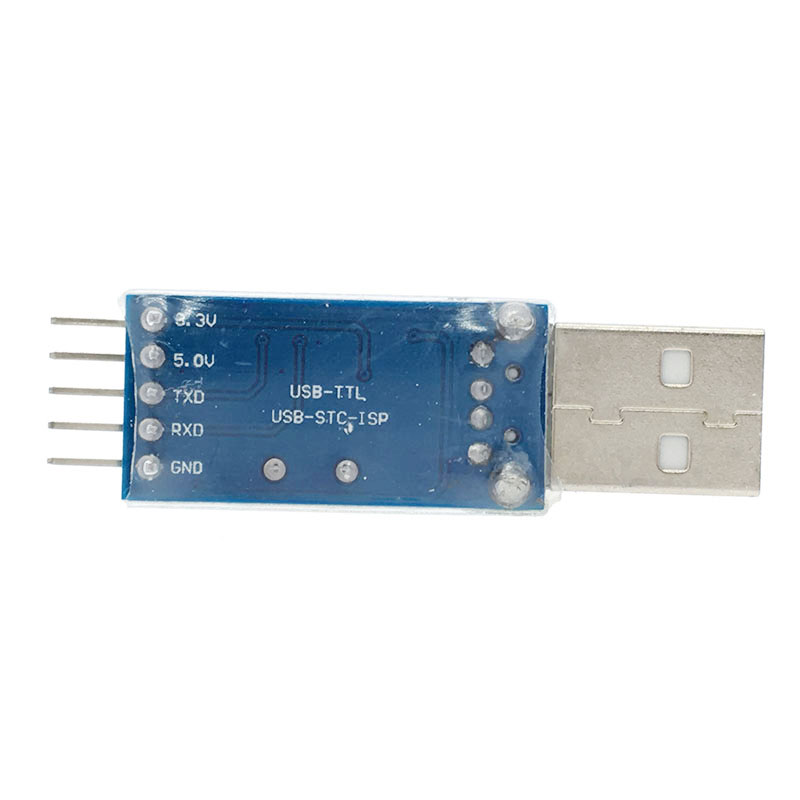
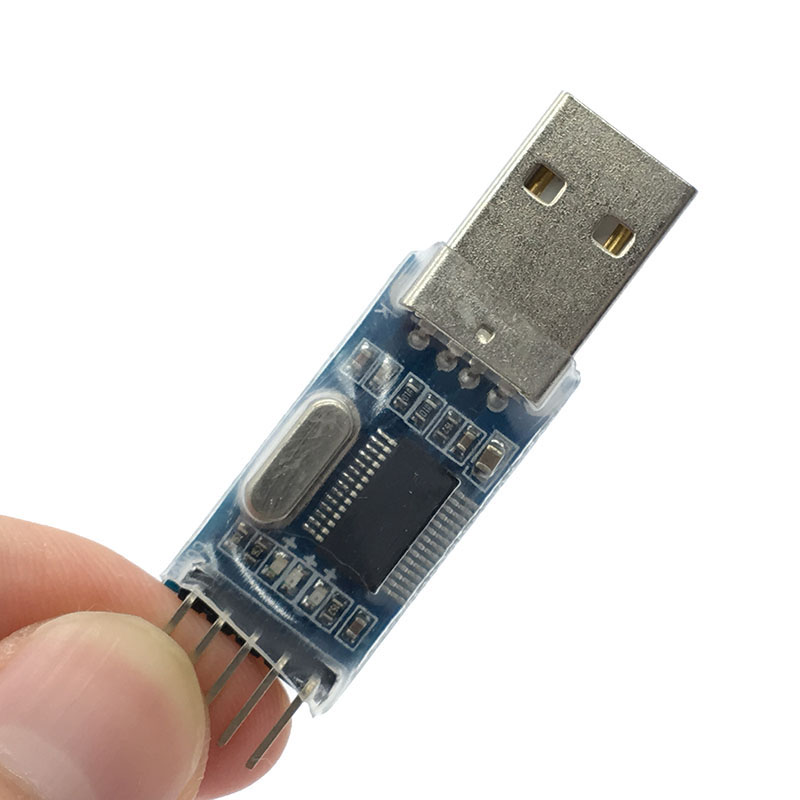
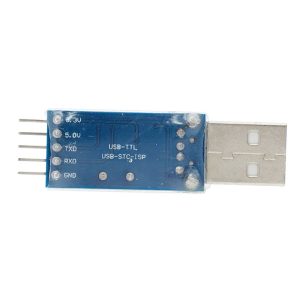
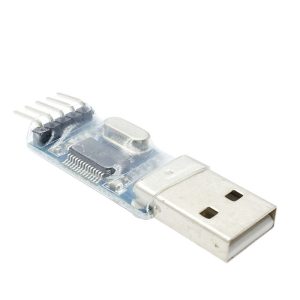
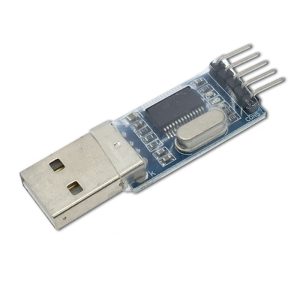
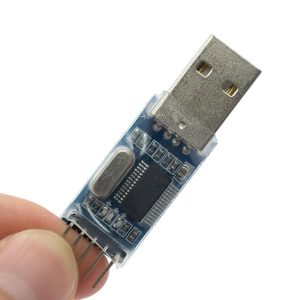
The module features a 5-pin interface (3.3V, 5V, TXD, RXD, GND), supporting both 3.3V and 5V logic systems, with onboard self-recovery fuse protection to safeguard your computer’s USB port from accidental short circuits . The entire circuit board is coated with a high-quality transparent heat-shrinkable tube, providing electrical insulation while allowing visual inspection of the components .
Whether you’re a student learning microcontroller programming, a professional engineer developing embedded systems, or a technician servicing satellite equipment, the PL2303HX module offers a cost-effective, proven solution for your serial communication needs.
Key Features
-
Prolific PL2303HX Chipset: Based on the authentic Prolific PL2303HX USB-to-UART bridge controller, ensuring stable high-speed communication and broad compatibility .
-
500mA Self-Recovery Fuse Protection: Onboard resettable fuse protects your computer’s USB port from damage caused by accidental short circuits or overcurrent conditions .
-
Dual Voltage Output (3.3V & 5V): Supports both 3.3V and 5V logic systems via reserved pin interfaces, making it compatible with a wide variety of target devices .
-
Visual Status Indicators: Two onboard LEDs (TXD and RXD) provide real-time visual feedback of data transmission and reception activity, simplifying debugging .
-
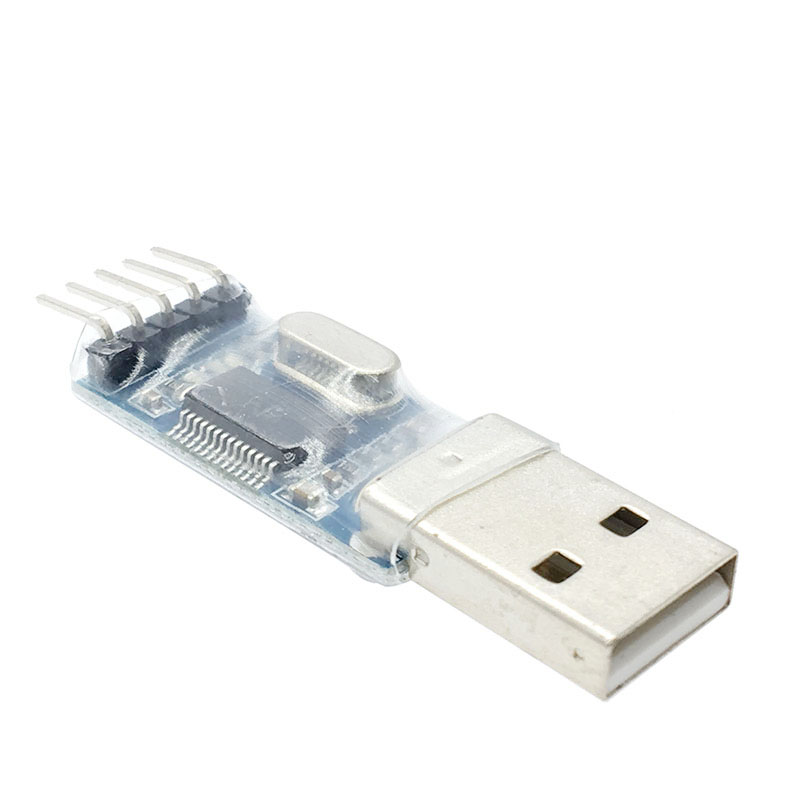
Transparent Heat-Shrink Insulation: The entire PCB is covered with high-quality transparent heat-shrinkable tube, providing electrical insulation and protection against accidental short circuits .
-
Wide Operating System Support: Compatible with Windows XP, Vista, 7, 8, 10, and 11 (with appropriate drivers), macOS, and Linux systems .
-
High-Speed Communication: Supports baud rates up to 1 Mbps or higher, ensuring fast and stable firmware uploads and data transfer .
-
Parallel Pin Design: Interface pins are parallel to the board (instead of perpendicular), facilitating easy connection of Dupont wires during programming .
-
5-Pin Standard Interface: Pinout includes 3.3V, 5V, TXD, RXD, and GND – clearly labeled for easy wiring .
-
Electrostatic Bag Packaging: Each module is sealed in an electrostatic bag to ensure quality protection before use .
Technical Specifications
Pinout & Interface Guide
The module features a standard 5-pin interface with clearly marked labels:
Important Wiring Notes :
-
TXD on module → RXD on target device
-
RXD on module → TXD on target device
-
GND → GND (must be connected)
The VCC (5V or 3.3V) connection is optional – suitable for powering low-current target devices. For high-current devices, use an external power supply.
Usage Guide
Driver Installation
The PL2303HX requires driver installation for proper operation :
-
Download Driver: Search for “PL2303HX Driver” or download from the Prolific Technology website
-
Install Driver: Run the installer (Windows users: PL-2303 Driver Installer)
-
Connect Module: Plug the USB to TTL converter into your computer
-
Verify Installation: Open Device Manager → Ports (COM & LPT) → Look for “Prolific USB-to-Serial Comm Port (COMx)”
Note: For Windows 8, 8.1, and 10, you may need to install legacy drivers or disable driver signature enforcement, as newer Windows versions have changed driver requirements.
Programming STC Microcontrollers
The PL2303HX is widely used for programming STC microcontrollers (e.g., STC89C52RC) :
Connection:
-
Module 5V → STC VCC (5V power)
-
Module GND → STC GND
-
Module TXD → STC RXD (P3.0)
-
Module RXD → STC TXD (P3.1)
Programming Steps :
-
Open STC-ISP software
-
Select correct MCU model and COM port
-
Load your HEX file
-
Click “Download/Program”
-
Cold start procedure: Power off the target board, click download in software, then power on the board
-
Wait for “Operation Success” message
IMPORTANT: STC microcontrollers require a “cold start” – power must be cycled (off then on) to enter programming mode .
STM32 Programming
For STM32 “Blue Pill” and other STM32 boards :
-
Connect module TXD → PA10 (USART1_RX)
-
Connect module RXD → PA9 (USART1_TX)
-
Connect GND → GND
-
Set BOOT0 jumper to “1” and reset to enter bootloader mode
-
Use STM32CubeProgrammer or Flash Loader Demonstrator
Satellite Receiver Upgrades (e.g., ZX-9)
The PL2303HX is commonly used for satellite receiver firmware upgrades :
Warnings :
-
Do NOT connect the VCC pin when upgrading satellite receivers (risk of burning the mainboard)
-
Only connect GND, TXD, and RXD
-
Verify your receiver model supports serial upgrades before connecting
-
Use appropriate software for your specific receiver model
Raspberry Pi / Single Board Computer Debugging
For serial console access:
-
Module GND → Raspberry Pi GND (Pin 6)
-
Module TXD → Raspberry Pi RXD (Pin 10)
-
Module RXD → Raspberry Pi TXD (Pin 8)
-
Do NOT connect 5V or 3.3V (RPi is powered separately)
General Serial Communication / Debugging
-
Connect module to any UART-enabled device (TXD↔RXD, RXD↔TXD, GND↔GND)
-
Use a serial terminal program (PuTTY, CoolTerm, Arduino Serial Monitor)
-
Set matching baud rate (e.g., 9600, 115200) and COM port
Applications
The PL2303HX module is suitable for :
-
STC Microcontroller Programming – Full series support
-
STM32 Programming – Bootloader communications
-
STK500 AVR Programmer – Programming Arduino and AVR chips
-
Satellite Receiver Upgrades – Firmware updates for ZX-9 and similar models
-
Router/Modem Firmware – Upgrading or cracking routers, ADSL modems
-
GPS Serial Communication – Interfacing GPS modules with computers
-
Automotive Diagnostics – Vehicle inspection and testing
-
General Serial Debugging – Serial communication and terminal applications
Q: What microcontrollers can I program with this module?
This module supports programming for STC series microcontrollers (e.g., STC89C52RC, STC12C5A60S2), STM32 series, and can serve as an STK500 programmer for AVR chips. It also supports NXP, Renesas, NEC, and many other MCU families
Q: Can I use this as an STK500 programmer for Arduino/AVR?
Yes, the PL2303HX can be used as an STK500 compatible programmer for AVR microcontrollers and some Arduino boards. Use with appropriate programming software like avrdude
Q: Which satellite receivers does this work with?
This module is commonly used for upgrading ZX-9 satellite receivers and other STC-based satellite boxes. It supports various satellite set-top box upgrades . Check your receiver’s compatibility before use.
Q: What is the maximum baud rate supported?
The PL2303HX supports baud rates up to 1 Mbps, suitable for high-speed data transmission and fast firmware uploads .
Q: What voltage levels does the module support?
The module provides both 3.3V and 5V outputs via reserved pins. The logic levels (TXD/RXD) operate at 3.3V but are 5V tolerant for most applications .
Q: How do I install drivers for Windows 10/11?
Newer versions of Windows may require legacy drivers or driver signature enforcement to be disabled. Download the latest PL2303HX driver from the Prolific Technology website. For Windows 8/8.1/10, you may need to install older driver versions or follow specific installation procedures
Q: Why can't my computer recognize the device?
Check the following:
-
Drivers are properly installed (check Device Manager)
-
USB cable is functional (use a data cable, not charge-only)
-
Try a different USB port
-
On Windows, check for driver signature issues
Q: What does the "cold start" mean for STC programming?
STC microcontrollers require power cycling to enter programming mode. Disconnect power from your target board, click “Download” in STC-ISP, then reconnect power. This is known as a “cold start” .
Q: The LED lights show activity but programming fails. What's wrong?
Verify your wiring: TXD→RX, RXD→TX, GND→GND. For STC microcontrollers, ensure proper cold start procedure. Check your COM port selection and baud rate settings in the programming software .
Q: Do I need to connect the VCC (5V/3.3V) pins?
For programming, you typically only need TXD, RXD, and GND. The VCC pin is optional and should be used to power low-current target devices. For satellite receiver upgrades, do NOT connect VCC as it may damage the device .
Q: Is the module safe for my computer's USB port?
Yes, the module includes a 500mA self-recovery fuse that protects against short circuits and overcurrent conditions. If a short occurs, the fuse will trip and automatically reset once the fault is cleared .
Q: Can I power my target device from this module?
The 5V output can provide limited current (typically up to 500mA). For low-power microcontrollers, this is sufficient. For devices with motors, servos, or high current draw, use an external power supply.
Q: What is the transparent heat-shrink tubing for?
The transparent heat-shrink tubing provides electrical insulation, protecting the PCB from accidental short circuits with metal objects while allowing visual inspection of the components .
Q: Can I use this with a Raspberry Pi?
Yes, for serial console access. Connect GND, TXD, and RXD only. Do NOT connect the 5V pin, as the Raspberry Pi should be powered separately. The logging level is 3.3V, which is compatible with the Pi’s GPIO .
Q: What's the difference between this and other USB-to-TTL converters?
The PL2303HX is specifically optimized for STC microcontroller programming and satellite receiver upgrades. It includes a 500mA self-recovery fuse, transparent insulation, and supports both 3.3V and 5V logic levels
Q: Is this compatible with macOS and Linux?
Yes, drivers are available for macOS, and Linux includes built-in support for PL2303-based devices (CDC-ACM driver). The device typically appears as /dev/ttyUSB0 on Linux systems